
Guides
How to keep frequently used items in Favorites
Mark the items and containers you return to often. Favorites brings them together in one list, with their storage paths.
Last checked:
What you need
- Sign in and create at least one item or container.
1. Add an item or container
Open the three-dot menu on its card and choose Add to favorites. A star appears when the addition succeeds.
2. Open your Favorites list
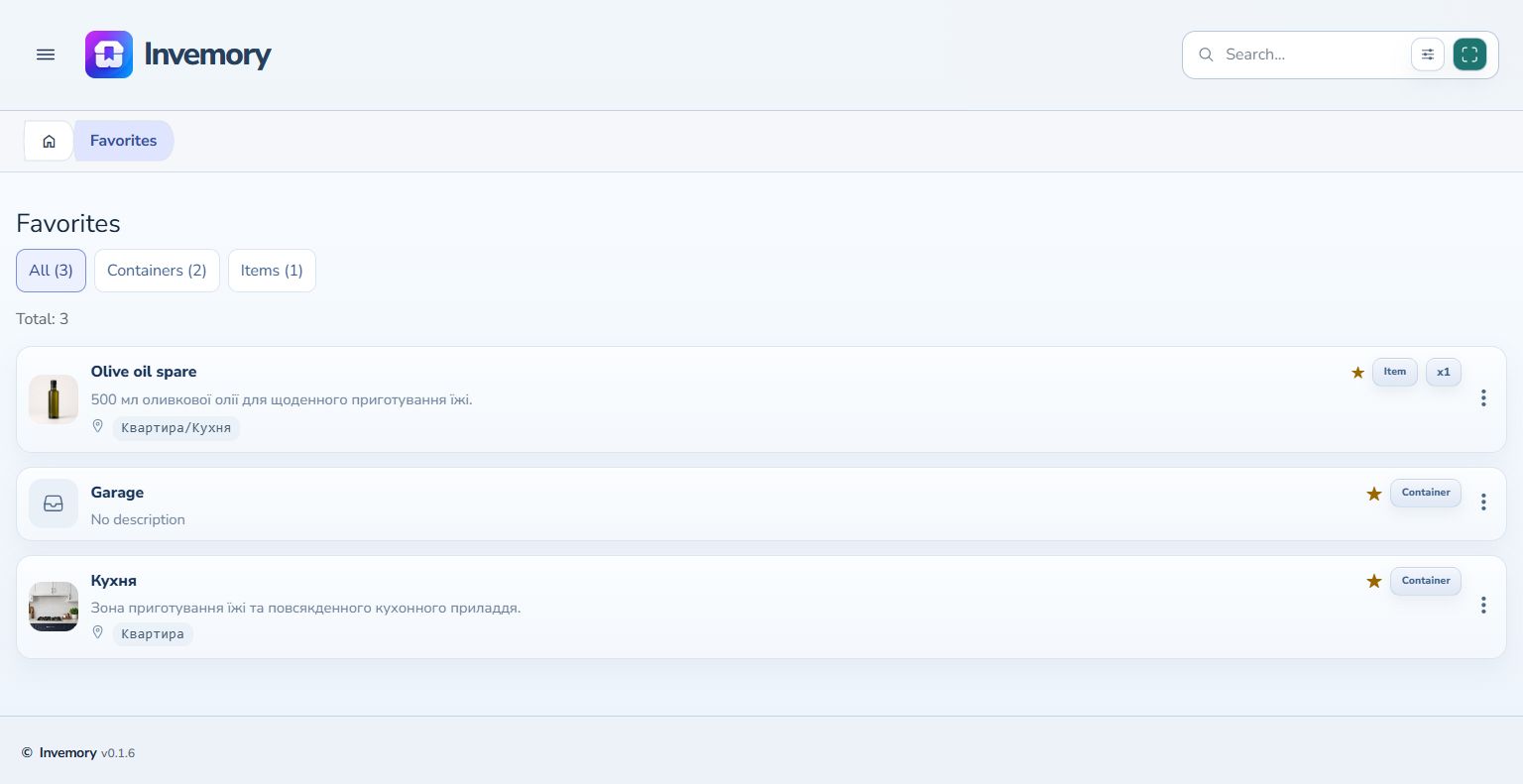
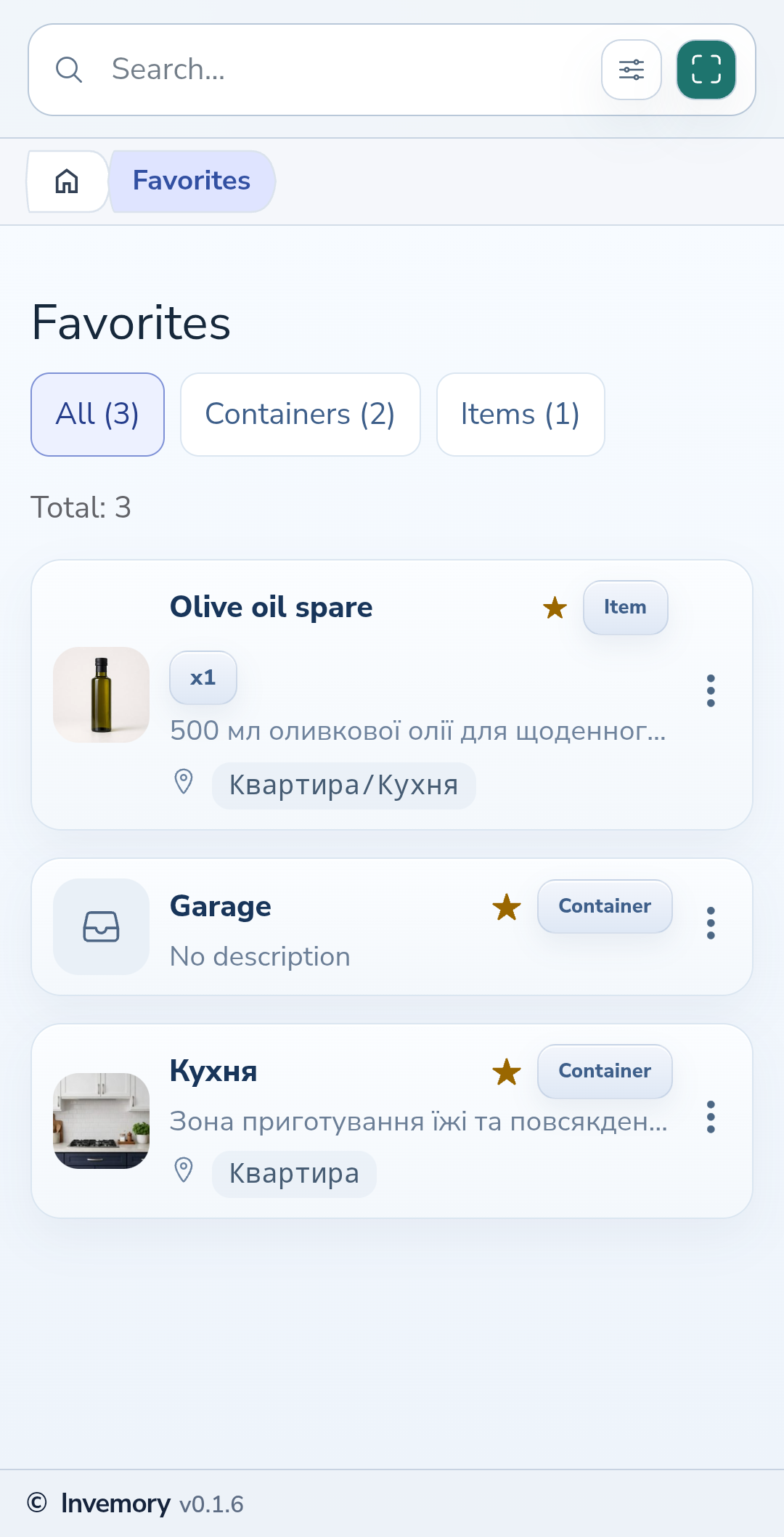
In the side menu, open Inventory → Favorites. On Android, swipe in from the left edge to open the menu. Cards show the name, type and storage path.
Website
Android
3. Choose a type
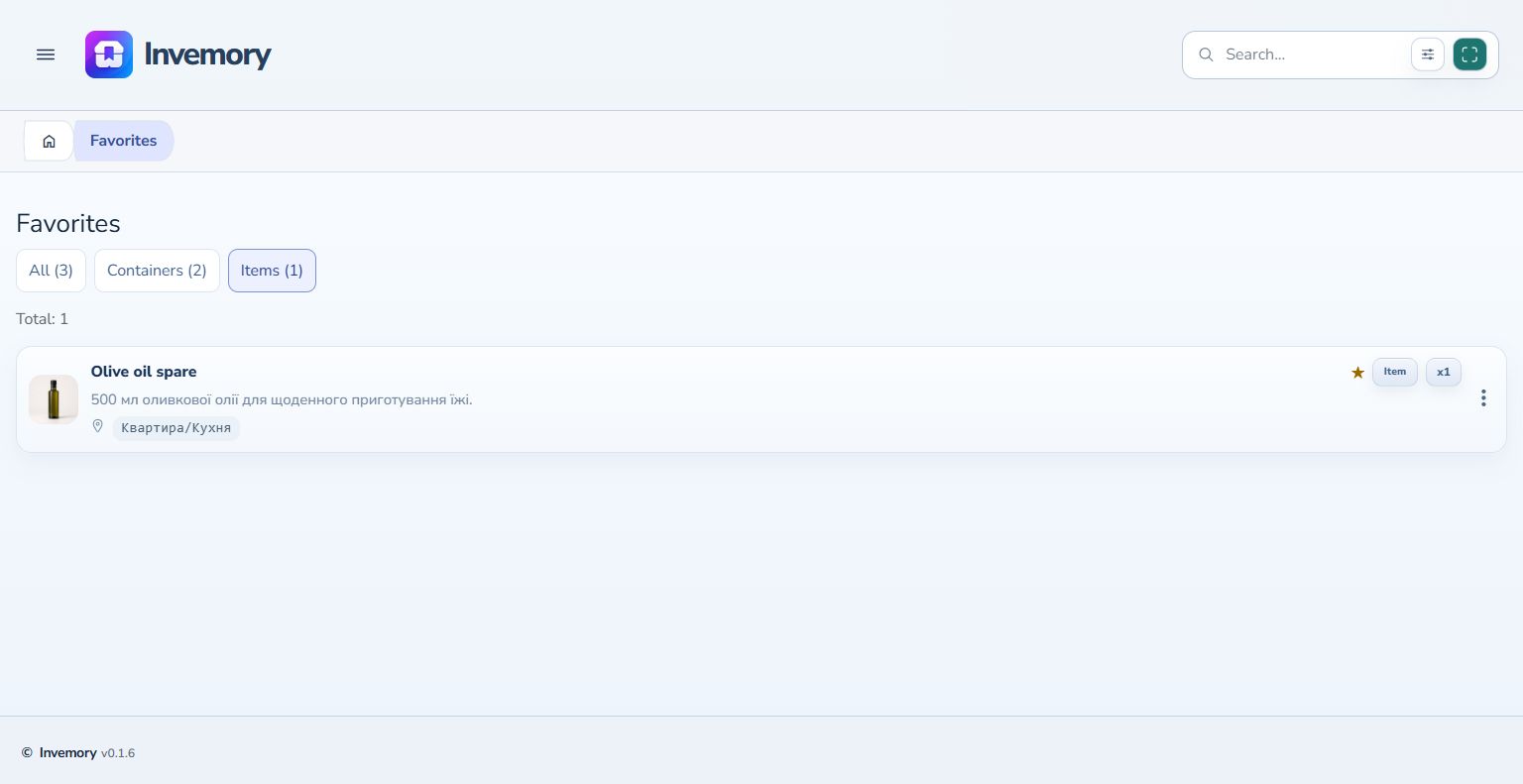
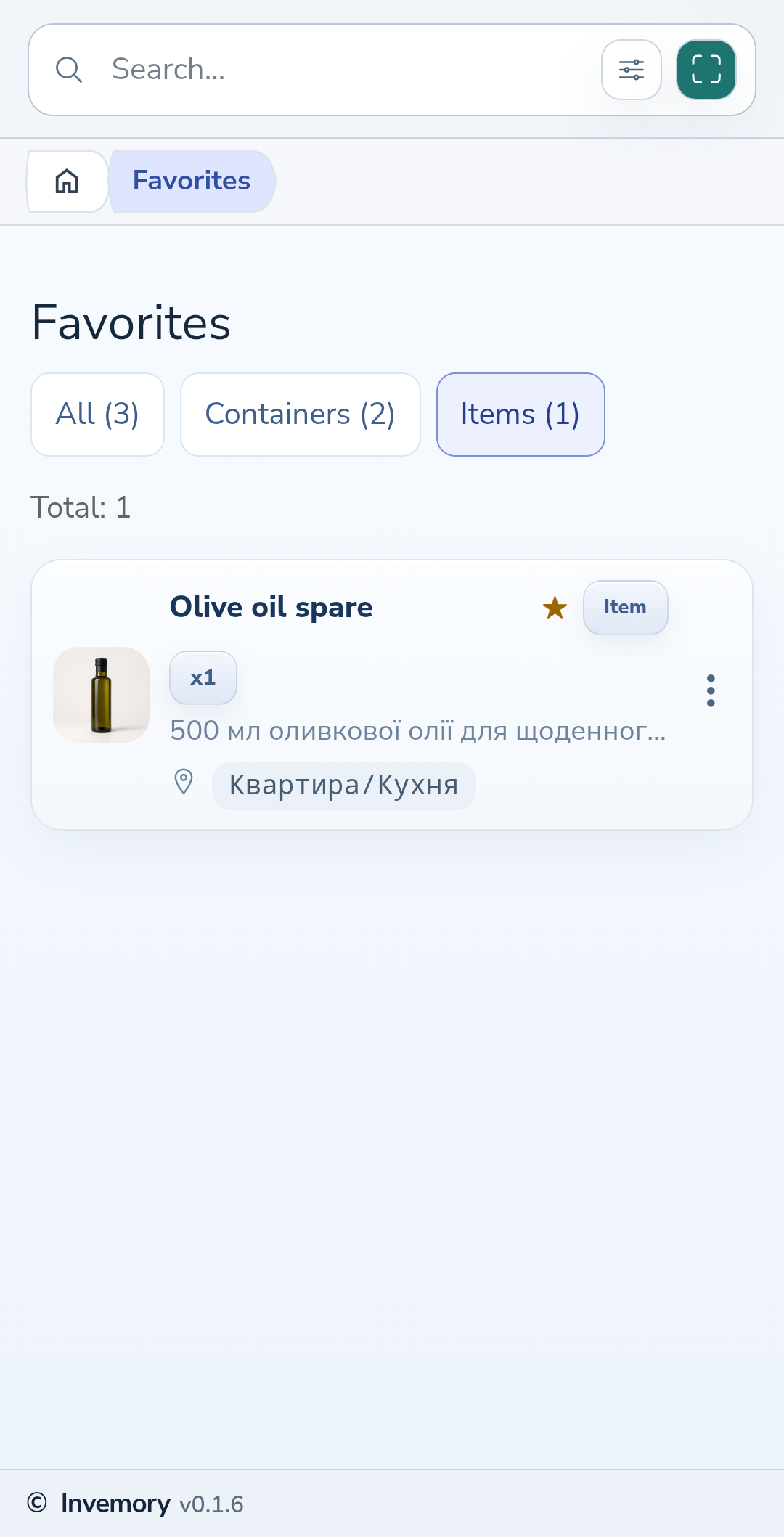
Use All, Containers or Items above the list. The counters show how many favorites you have. An empty list means there are no favorites for the selected type.
Website
Android
4. Remove a favorite or undo the action
Choose Remove from favorites in the card menu. This removes the star and keeps the inventory record. If you did it by mistake, immediately select Undo in the brief message at the bottom of the screen. Once the message disappears, you can add the record again through its menu.
The result
Frequently used items and places appear together, and their stars make them easy to recognize in your inventory.
Useful to know
- Favorite the records you actually open often.
- Use Remove from favorites when you only want to remove the star; Delete is a separate inventory action.
Common questions
Does removing a favorite delete the item?
No. The item remains in its container. Only its favorite status changes.
Frequently used items and places appear together, and their stars make them easy to recognize in your inventory.
Open Favorites