
Guides
How to manage usage analytics
You can choose whether to help Invemory with usage statistics. The website uses an analytics consent dialog; Android has a separate switch in Settings.
Last checked:
What you need
- To change your choice through your profile, sign in and open Profile → Settings.
1. On the website: open analytics settings
Scroll to Website analytics. Current status shows whether analytics is allowed in this browser.
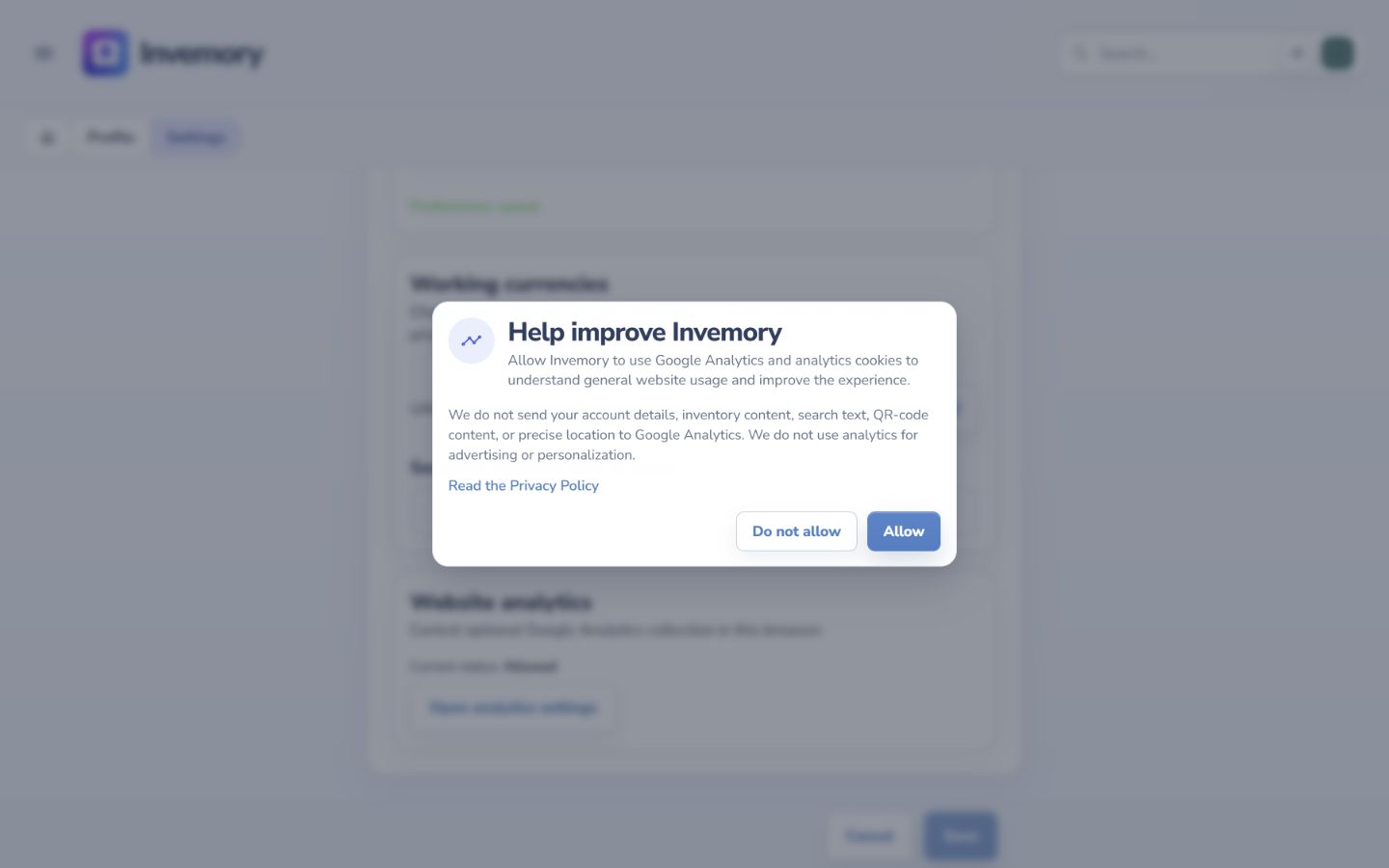
Select Open analytics settings. Read the explanation and choose Allow or Do not allow. The dialog closes and the status updates. You do not need to select Save separately for this choice.
Website
2. On Android: change the analytics switch
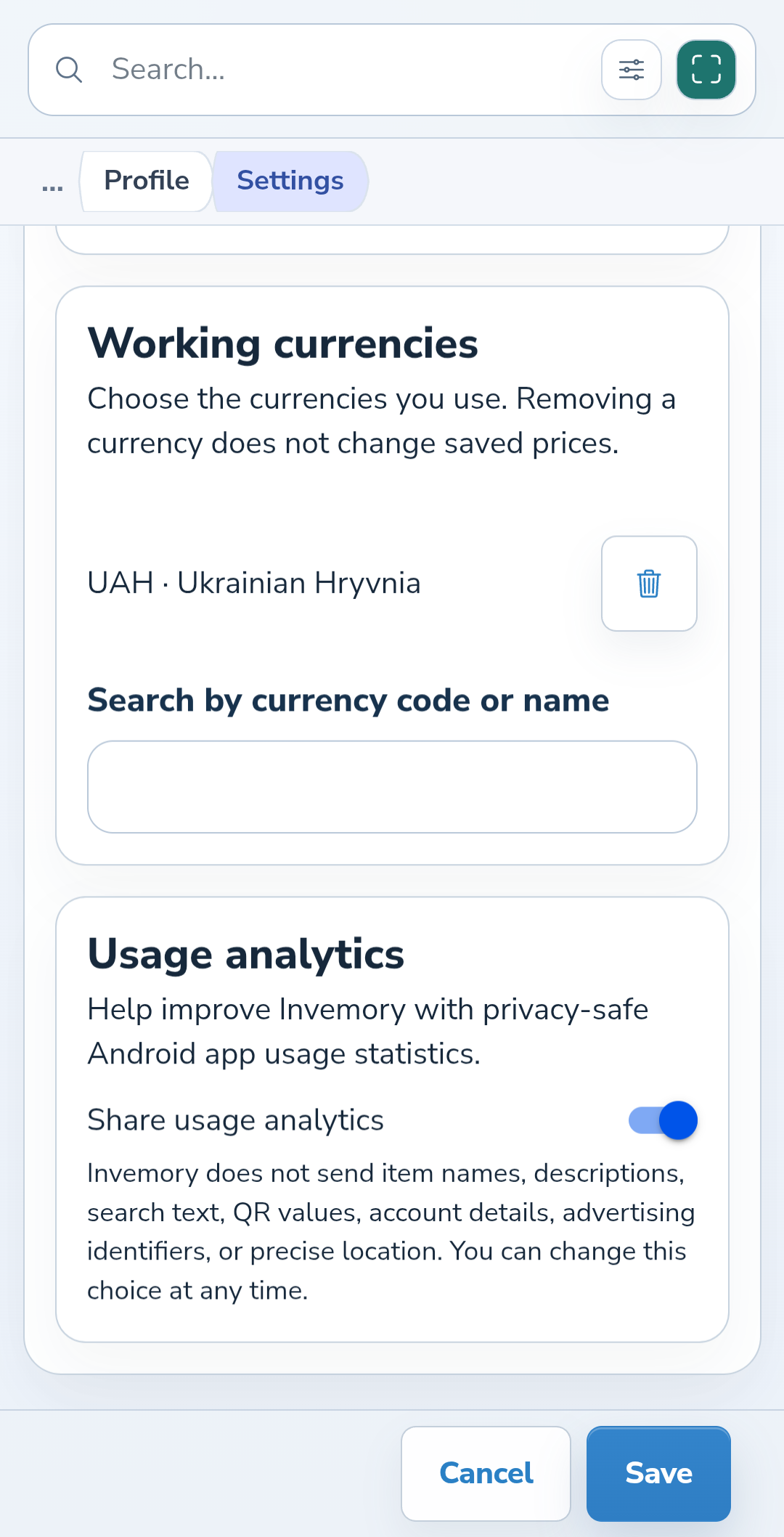
In Settings, scroll to Usage analytics. Use Share usage analytics to turn the choice on or off in the app.
This choice applies separately from language, date, and currency preferences. The analytics switch does not require the Save button.
Android
3. Review your choice whenever you need to
Return to the same section to allow or disable analytics again. Website preferences apply to the current browser; Android has its own control.
Read the Privacy Policy in the website dialog opens the detailed explanation of data handling.
The result
You know where to check and change your optional analytics choice on each platform.
Useful to know
- Analytics preferences do not control other people’s access to your items. Sharing has separate settings.
- Disabling analytics does not delete your account or inventory.
Common questions
Do I need to change the choice separately on my phone?
Yes. Use the switch in the Android app. The website dialog controls analytics in the current browser.
You know where to check and change your optional analytics choice on each platform.
Review my settings