
Guides
How to copy an item
When adding a similar item, start with a copy of one you already have. Invemory brings its photo and description into a new form so you can adjust the details before saving.
Last checked:
What you need
- Sign in to your account.
- Open the container holding an item you own and want to copy.
1. Open the copy form
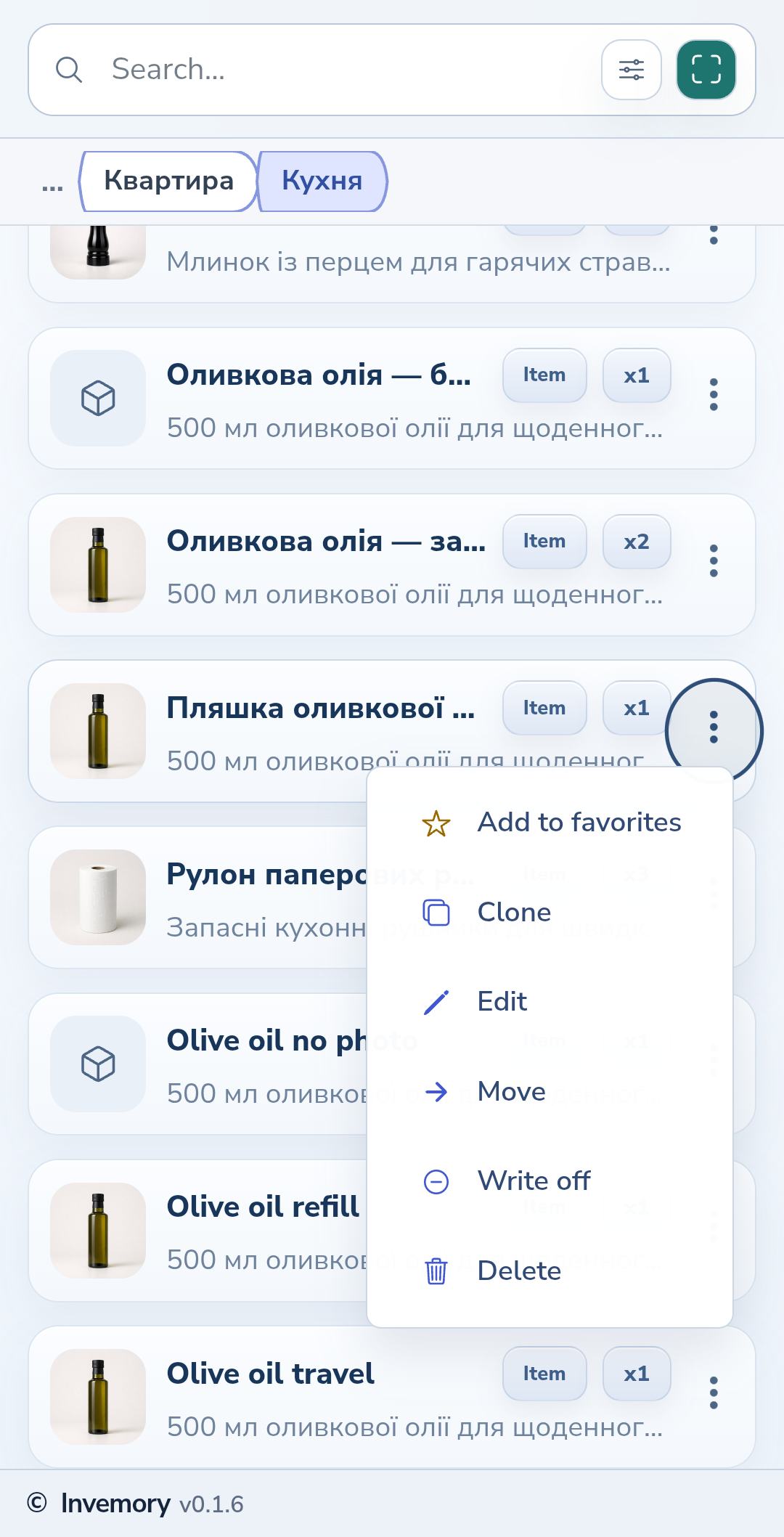
Open the three-dot menu beside the item and choose the clone action. A new-item form opens with details from the source.
Website
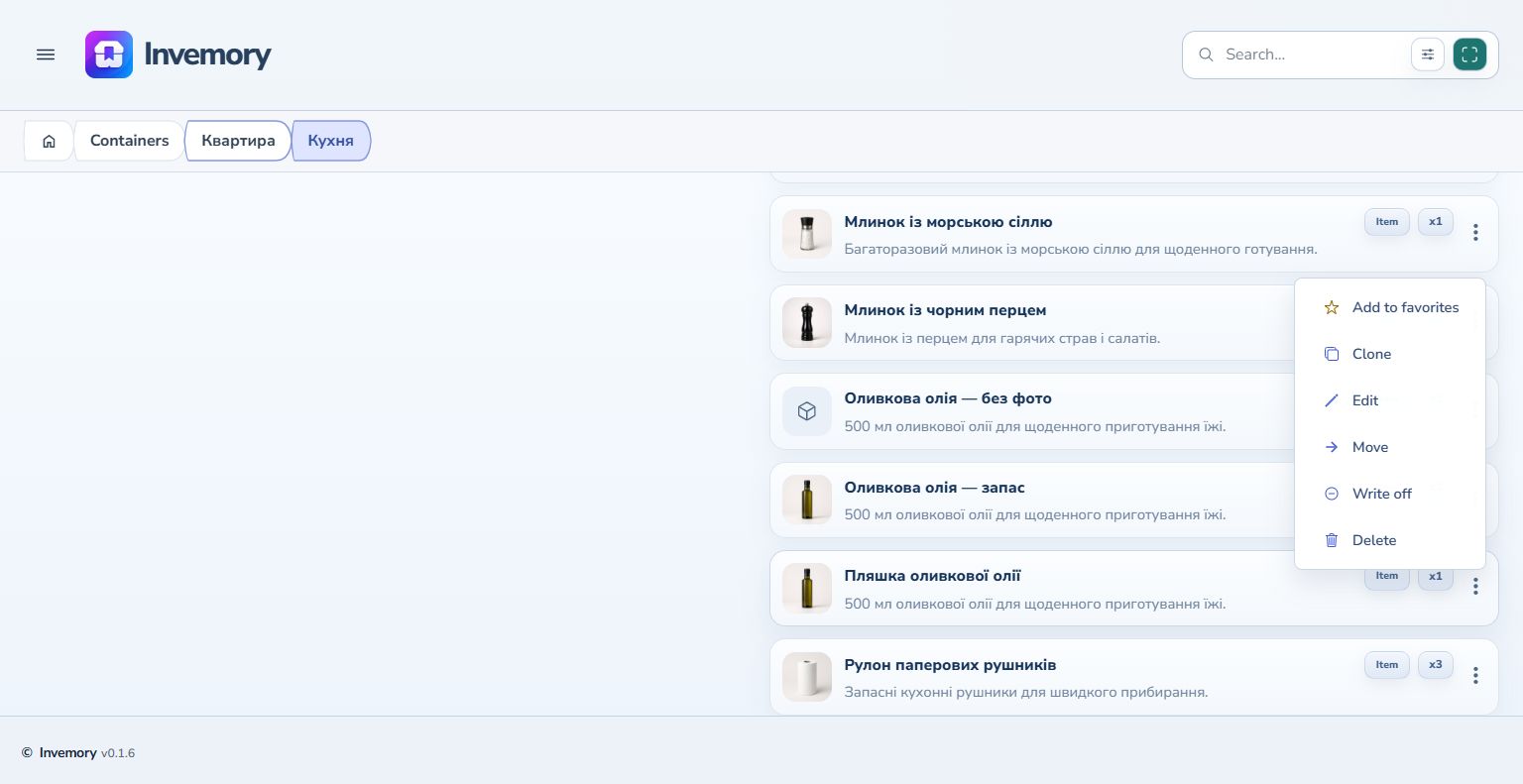
Android
2. Adjust the new item's details
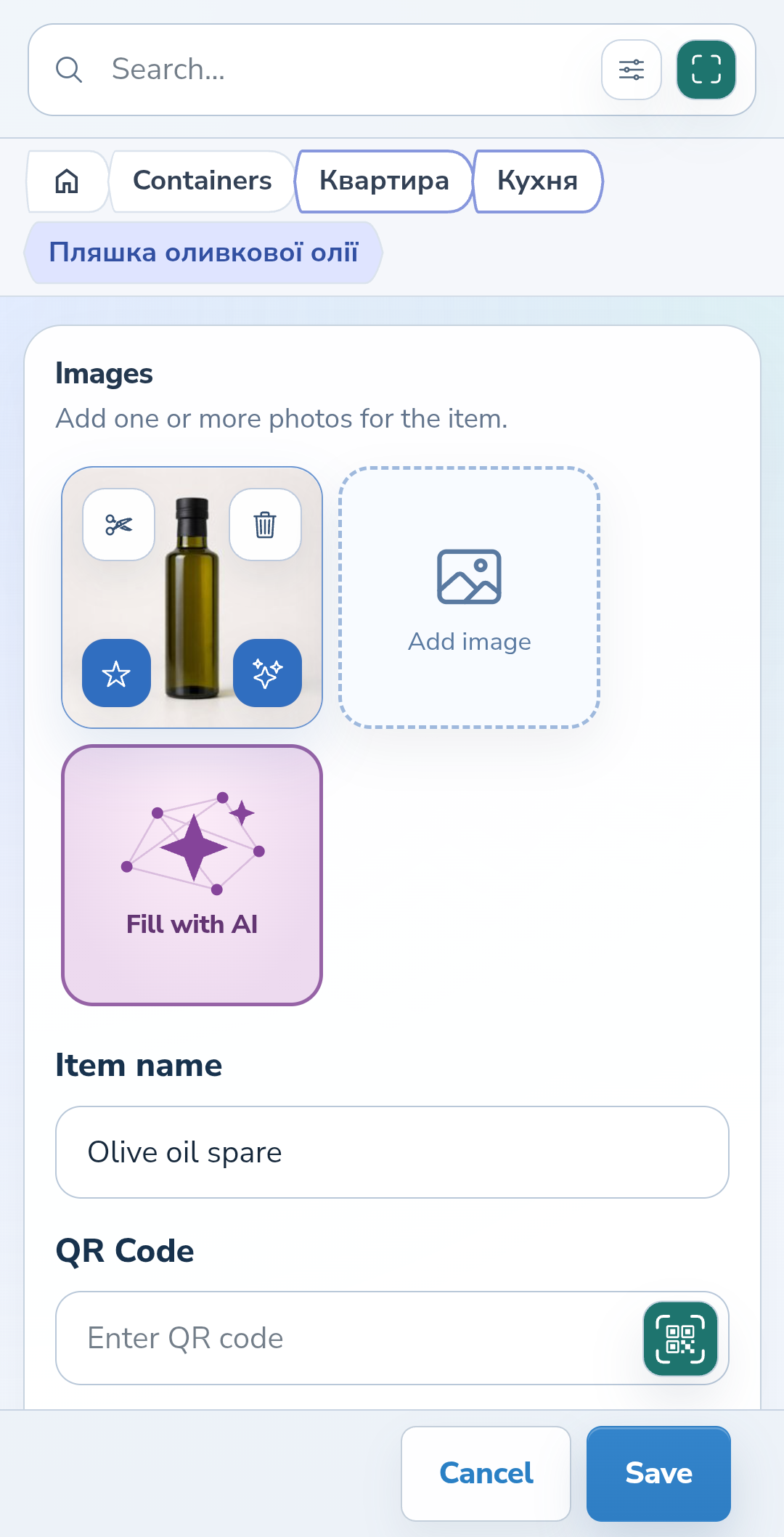
Change the name to distinguish the copy from the original. Check its quantity, photo and description. For example, name an extra bottle “Olive oil — spare”. Review the other fields before saving too.
Website
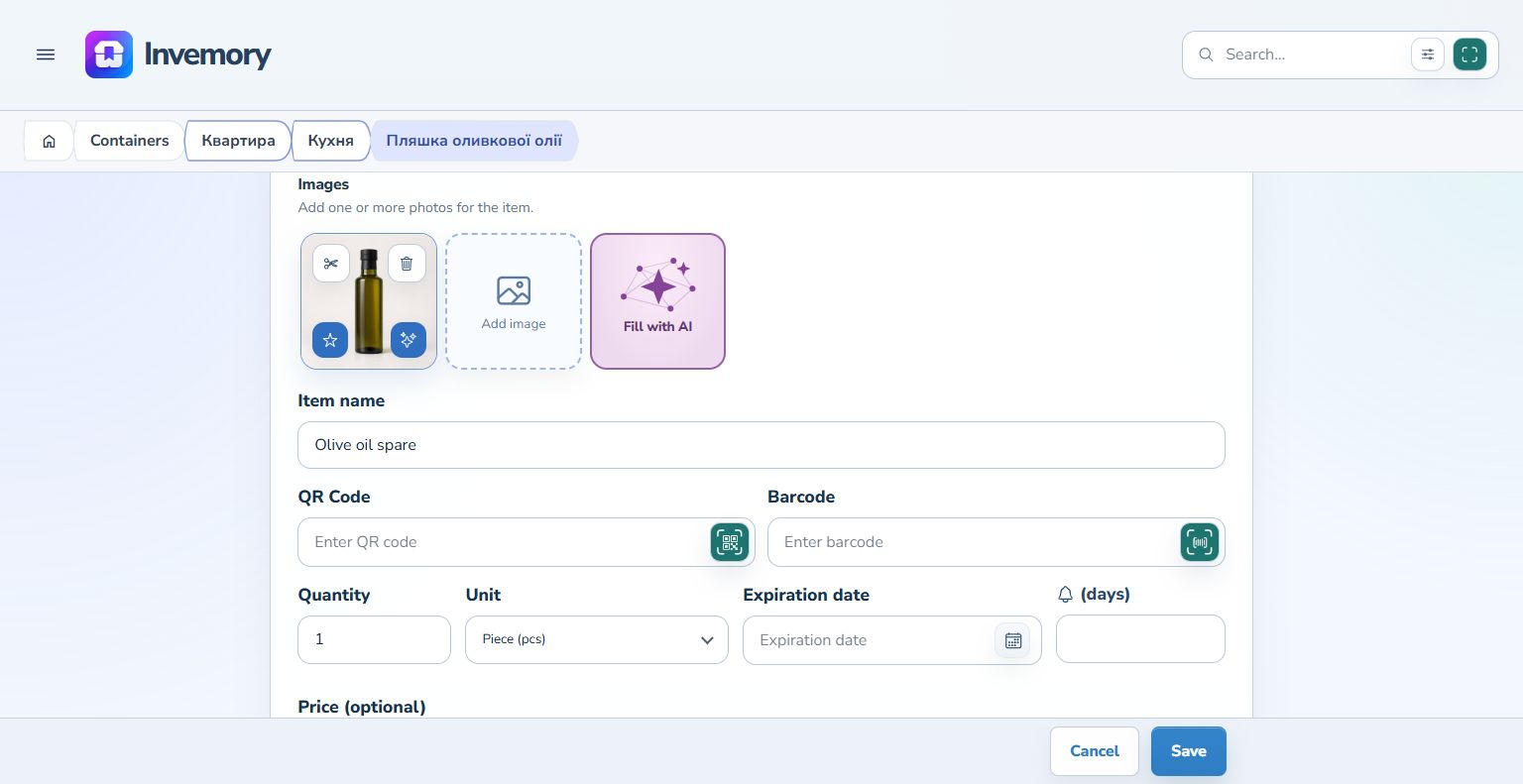
Android
3. Review the photos
Keep the inherited photo if it suits the new item. To save the copy without it, select the trash icon on the photo in the copy form. The original item keeps its photo. In Android, you can then use Add image, choose a photo from your device, and save the copy with that image.
4. Save a separate item
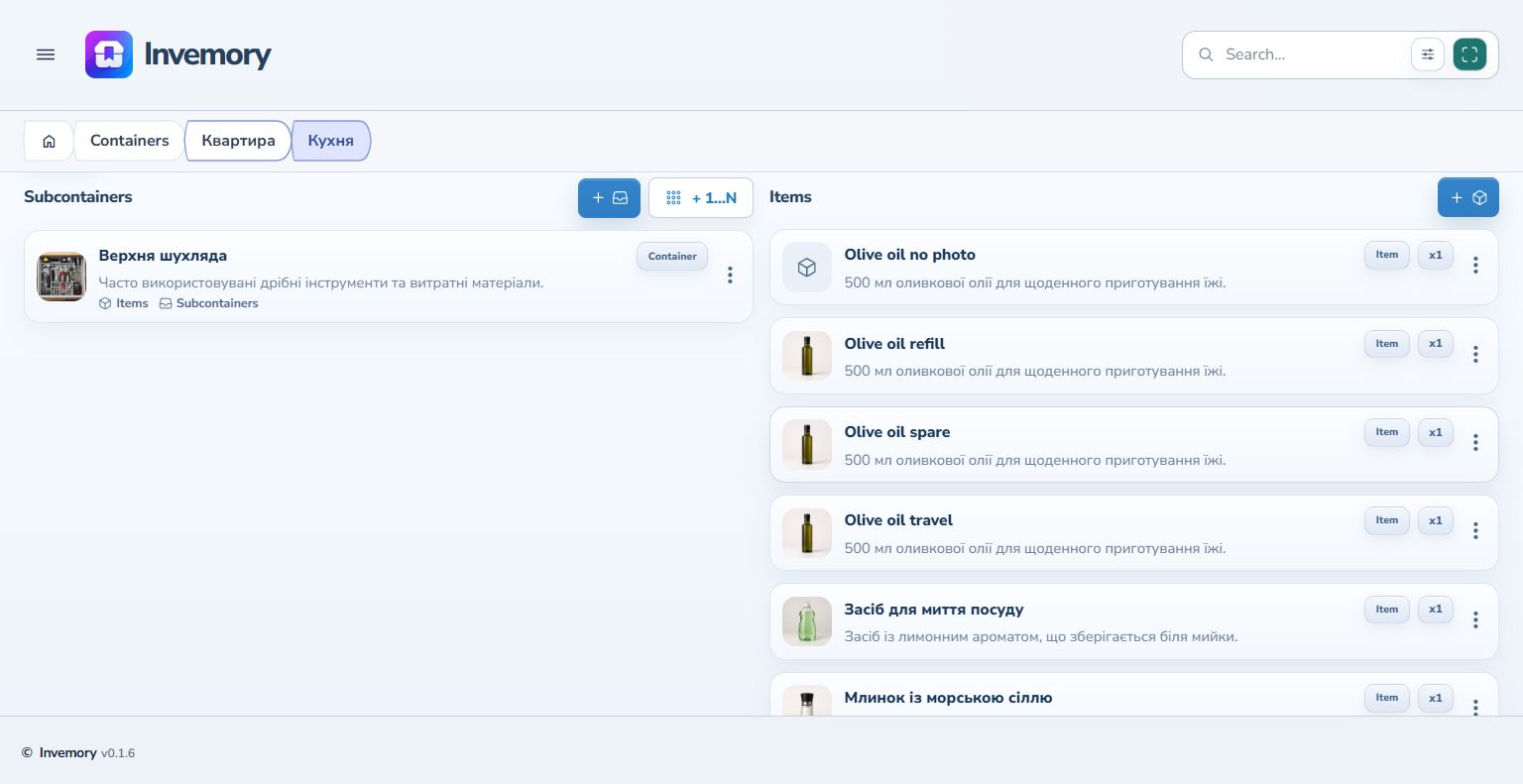
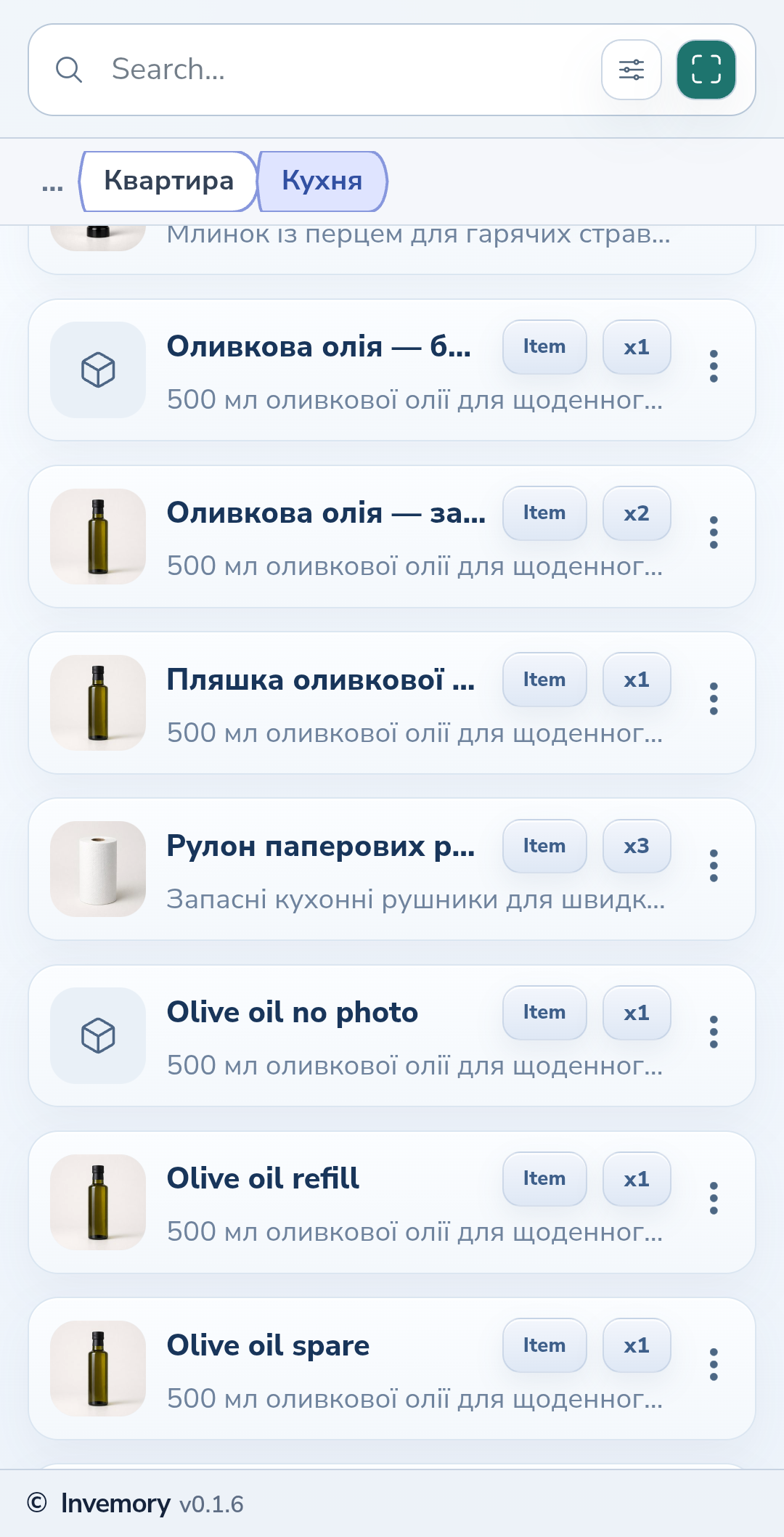
Save the form. A new record appears in the container list. The original remains a separate item with its previous name and quantity.
Website
Android
The result
The container holds two separate items. Open the new copy to check its saved details.
Useful to know
- Choose a name that explains the copy's purpose or distinguishing feature.
- Check the form values: copying does not replace reviewing the new item's details.
Common questions
Does copying change the original item?
Copying creates a separate record. The original item retains its name and quantity.
The container holds two separate items. Open the new copy to check its saved details.
Open your containers