Guides
Use a purchase before placing it and find the product again by barcode
If you used a product before putting it in a container, remove exactly that used amount from your Invemory basket. The purchase stays in the journal, and you can select its saved product details for a new shopping request using the same barcode. The example uses three 500 ml bottles of dish soap.
Last checked:
What you need
- Sign in and prepare your own private purchase with a positive unplaced remainder.
- The packaged example uses bottles with a capacity of 500 ml. To find the product again by code, the purchase needs a saved barcode.
- Recording a price and currency is optional. The currency example requires a selected working currency.
1. Record a private purchase
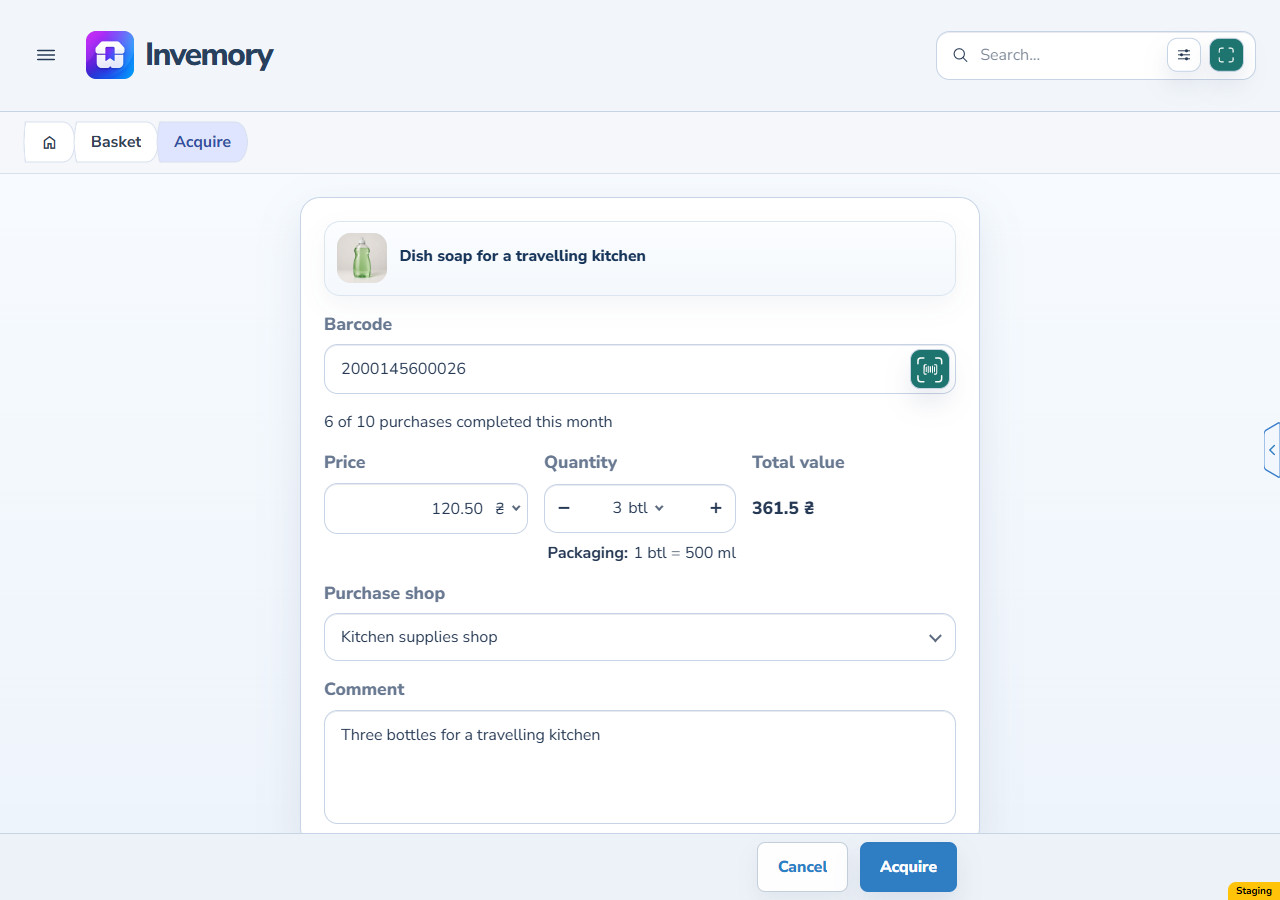
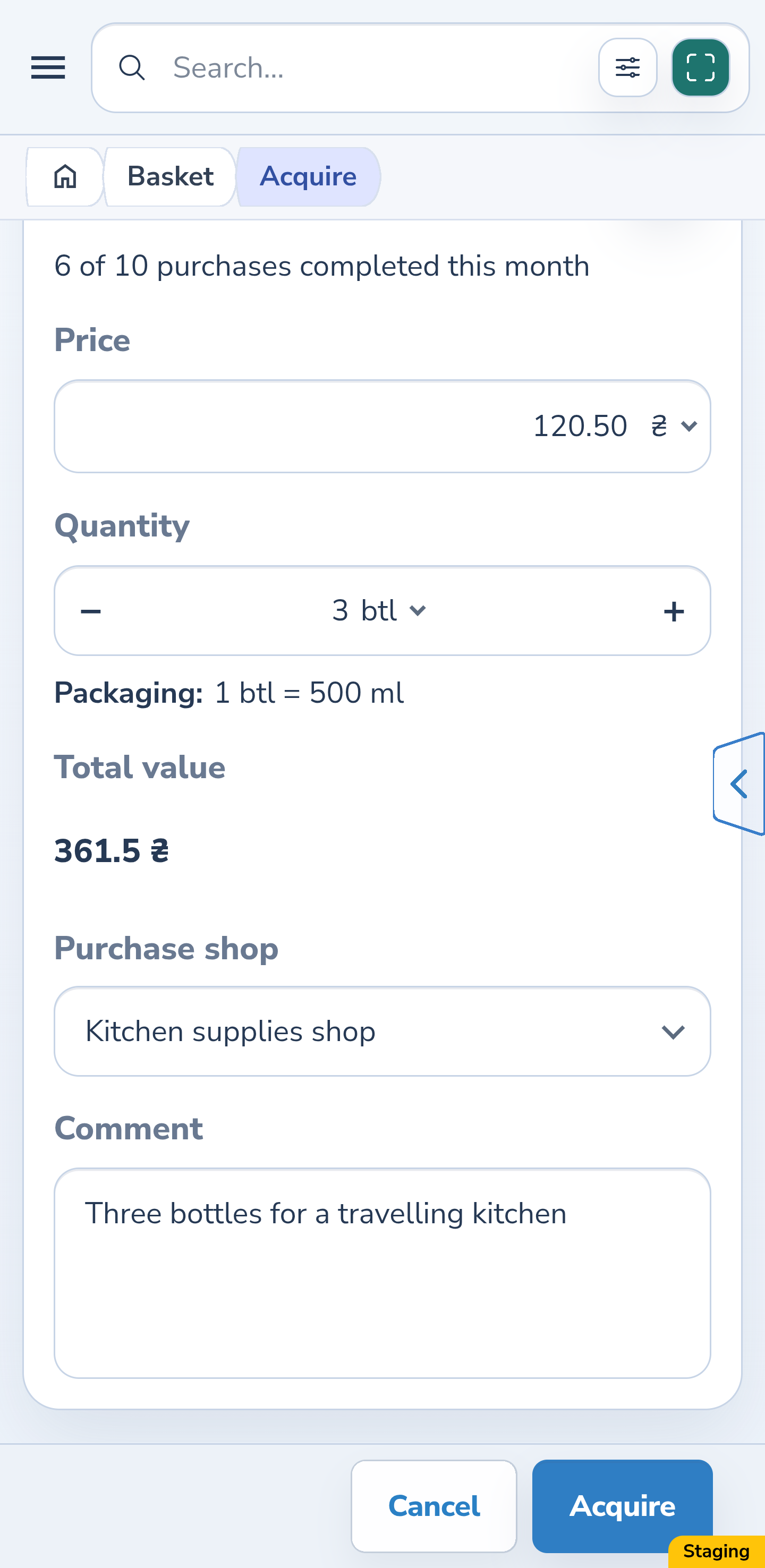
In “Basket”, open your own manual shopping request and select “Acquire”. Check the name, barcode and packaging. This example purchases 3 bottles of 500 ml, totalling 1500 ml, at 120.50 UAH per bottle. Check the shop and comment, then select “Acquire”. If the purchase is already recorded, start with the next step.
Website
Android
2. Open use without placing
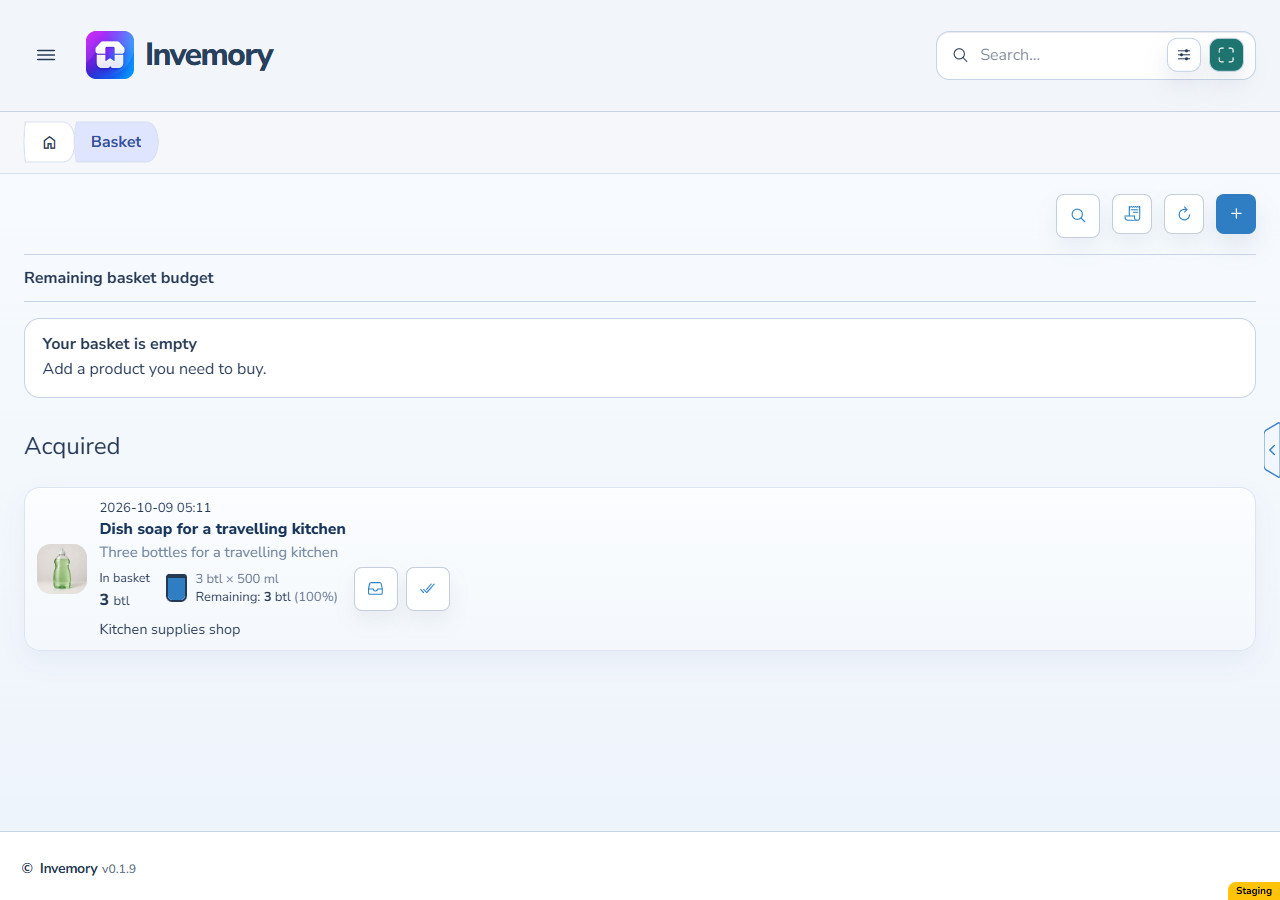
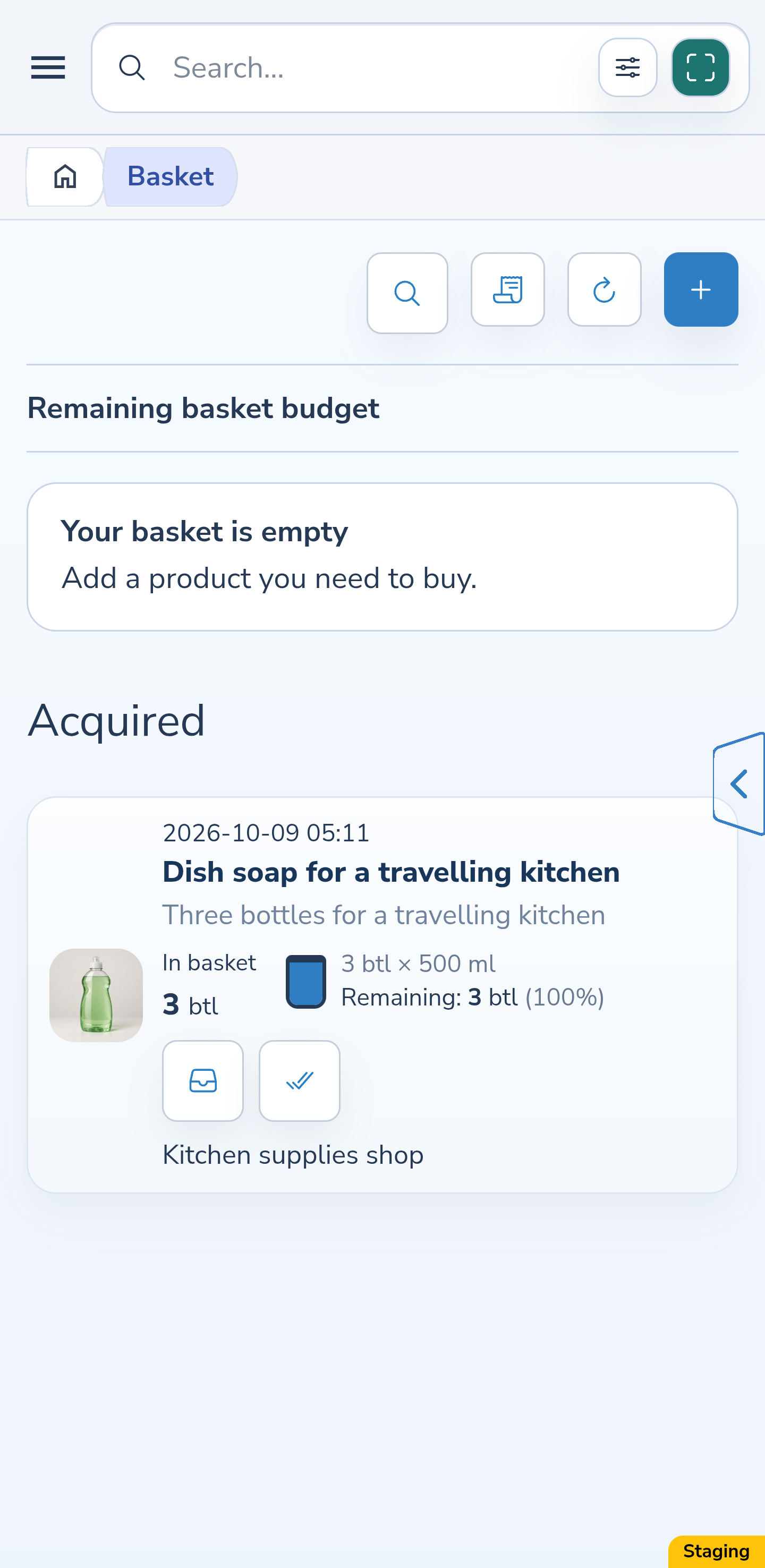
Find the purchase under “Acquired”. Beside the remainder are “Place” and “Used without placing”. Choose the latter when the product has already been used and should not enter a container’s stock. This action is available for your own private purchase with a positive remainder.
Website
Android
3. Check the full remainder selected by default
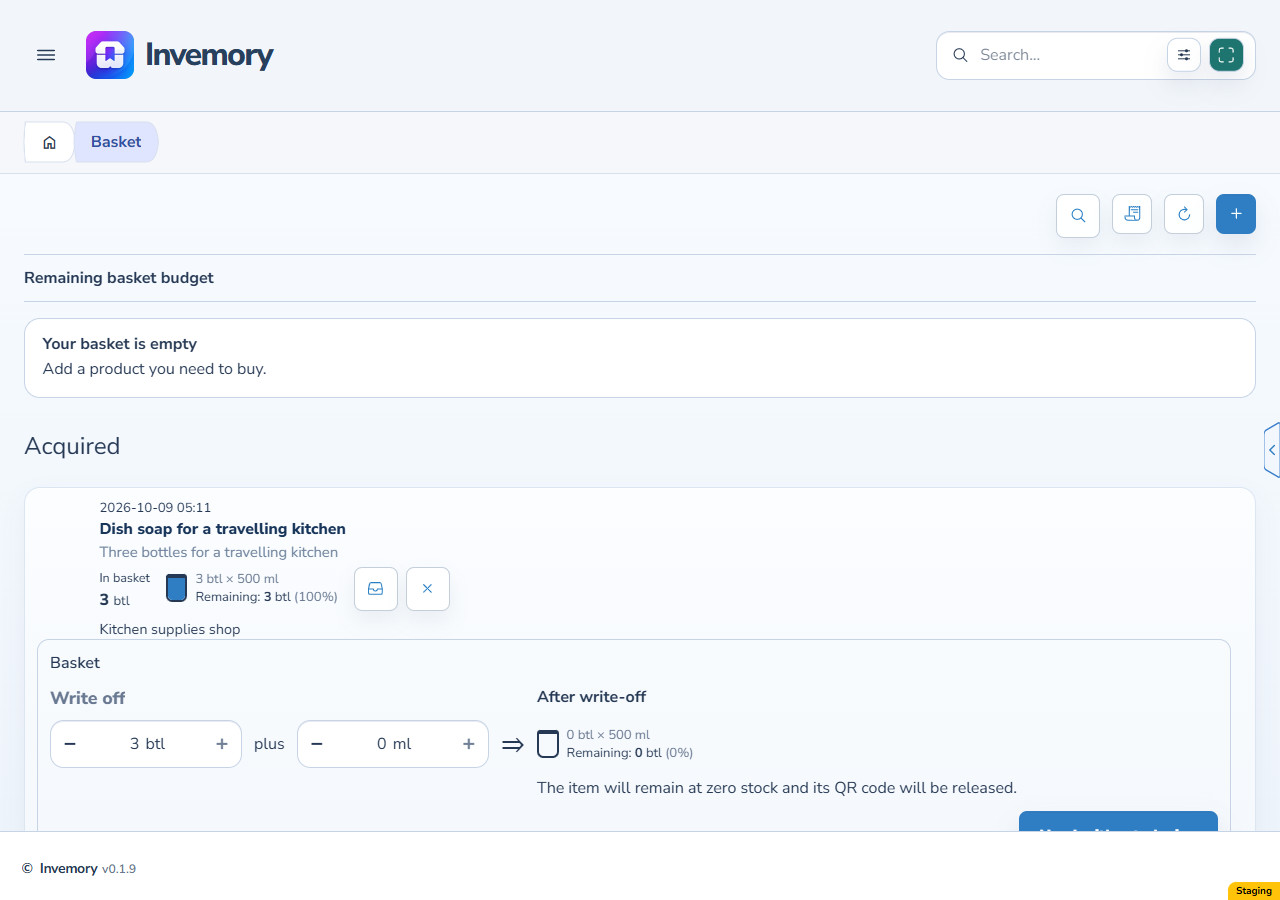
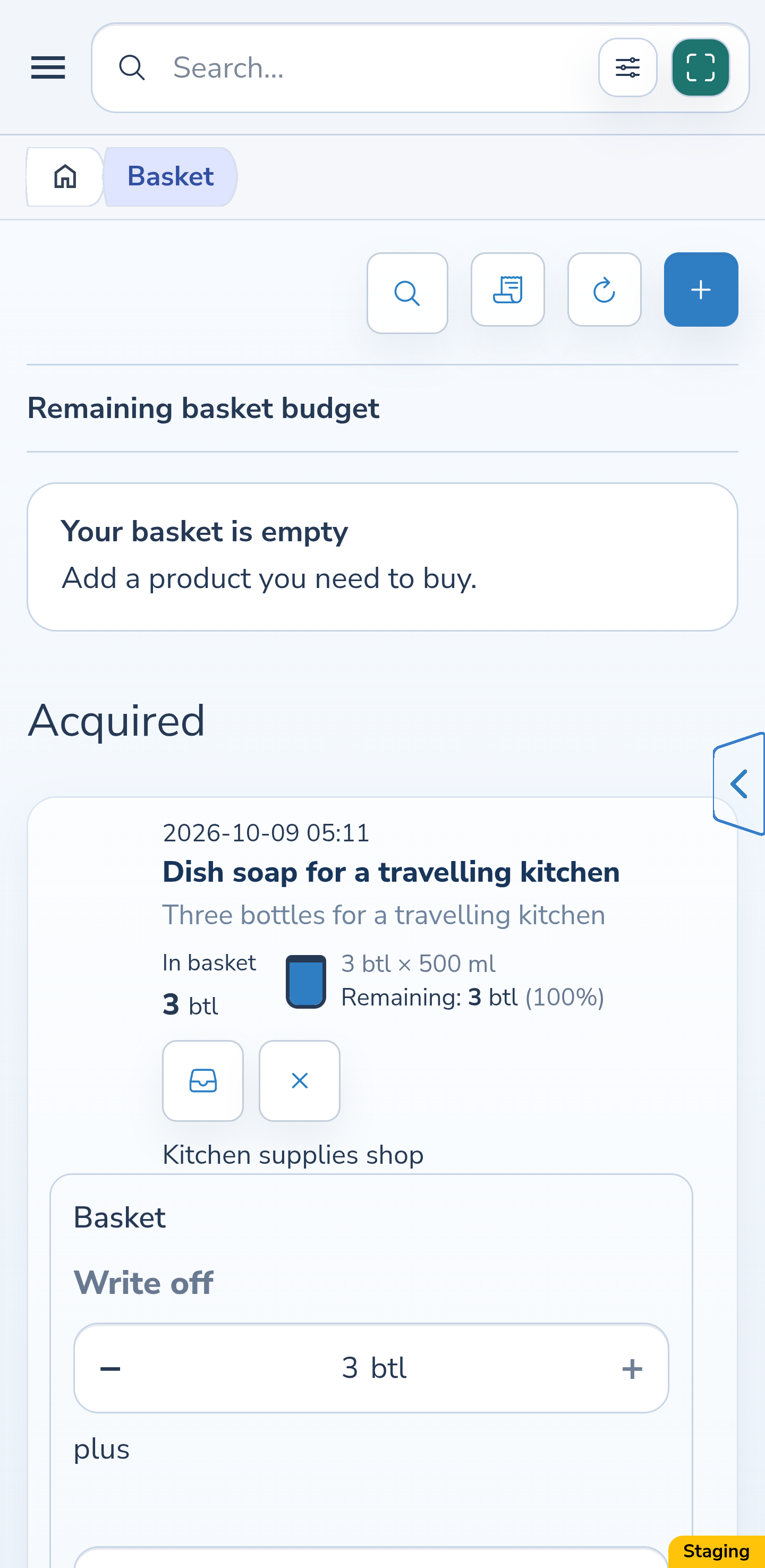
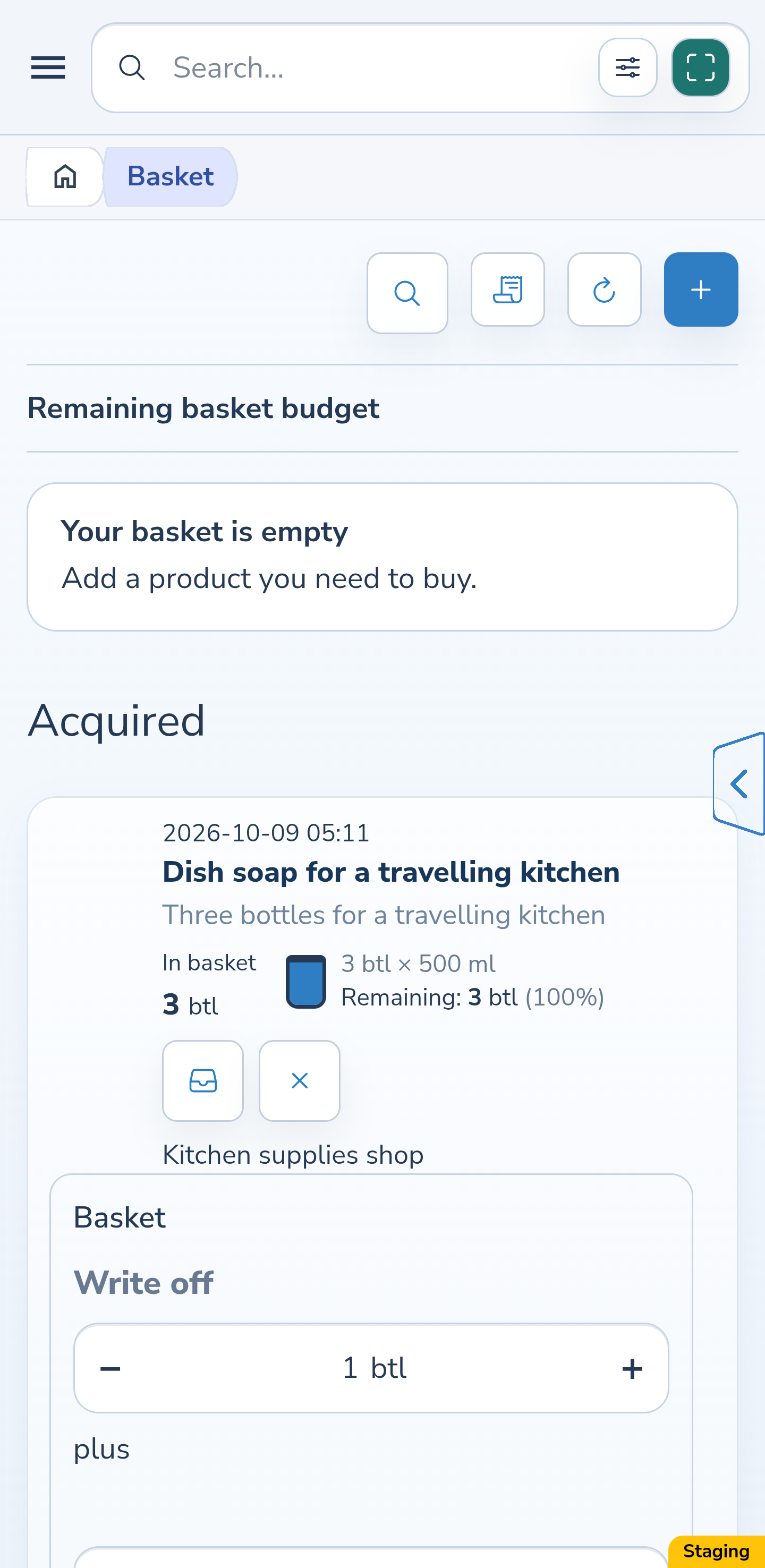
The packaged editor opens inside the card and shows “Basket” as its source. It initially selects the entire current remainder: 3 bottles and 0 ml additional contents. The preview shows zero after use. Reduce the amounts if you used only part. The opening action changes to a close action while the editor is open.
Website
Android
4. Preview using one whole bottle
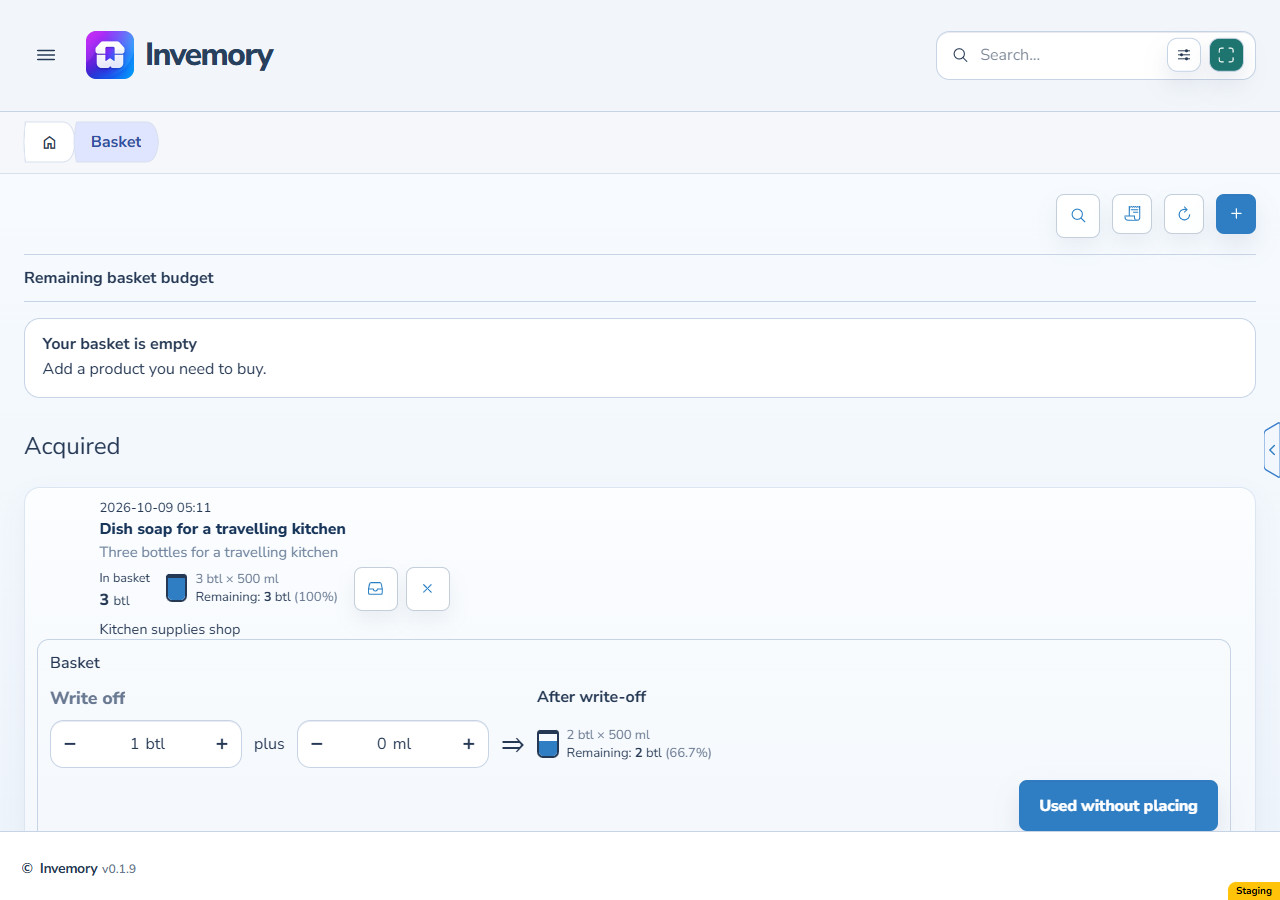
Change the whole-bottle count to 1 and leave additional contents at 0 ml. One bottle holds 500 ml, so the preview shows 1000 ml left. This is a preview only; the remainder will not change until you confirm.
Website
Android
5. Add a partial amount
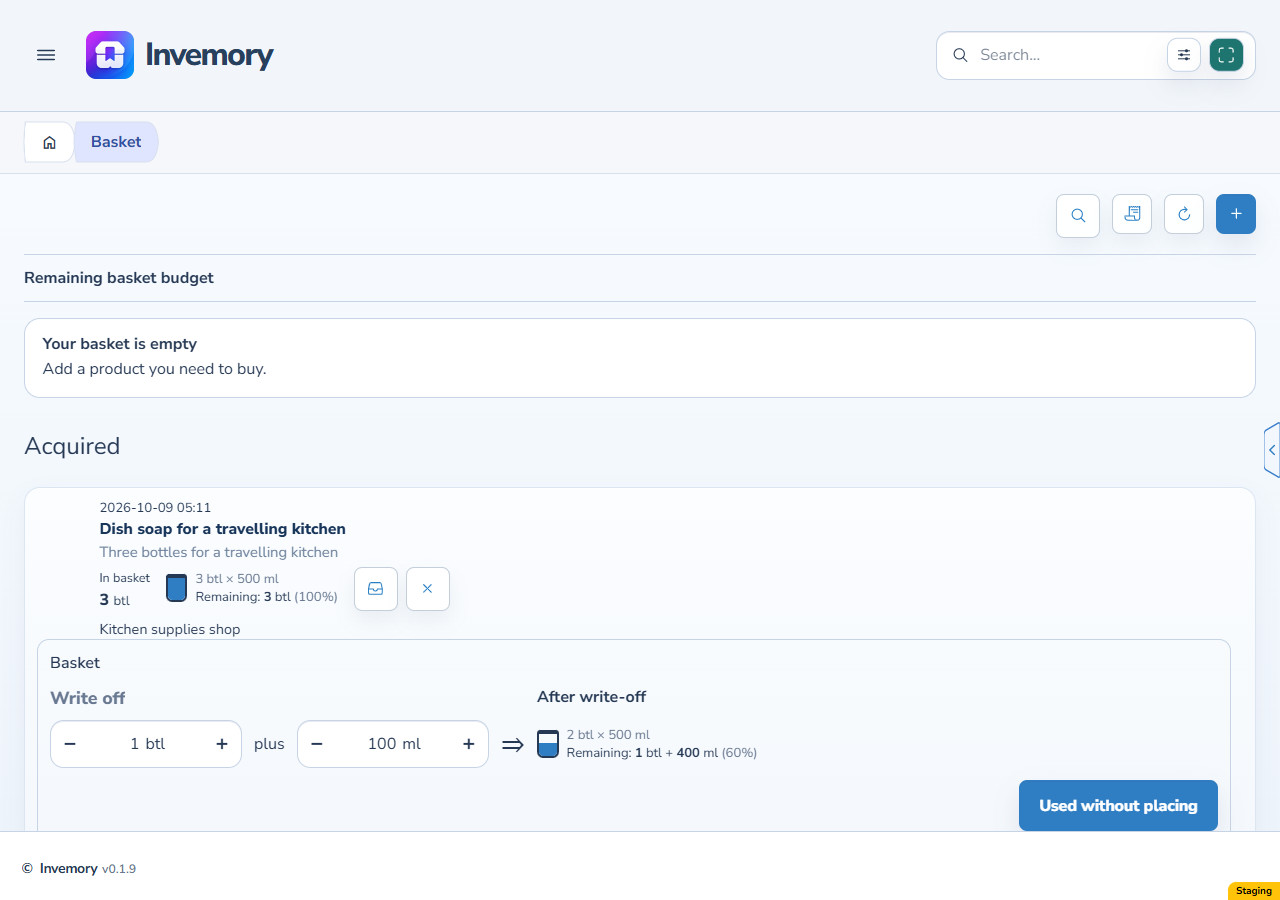
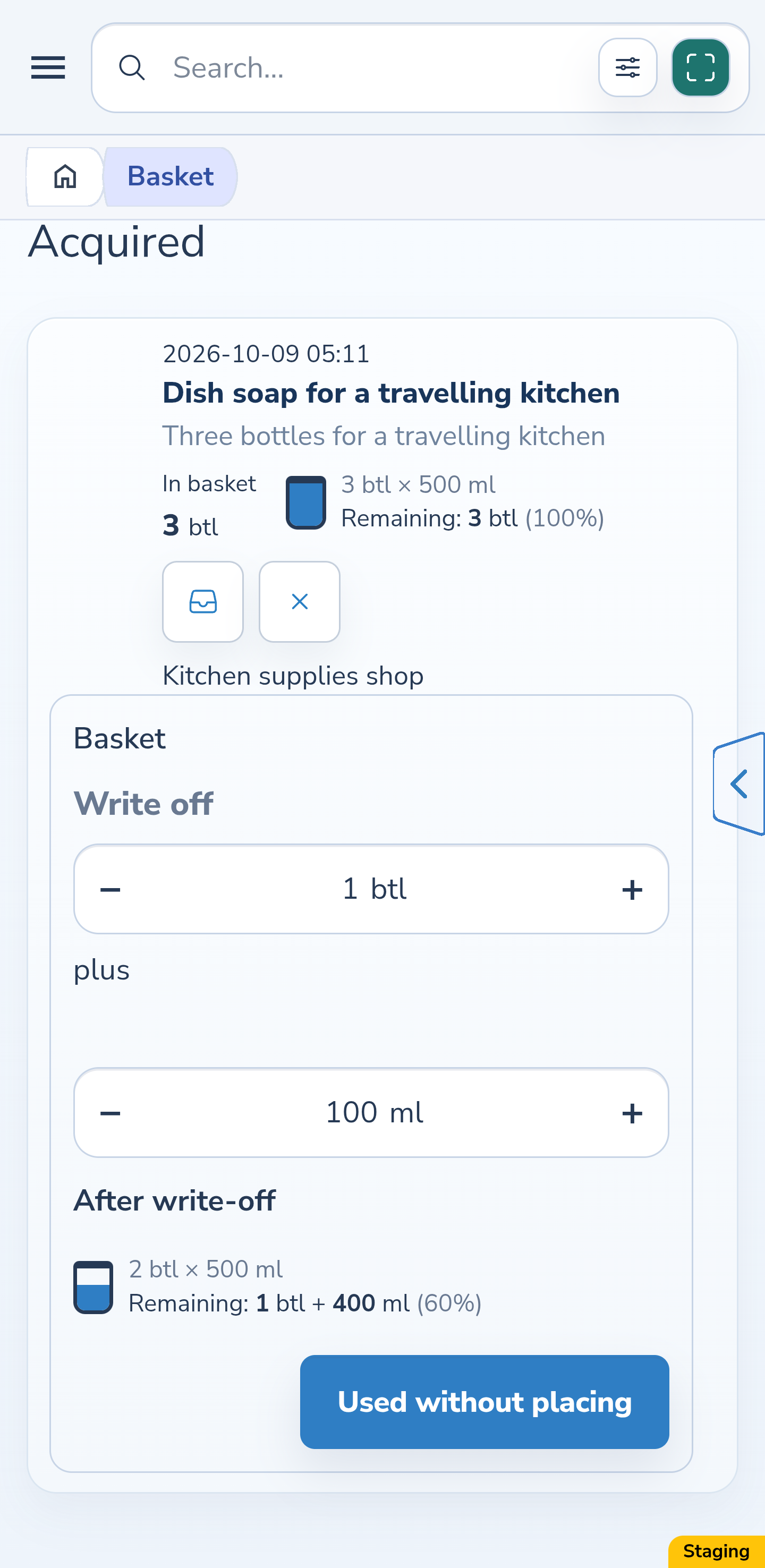
To record 600 ml actually used, keep 1 whole bottle and enter another 100 ml. The fields add together: 500 + 100 = 600 ml. The remaining-content preview is 900 ml, meaning one full bottle and 400 ml in a second bottle.
Website
Android
6. Check the amount and confirm
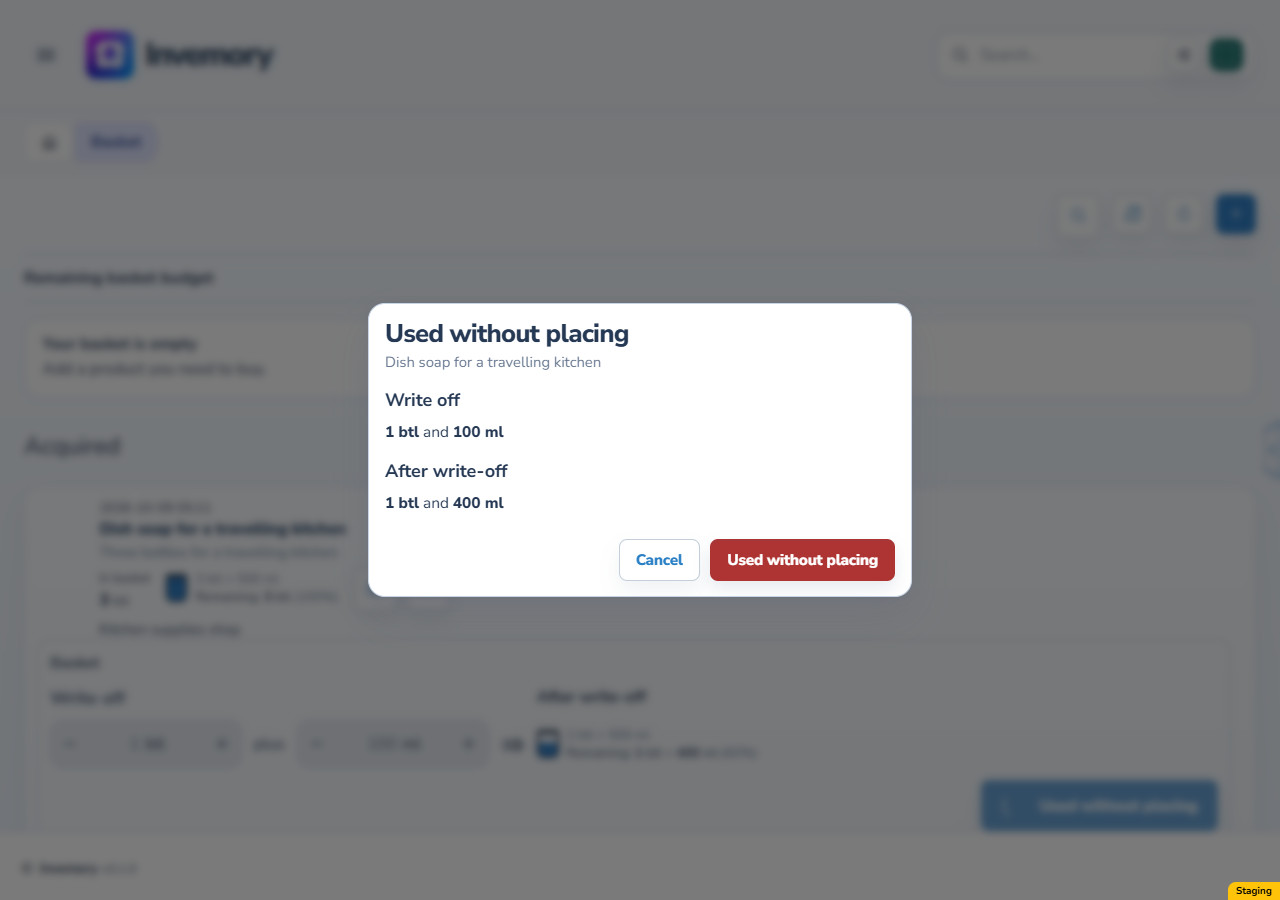
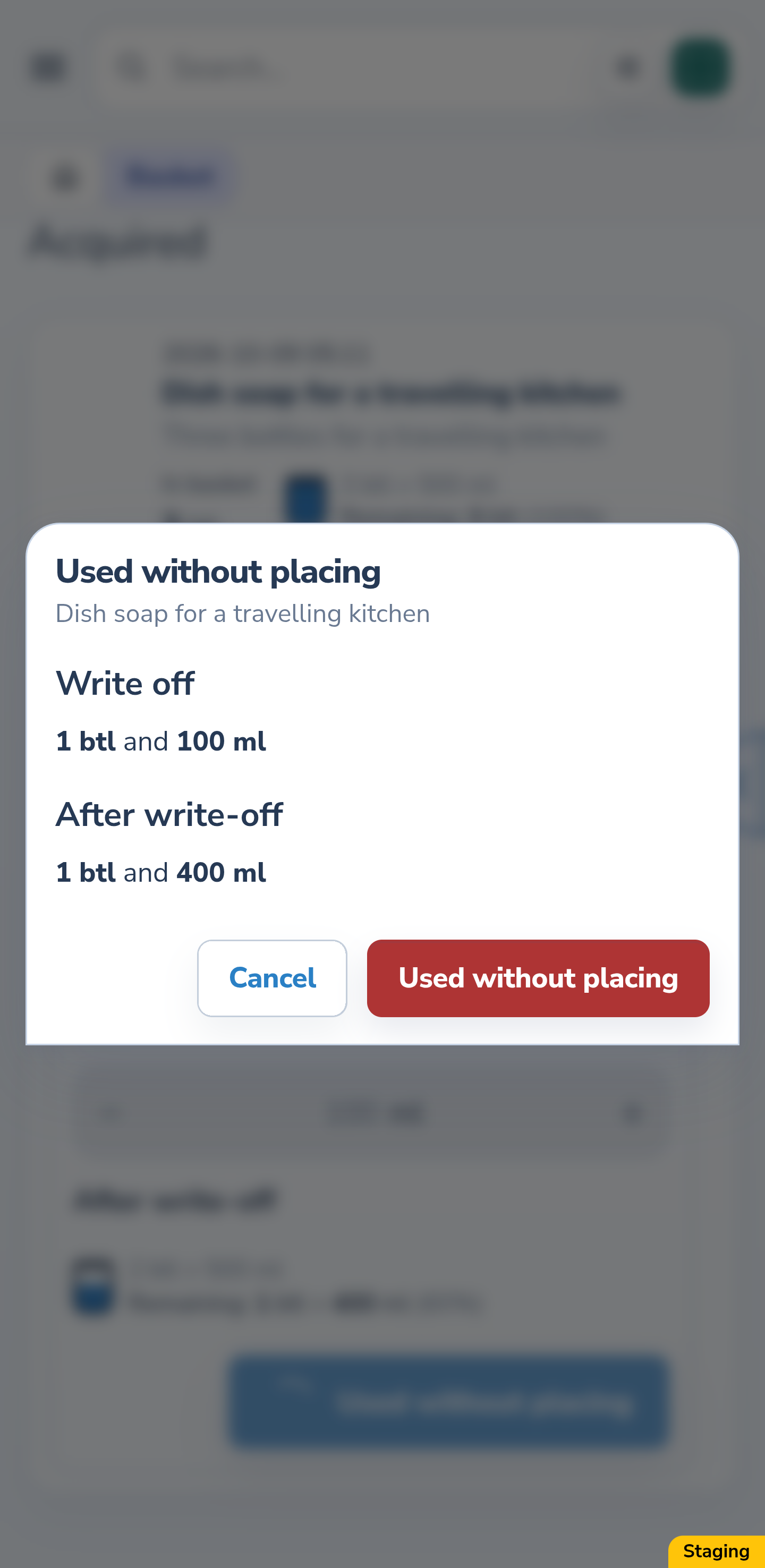
Select “Used without placing” in the editor. In the confirmation, check the product, the amount of 1 bottle and 100 ml, and the remainder of 1 bottle and 400 ml. Confirm to perform the action, or choose “Cancel” to return without using the contents.
Website
Android
7. Check the partial result
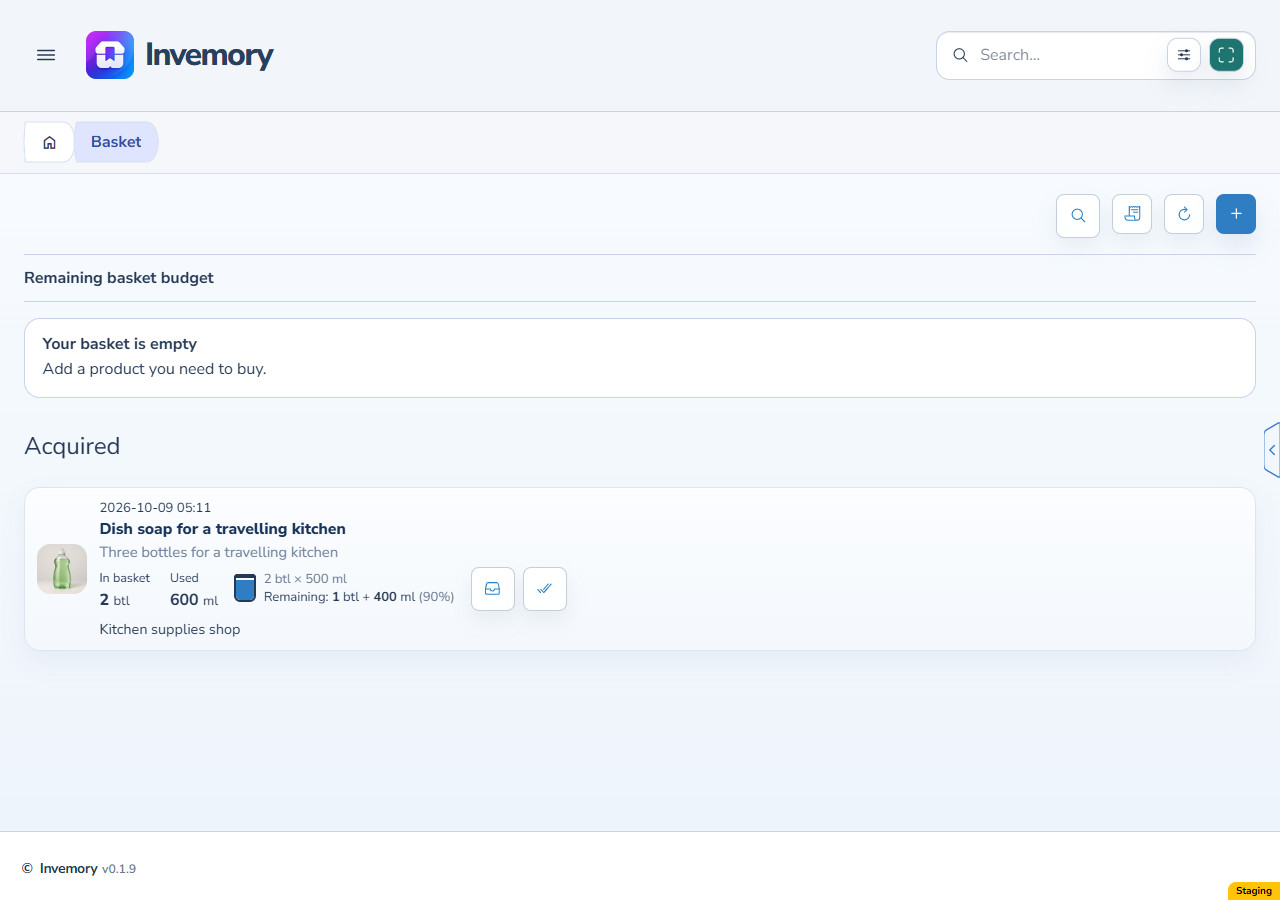
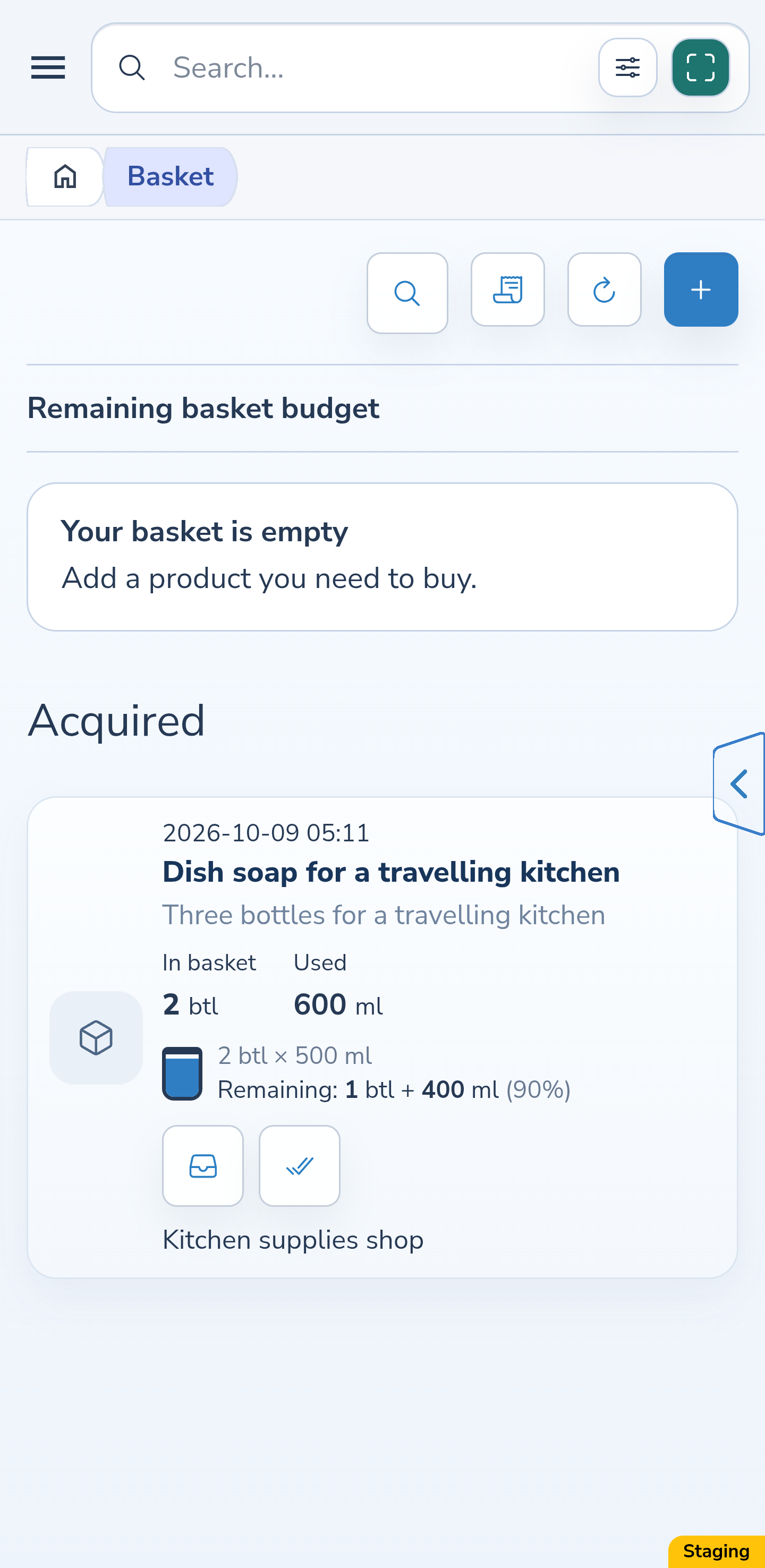
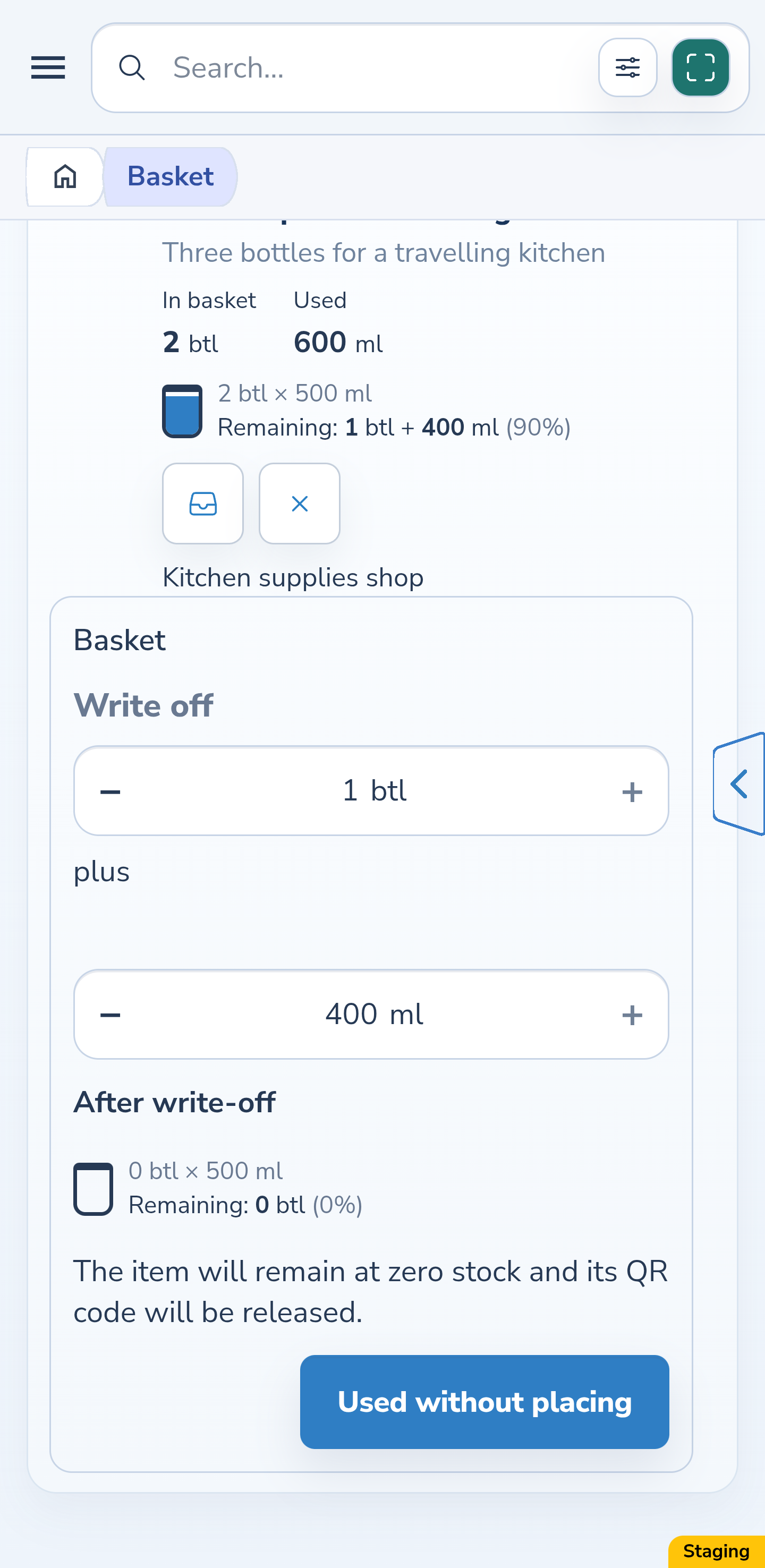
After success, the card remains under “Acquired”. It shows “Used 600 ml” and the exact remainder of 1 bottle and 400 ml. That is 900 ml in two bottles, one of them partially full. You can place or use the rest later.
Website
Android
8. Select the entire current remainder
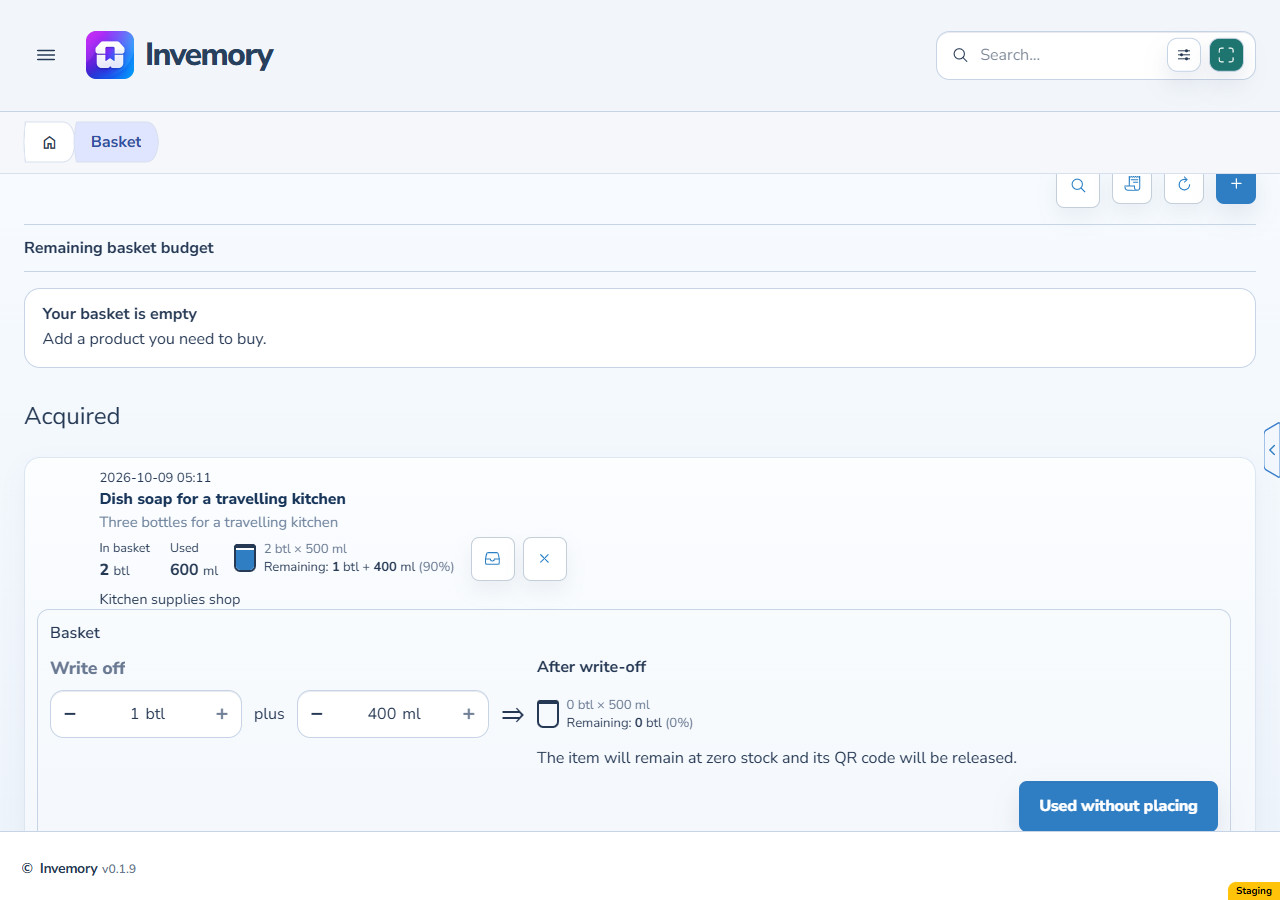
Open “Used without placing” again. The editor now starts with 1 whole bottle and 400 ml, covering all of the current 900 ml. Check the zero preview. Select the use action and confirm if you have used the rest.
Website
Android
9. Check that the purchase leaves the active list
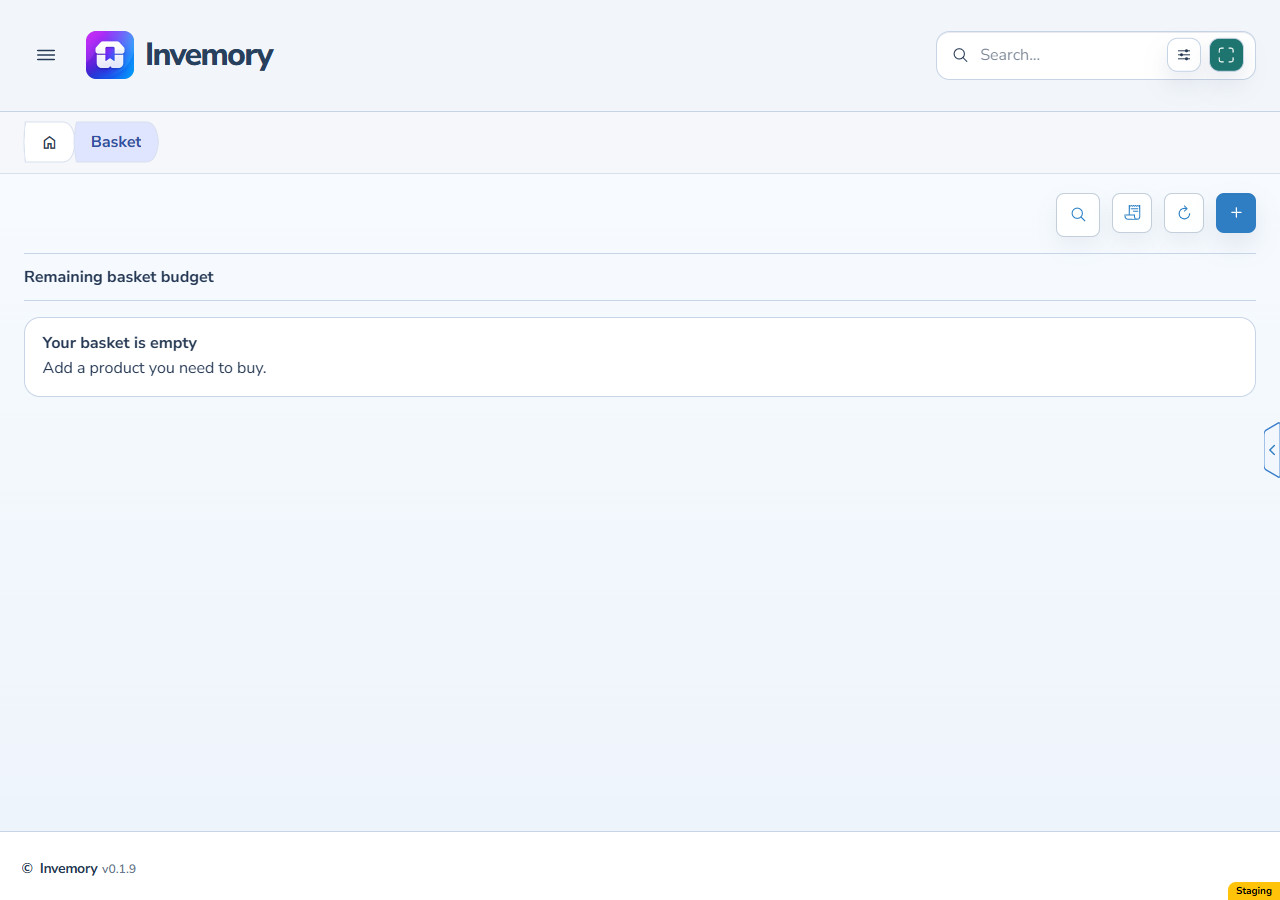
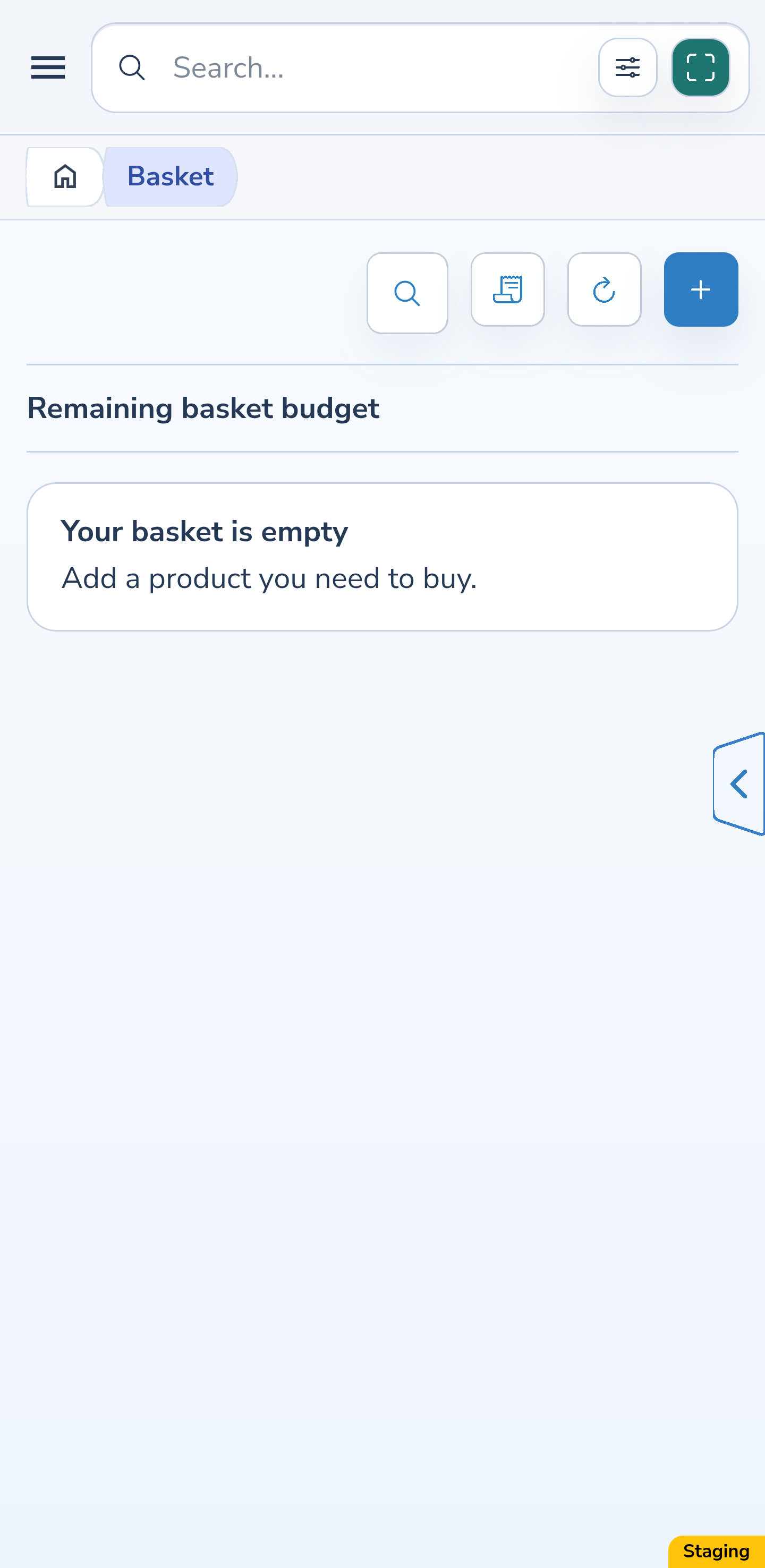
After full use, this purchase is no longer in the active “Acquired” section. The example first used 600 ml, then another 900 ml, totalling 1500 ml. Nothing has been added to a container because no placement was performed.
Website
Android
10. Find the original purchase in the journal
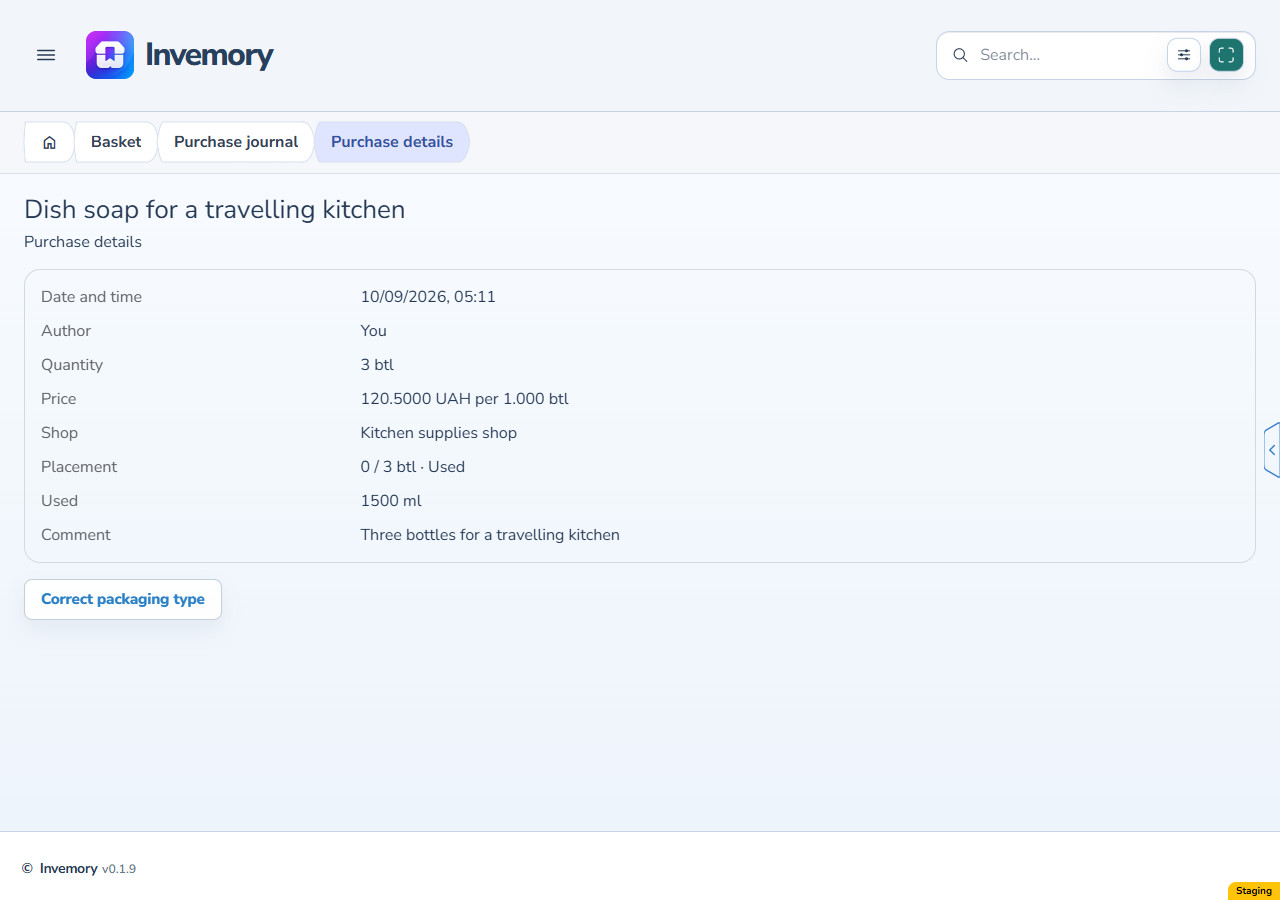
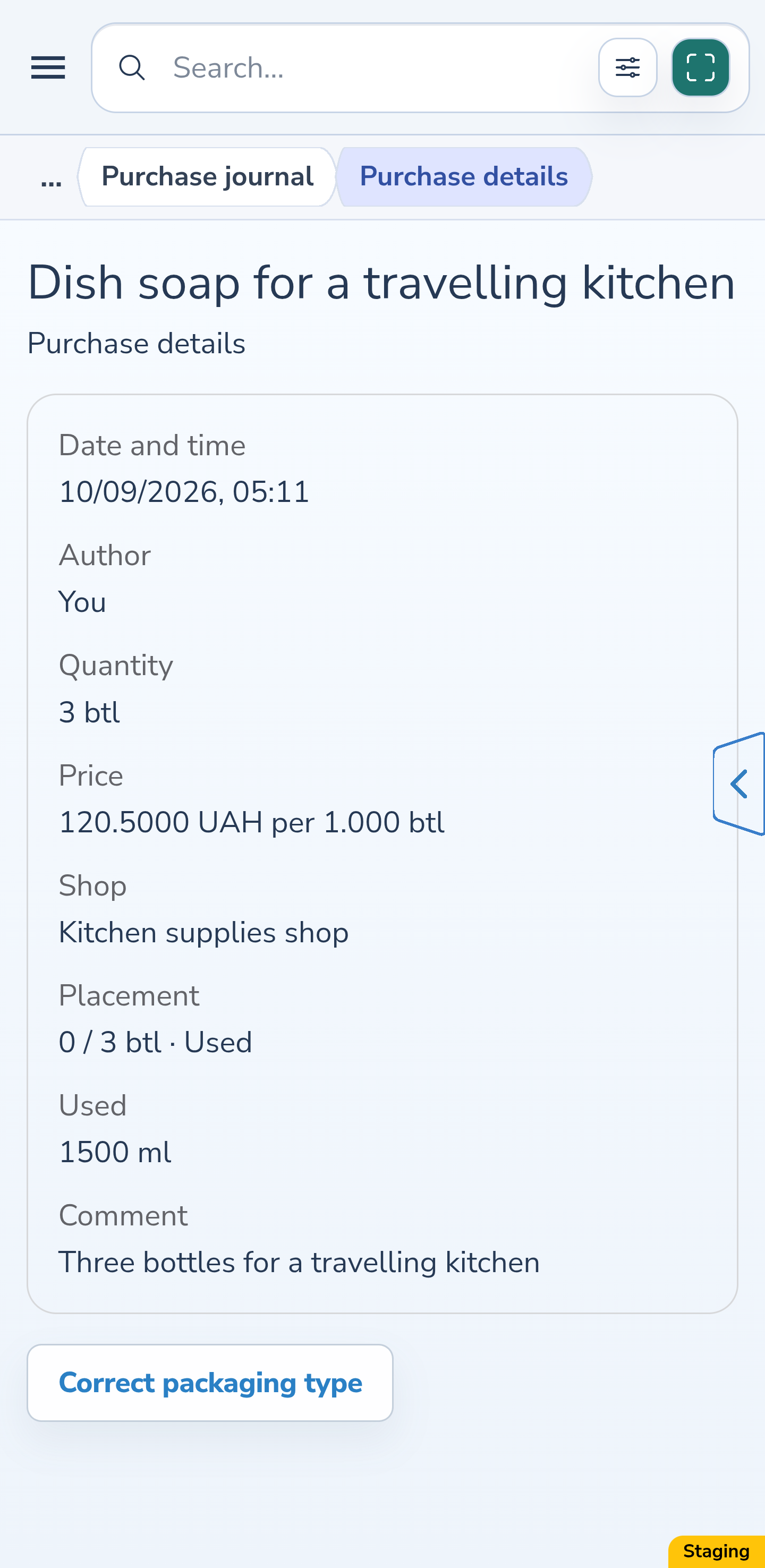
Open “Purchase journal” and this record’s details. The quantity remains the original 3 bottles, together with its date, price of 120.50 UAH per bottle, shop and comment. Placement is 0 of 3 bottles with “Used” status, and the separate used field shows the actual 1500 ml.
Website
Android
11. Enter the same barcode and check inventory results
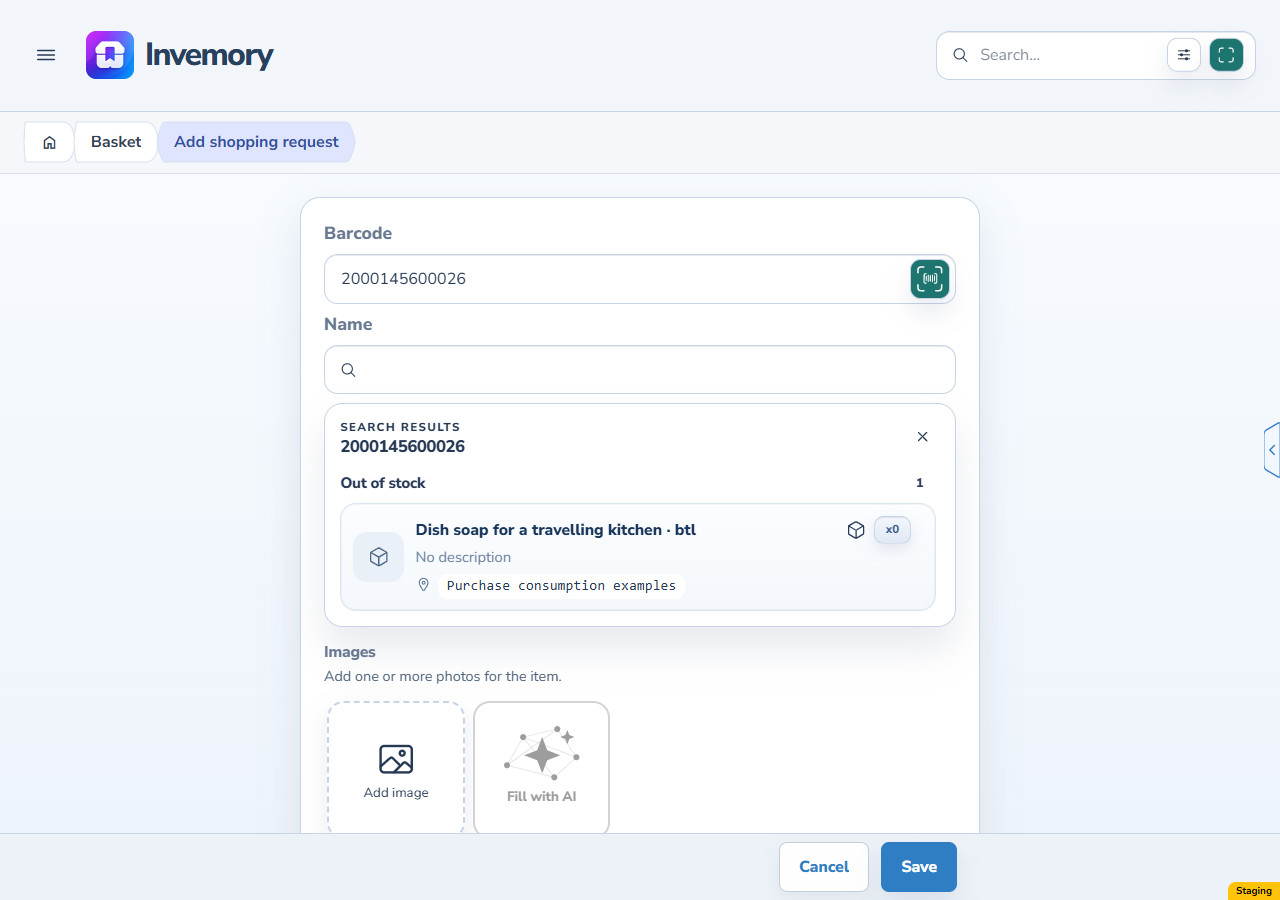
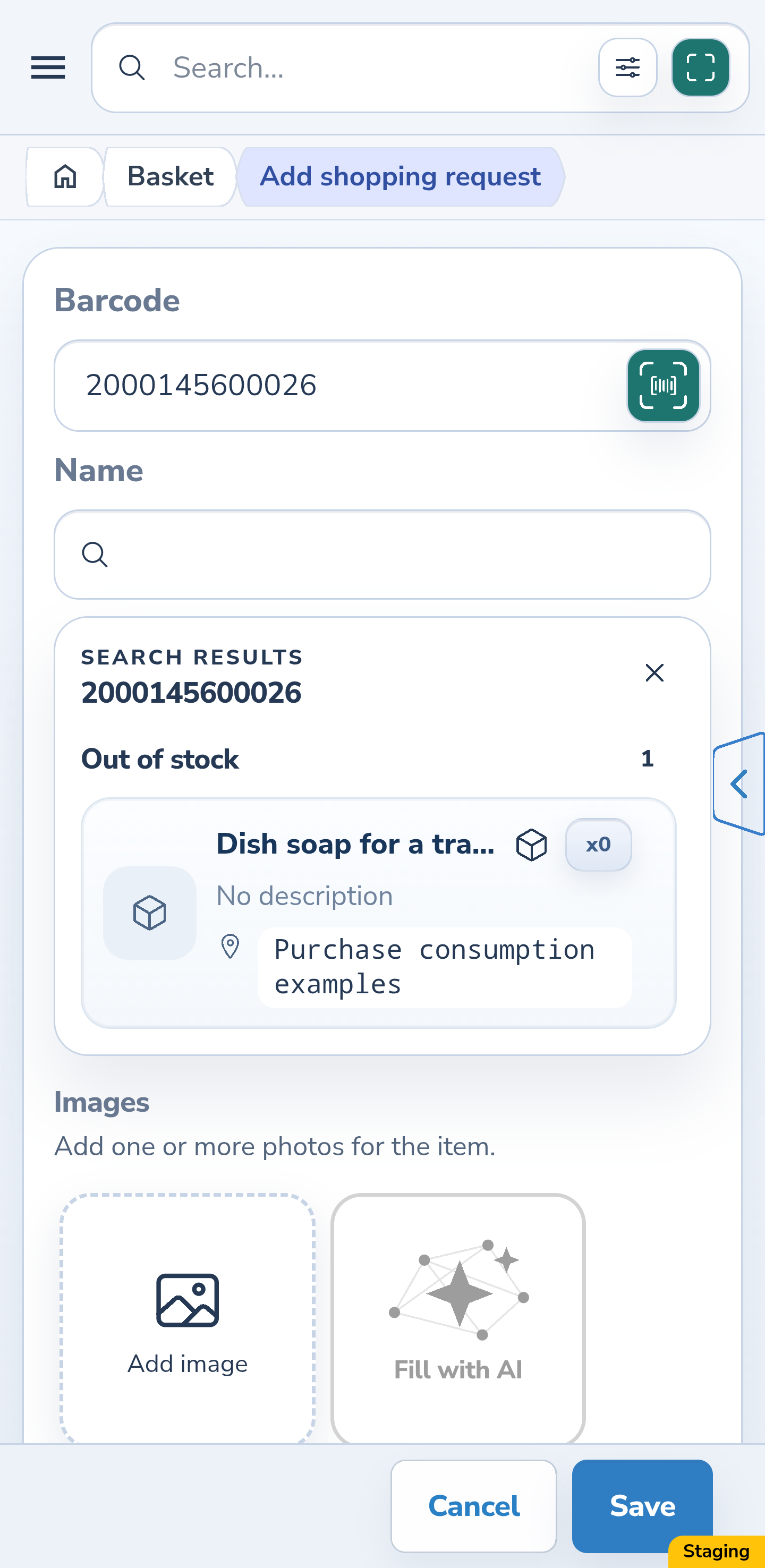
For the next request, select “Add shopping request” and enter the same barcode. Invemory first searches accessible inventory items, including items with zero stock. If at least one match exists, choose from the inventory results; historical purchases are not offered in their place.
Website
Android
12. Find details from a previous purchase
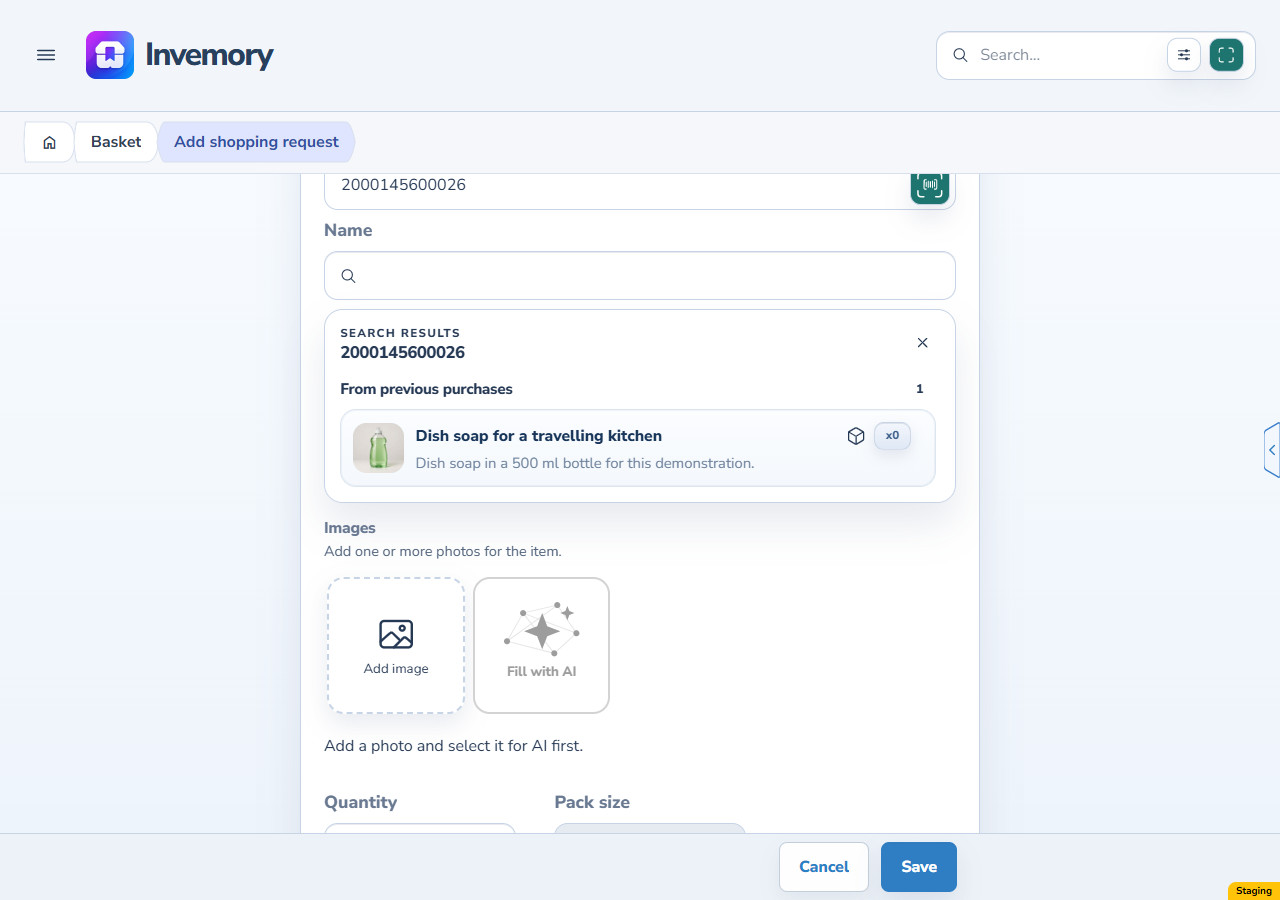
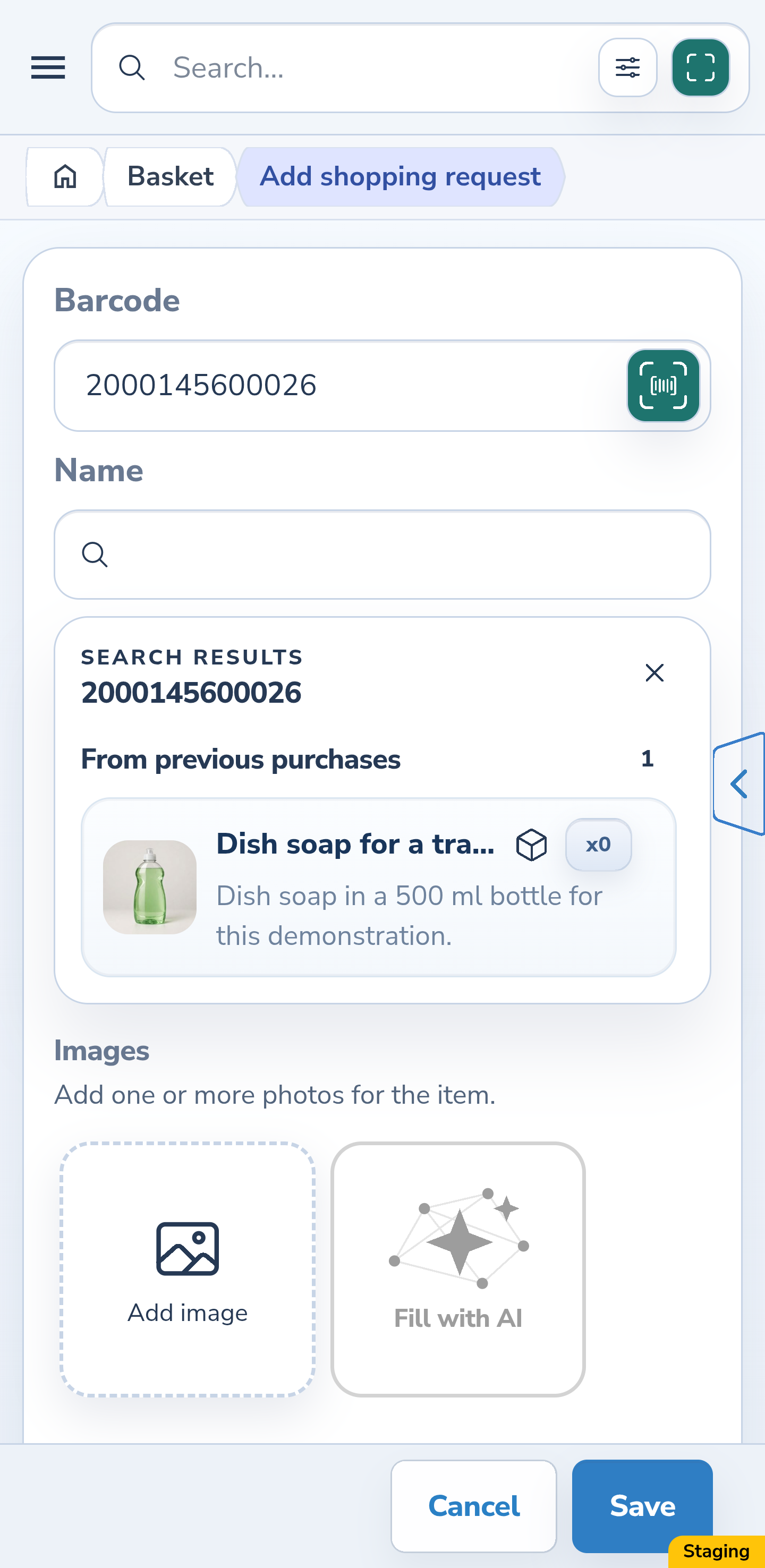
When inventory lookup succeeds with no matches, your own historical results appear under “From previous purchases”. You can find details of a fully used purchase that was never placed. Check its name and photo. A failed inventory lookup is not an empty result and does not trigger this fallback.
Website
Android
13. Select the description and set fresh request details
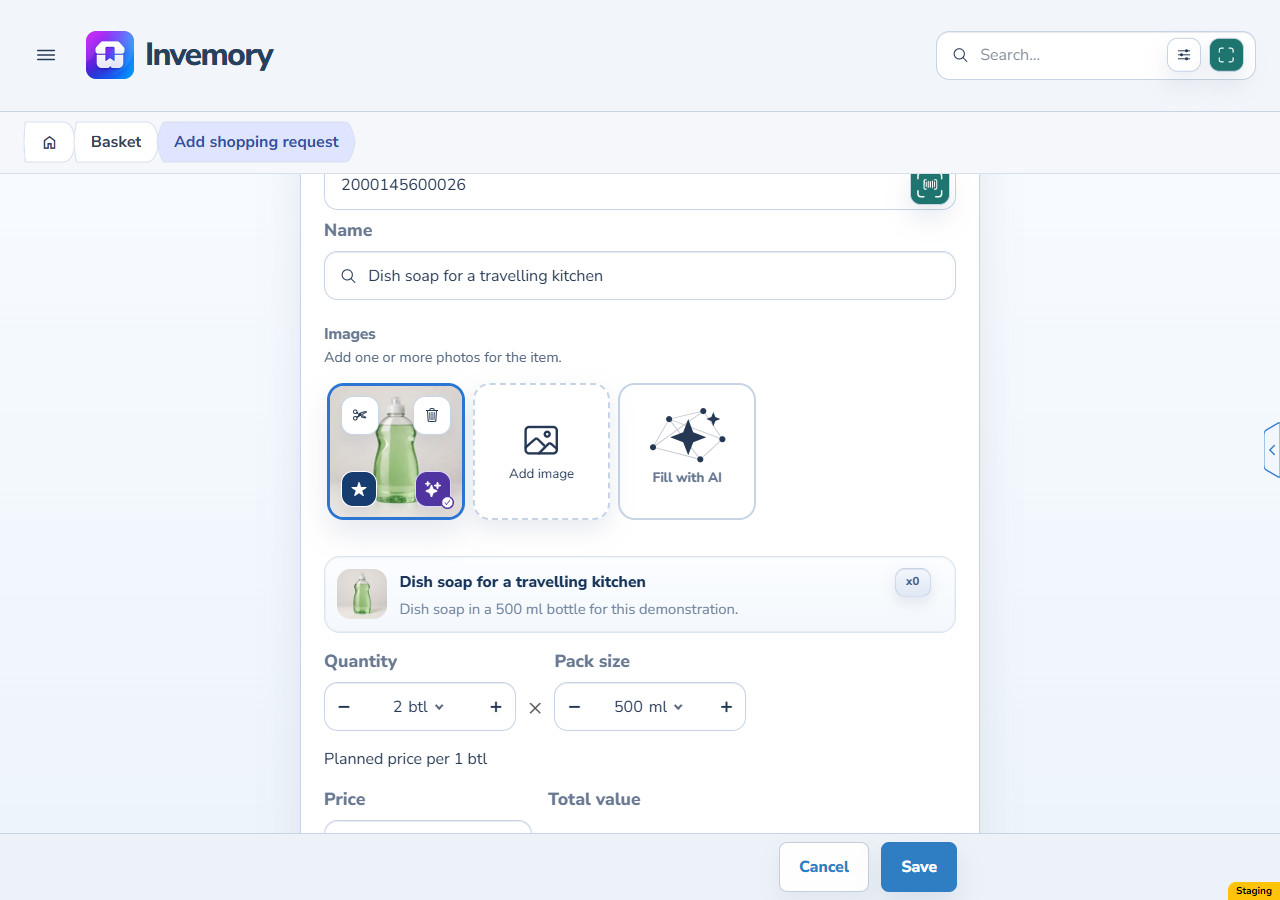
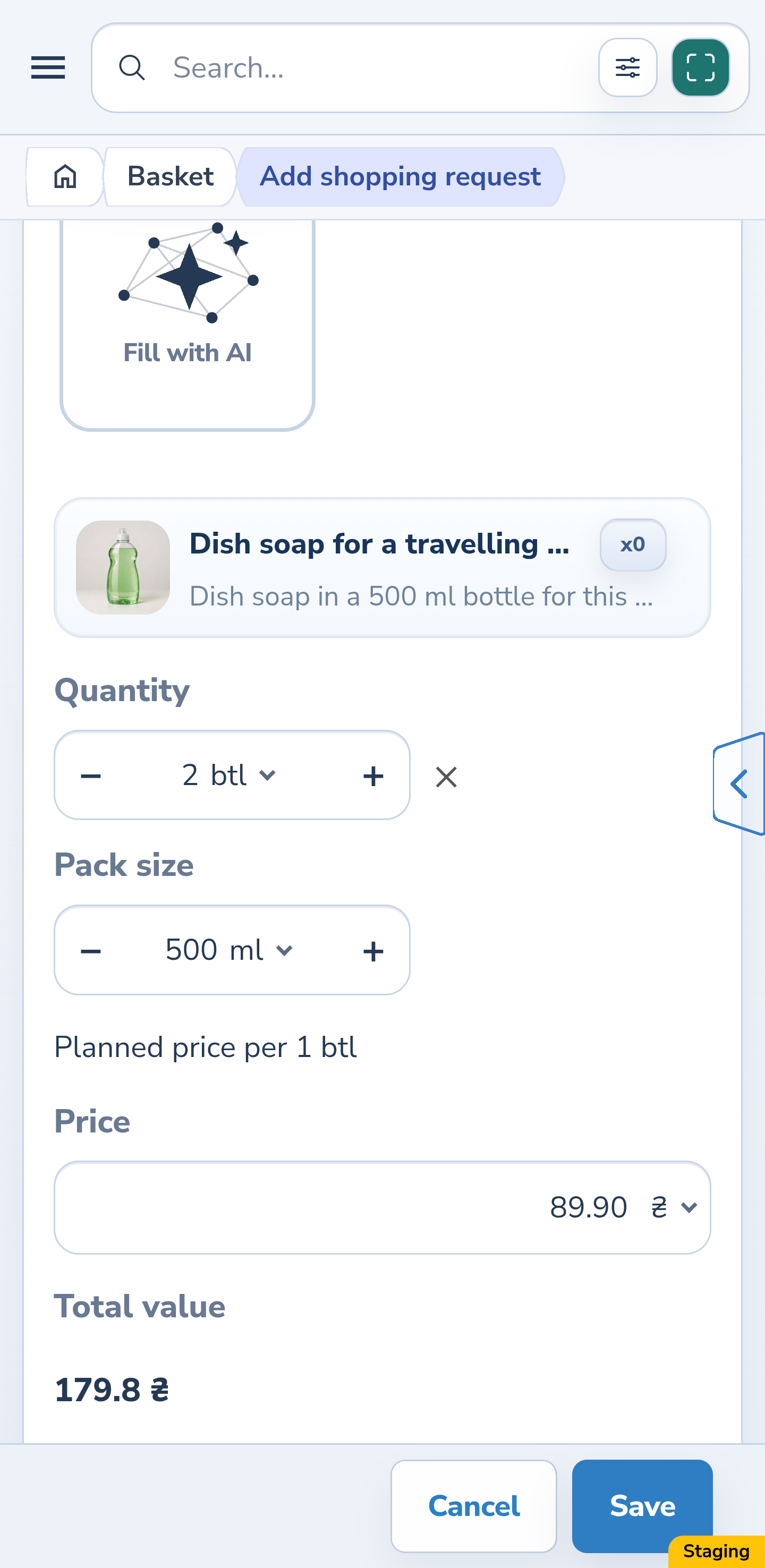
Select the historical result you want. The new request receives the name, barcode, description, photo and 500 ml packaging. Quantity and planned price are not copied from the old purchase: the example separately enters 2 bottles and 89.90 UAH, and selecting the description keeps those values. Check the planned shop and new details before “Save”. Choose “Cancel” to leave without creating a request.
Website
Android
The result
All 1500 ml have been used without adding stock to a container. The purchase has left the active list, remains in the journal and provides product details for a new request with separately entered quantity and price.
Useful to know
- Enter the amount used, rather than the amount you want left. The total to use must be positive and no greater than the current unplaced remainder.
- If another window or device changes the remainder and a conflict appears, refresh the basket and reopen the editor. Check the new remainder before confirming.
- Using the purchase does not create another purchase or use another purchase from your monthly allowance.
- Writing off a placed item reduces container stock. This guide covers using your own purchase while it is still in the basket.
Common questions
Will the date, price or purchase record disappear?
No. The journal retains the original quantity, date, price, shop and product details. Used contents are shown separately; using a purchase does not cancel it or refund money.
Can I use only part of a bottle?
Yes. For a packaged purchase, enter whole bottles plus additional contents in millilitres. In this example, 1 bottle and 100 ml total 600 ml.
Is the full remainder always already entered?
The illustrated packaged editor starts with the entire current remainder, including a partial bottle. An unpackaged product uses a separate numeric dialog: check and enter the amount, and do not treat a placeholder in an empty field as an entered value.
Does selecting old product details restore used stock?
No. Selecting a previous purchase fills product properties for a new shopping request. Set the new quantity, price and planned shop separately; it does not restore previous stock.
All 1500 ml have been used without adding stock to a container. The purchase has left the active list, remains in the journal and provides product details for a new request with separately entered quantity and price.
Open the basket