
Guides
How to set a planned price and estimate your basket budget
A planned price helps you estimate the cost of items you still need to buy. In Invemory, you can add it to a manual or automatic shopping request, change it or remove it. This guide explains the basket budget and the price to check before a purchase on the website and in the Android app.
Last checked:
What you need
- Sign in to Invemory and open Basket. Changing a price requires a shopping request you can edit.
- Check the request’s unit and add the working currencies you need in profile settings. An automatic request requires stock replenishment to be configured for its target container.
1. Enter a planned price for a manual request
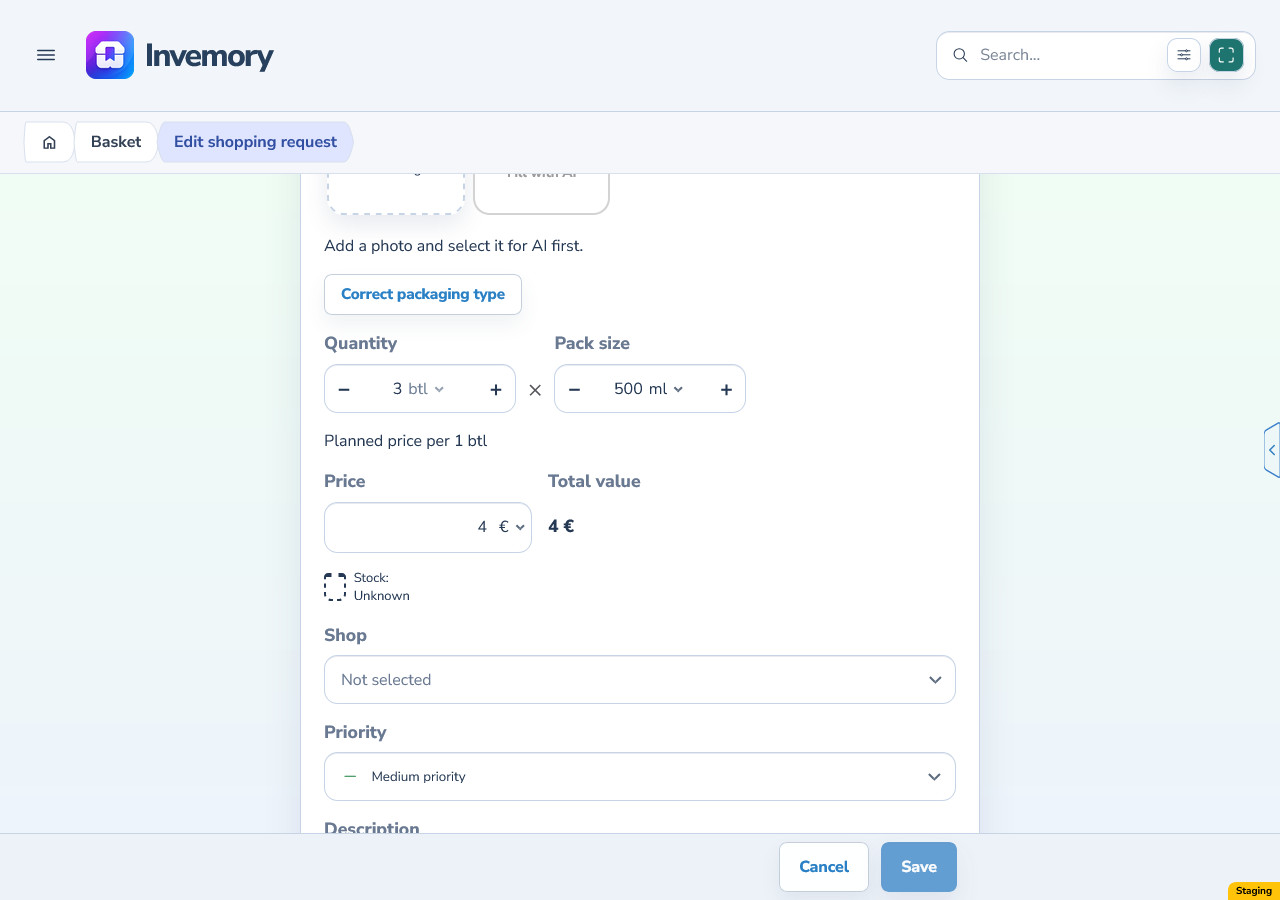
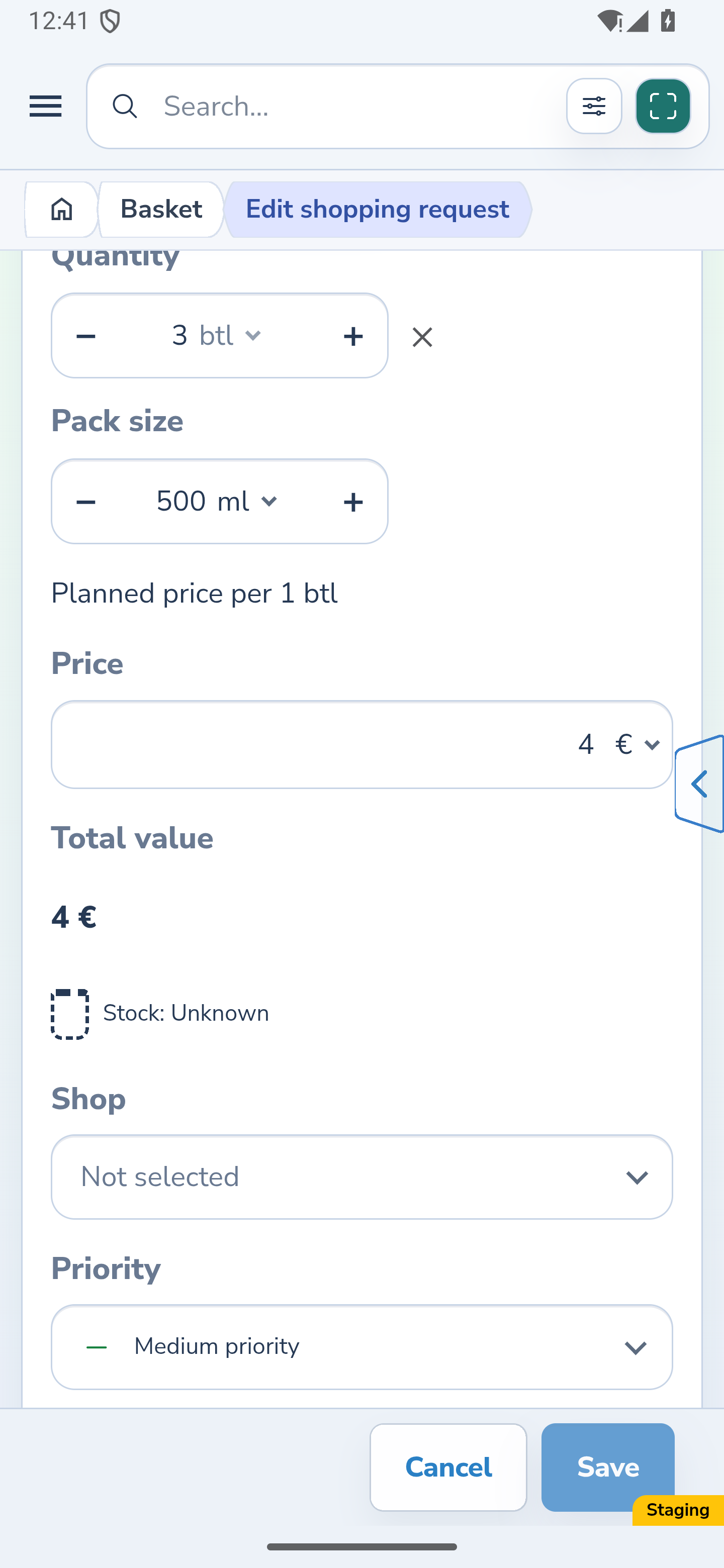
In Basket, open Add shopping request or Edit shopping request. You can set a planned price for a request linked to an existing item or for a product whose name you enter manually.
Check the Planned price per 1 … label beside the price field. Enter the amount for one selected request unit and choose its currency. For bottles, for example, enter the price of one bottle, rather than the entire request or one millilitre of its contents.
Save the request. To revise the plan, reopen the editor and change the amount or currency. To remove the price, clear the amount and save. Price is optional: an empty amount means the price is unknown; do not use zero as a substitute.
Choose an existing shop or create one from the shop field. If an active shop already has that name, select it in the dialog: the draft price and photos stay in place. The related shops guide explains the steps and how to restore an archived shop.
Website
Android
2. Set a price for automatic replenishment
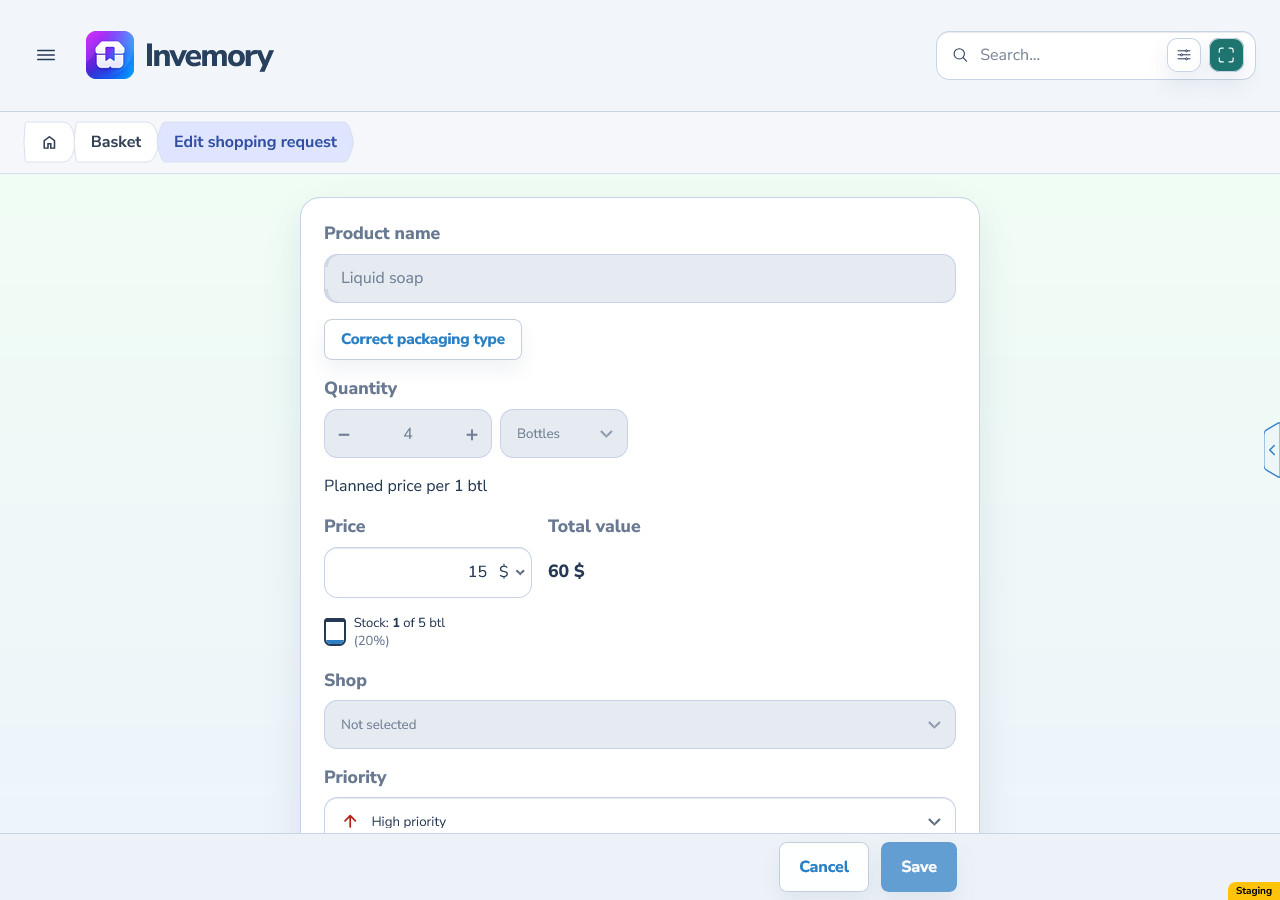
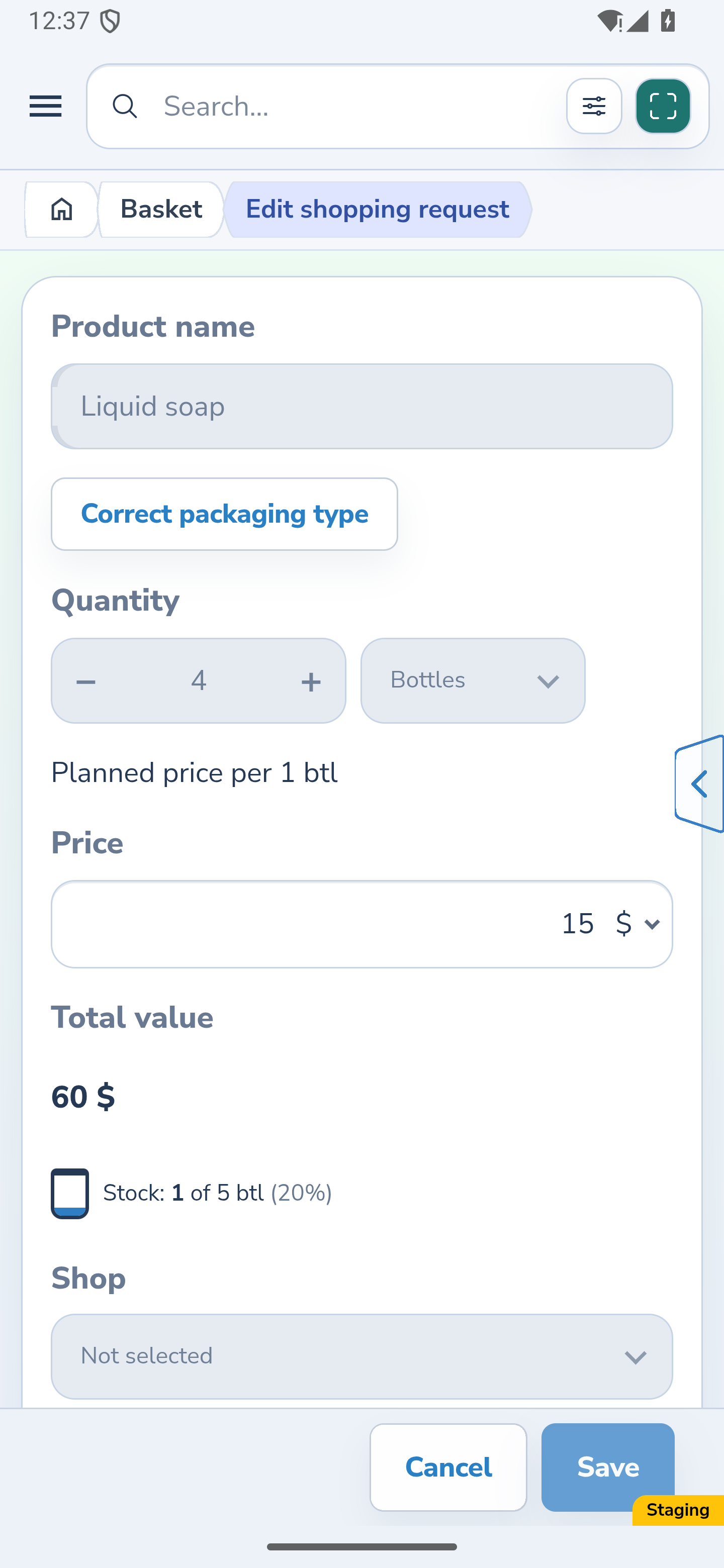
Find the automatic request under To buy. If its card groups several target locations, open the editor for the target you need. The planned price belongs to that request.
Enter an amount per unit and a currency, then save. You can also change the price or clear the amount here. An automatic request’s quantity and unit follow its stock tracking; the price field does not change the desired stock or quantity to buy.
Website
Android
3. Read the budget for what remains to buy
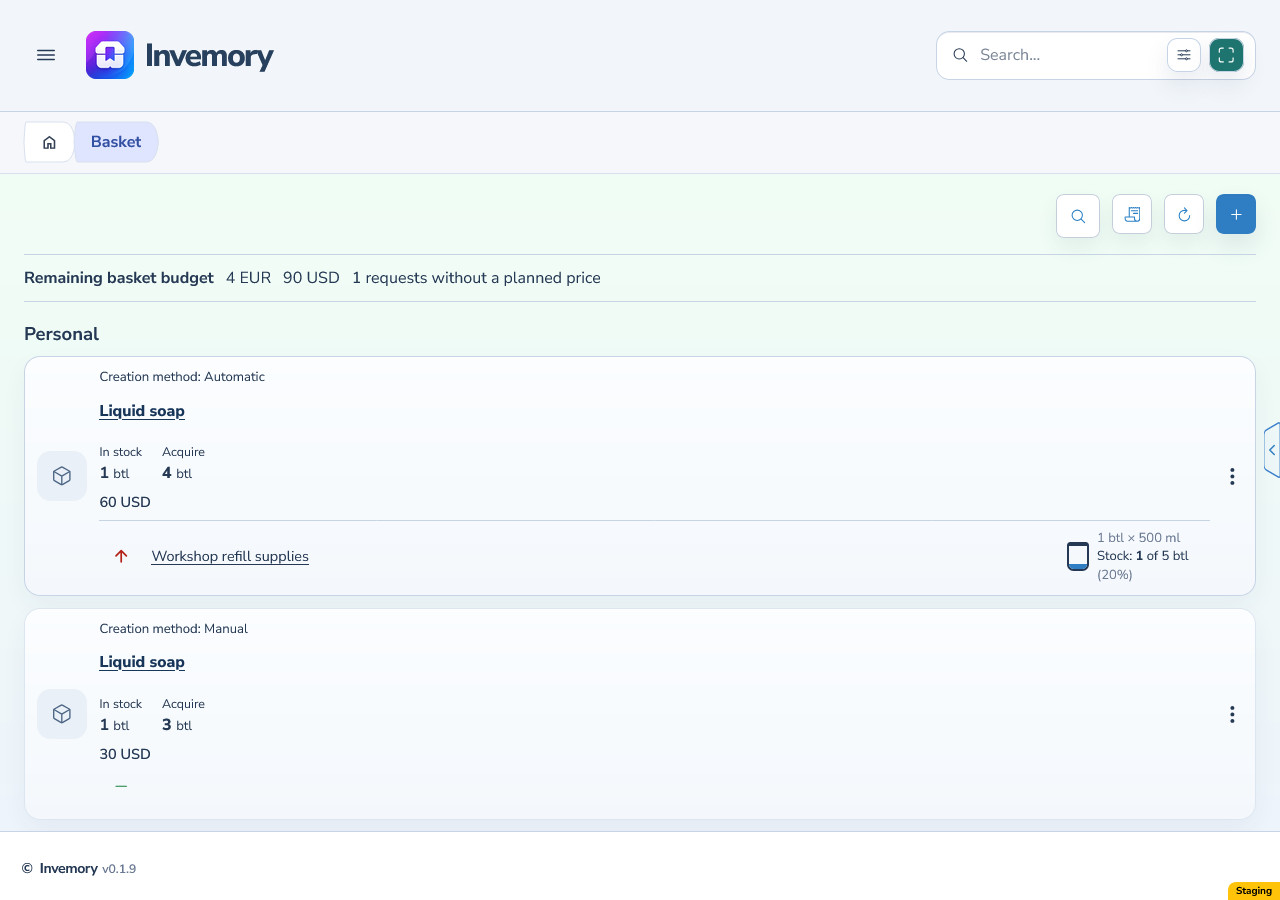
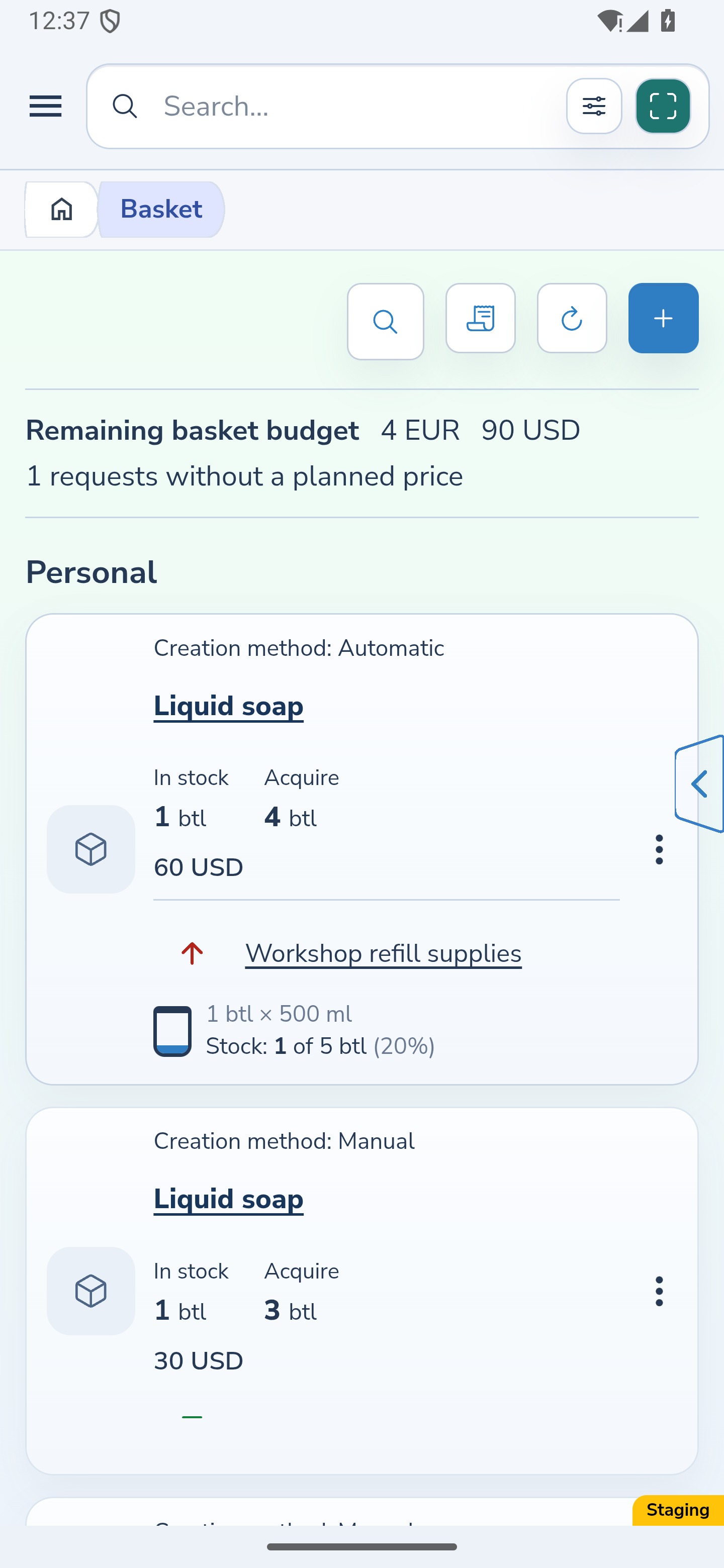
Return to Basket and check Remaining basket budget. A request’s estimated cost is the quantity still to buy multiplied by its planned unit price. After a partial purchase, this calculation uses the remainder rather than the original requested quantity.
Known amounts are added separately by currency. EUR and USD totals remain two amounts: Invemory does not convert them into a shared currency. A grouped automatic card uses its target requests in the calculation.
The requests without a planned price count shows how many requests lack a price for the calculation. Their cost is unknown and is excluded from the known amounts. While such requests remain, the displayed totals do not represent the complete cost of all future purchases.
Website
Android
4. Check the actual price before acquisition
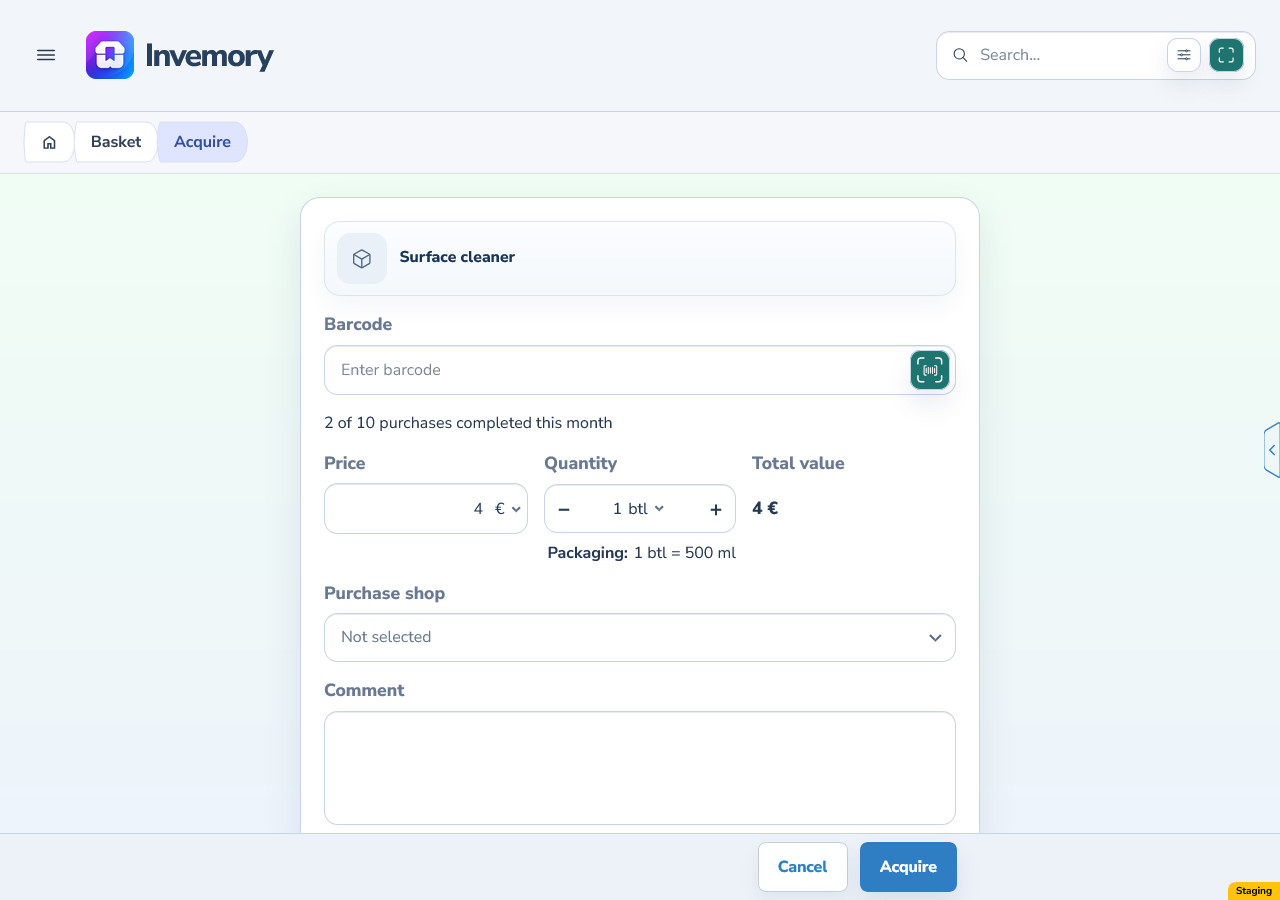
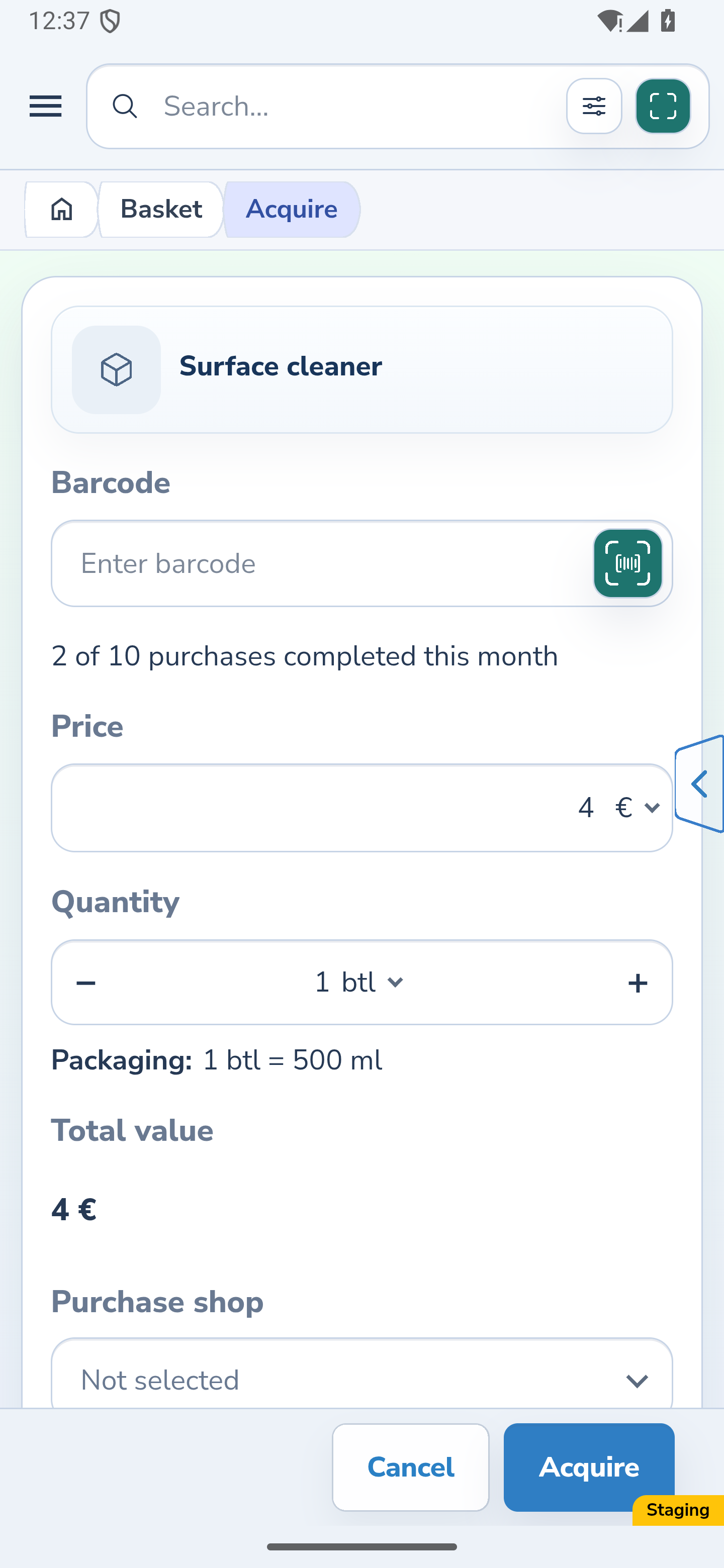
Open Acquire for the request. When the purchase unit matches the planned price unit, the plan fills the Price field as a starting value. Check it: you can enter the actual amount and currency or clear the amount if the price is unknown. If your purchase draft is restored, its price takes precedence over the initial plan.
For a request with packaging, the form shows the contents of one request unit, such as 500 ml in one bottle. This appears on the right below quantity on the website and on its own row in Android. It is information to check: there is no packaging edit field here, and the label itself does not change quantity or the planned price.
Check the acquired quantity, actual price and calculated total, then confirm acquisition. Purchase journal records the confirmed actual price. The request’s planned price stays unchanged and continues to apply to the quantity still to buy.
Website
Android
The result
Your requests have planned prices where you know them. You can estimate the remaining cost in each currency, spot requests without a price and record the actual price separately during acquisition.
Useful to know
- Check the planned price again after changing a manual request’s unit: a price for the previous unit is not carried over automatically.
- A selected item may have an available product group price suggestion when the unit matches. Check it; a suggestion is not required to save the request.
- The planned price is your estimate. Changing the actual purchase price does not update the plan; revise it in the request editor when needed.
Common questions
Why did the budget decrease after a purchase when the planned price stayed the same?
The budget estimates only what is still to buy. After a partial purchase, the smaller remaining quantity is multiplied by the same planned price. Check the actual expense in Purchase journal.
Is choosing a currency enough to include a request in the budget?
No. Without an amount, the price remains unknown. The request is counted among requests without a planned price, and its unknown cost is excluded from the known currency totals.
Your requests have planned prices where you know them. You can estimate the remaining cost in each currency, spot requests without a price and record the actual price separately during acquisition.
Open basket