
Guides
How to correct packaging while preserving quantity and price
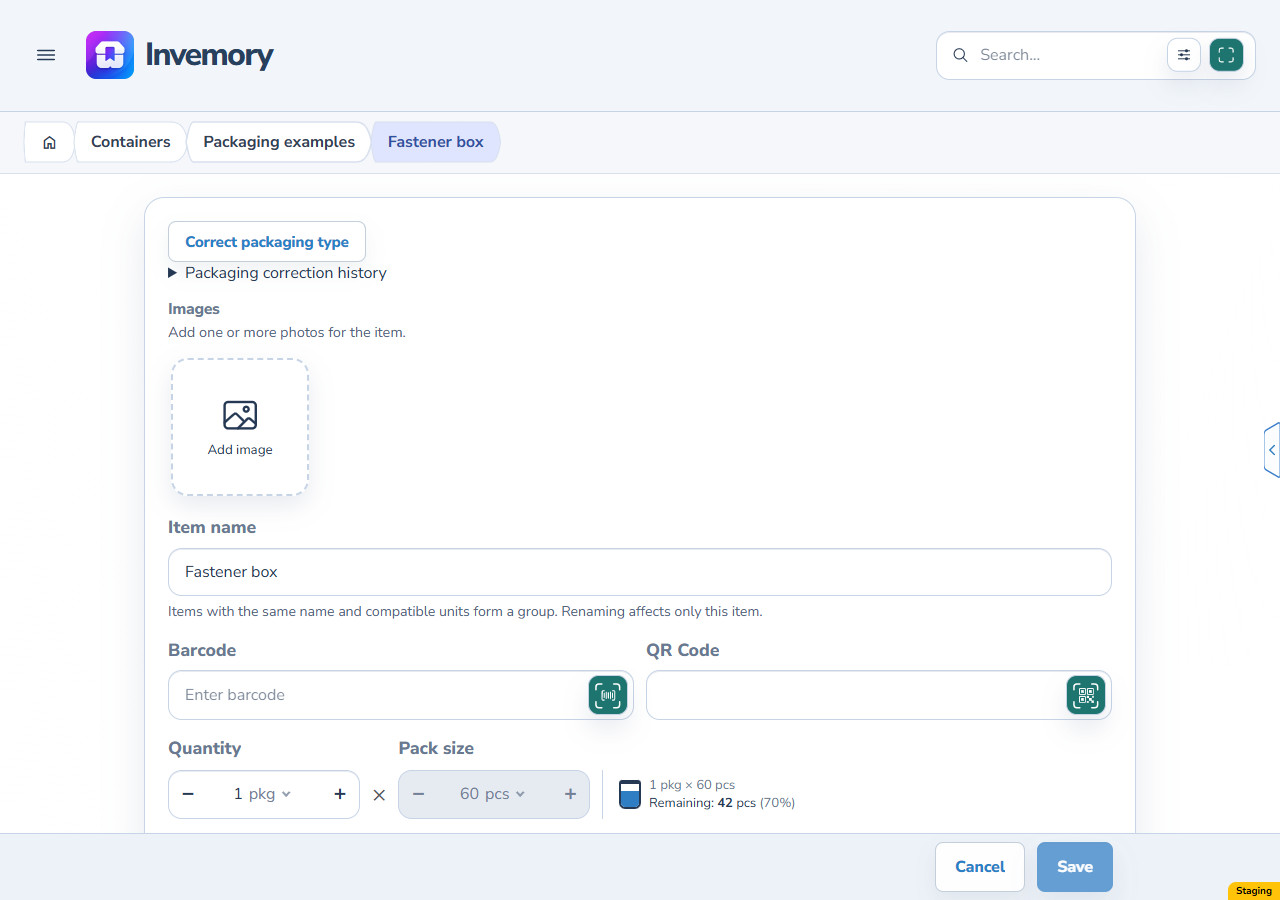
If stock was recorded as boxes but should be packages or bottles, use Correct packaging type in Invemory. It changes the outer unit at a 1:1 ratio. The example starts with one box containing 60 pieces: after using 18, the same 42 pieces remain after correction.
Last checked:
What you need
- Sign in and open a saved item, shopping request or purchase whose related records and prices you can access.
- Save or cancel unsaved editor changes before starting the separate action.
- Both the current and target outer units must support contents: boxes, packages or bottles.
1. Open the saved item
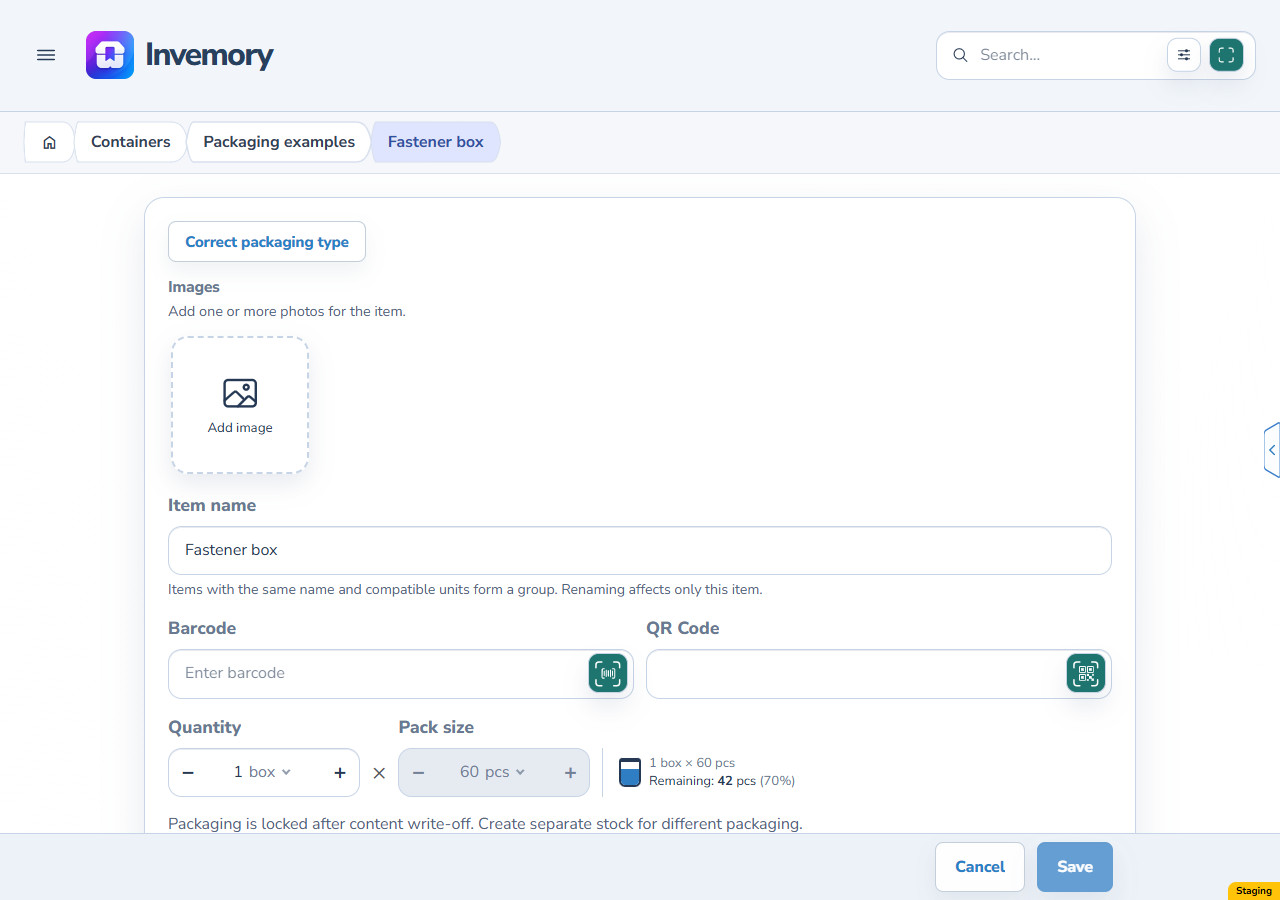
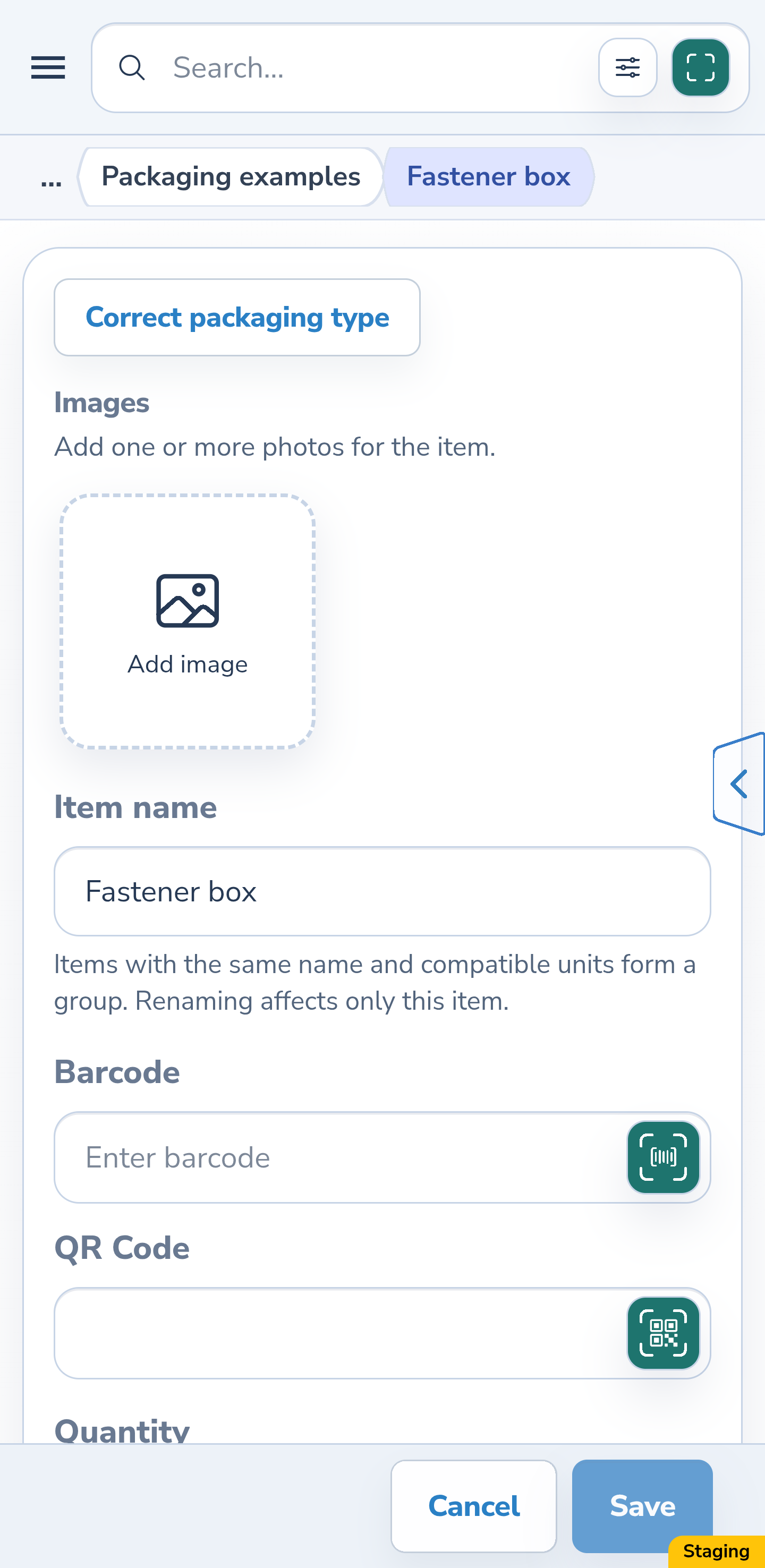
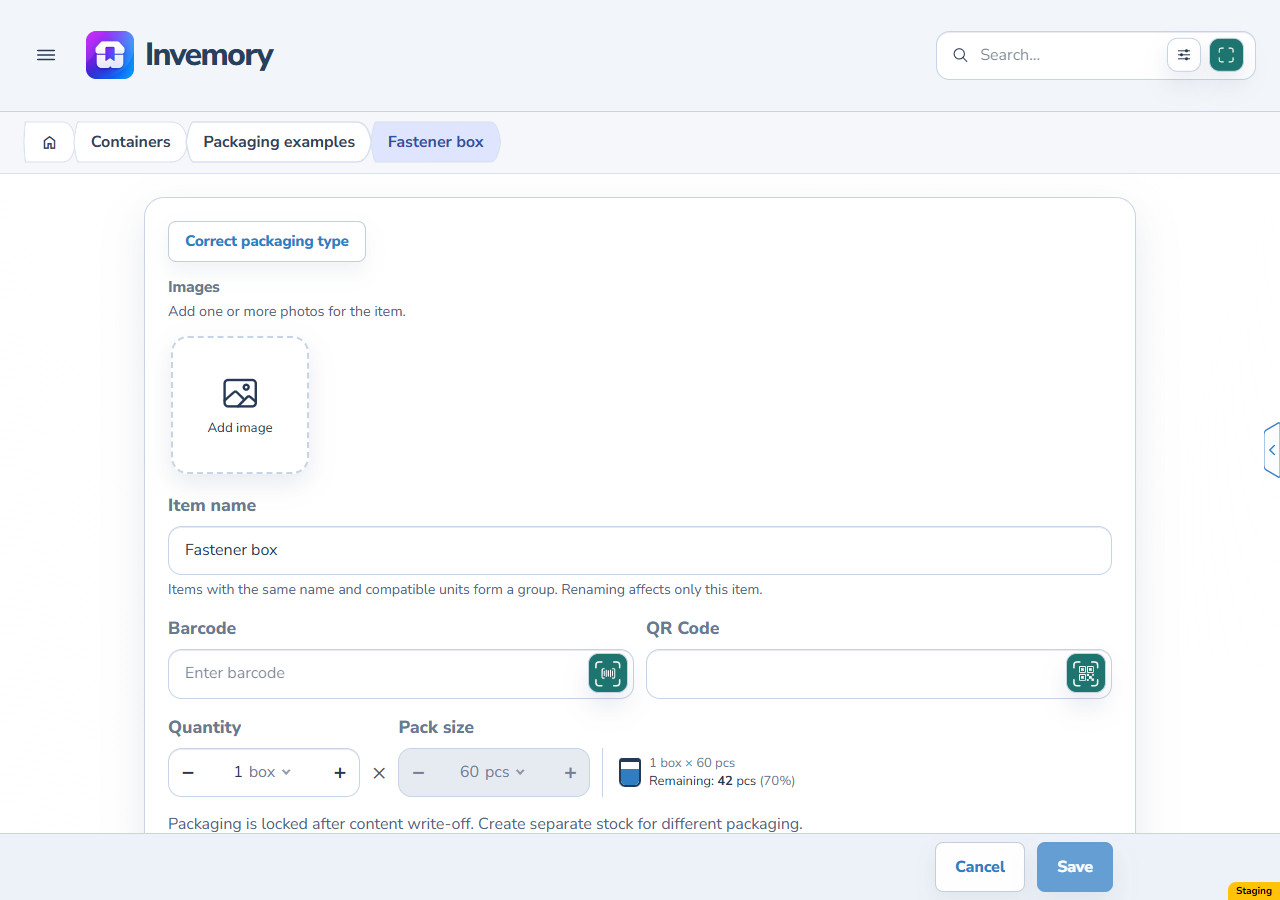
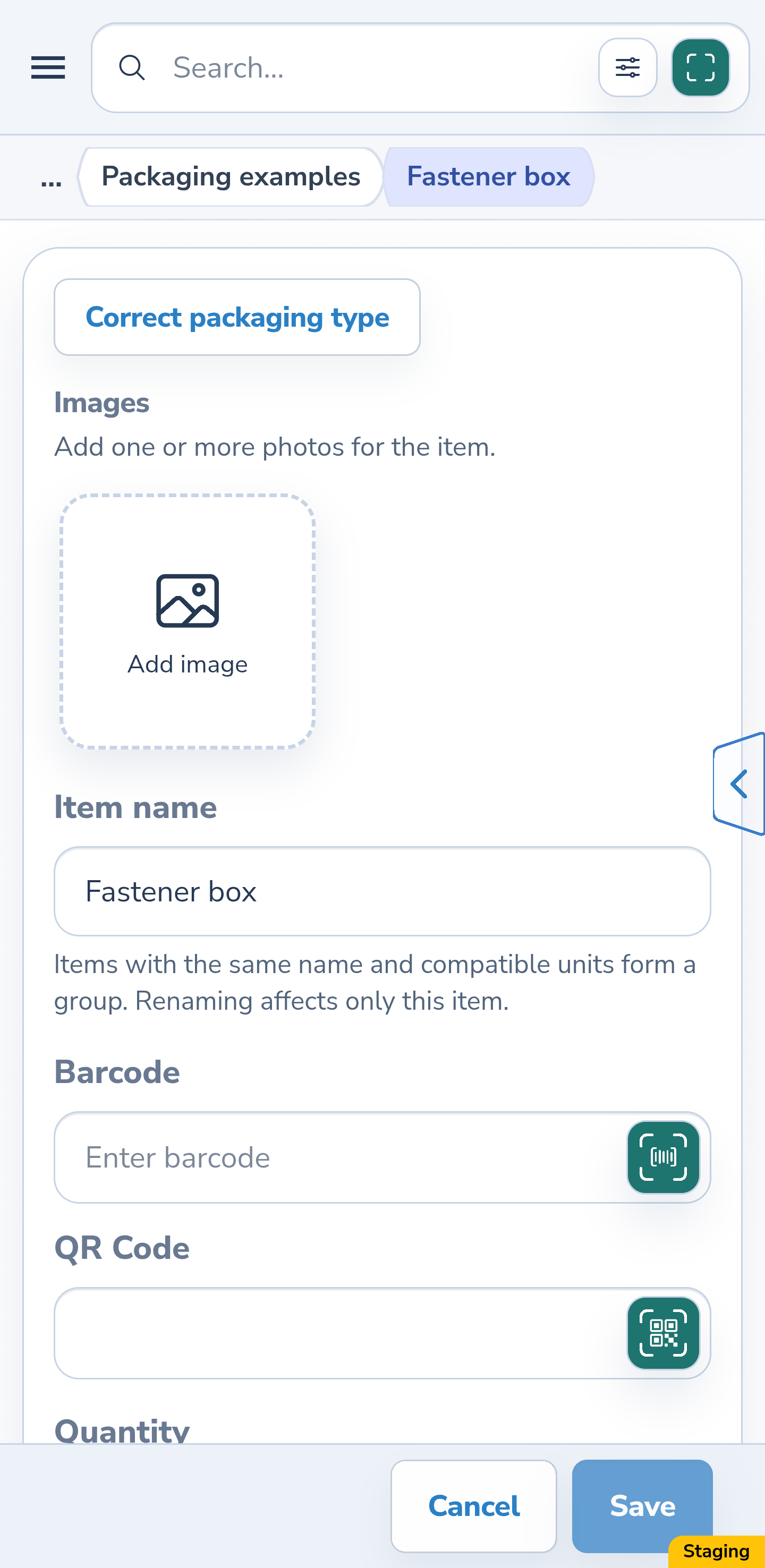
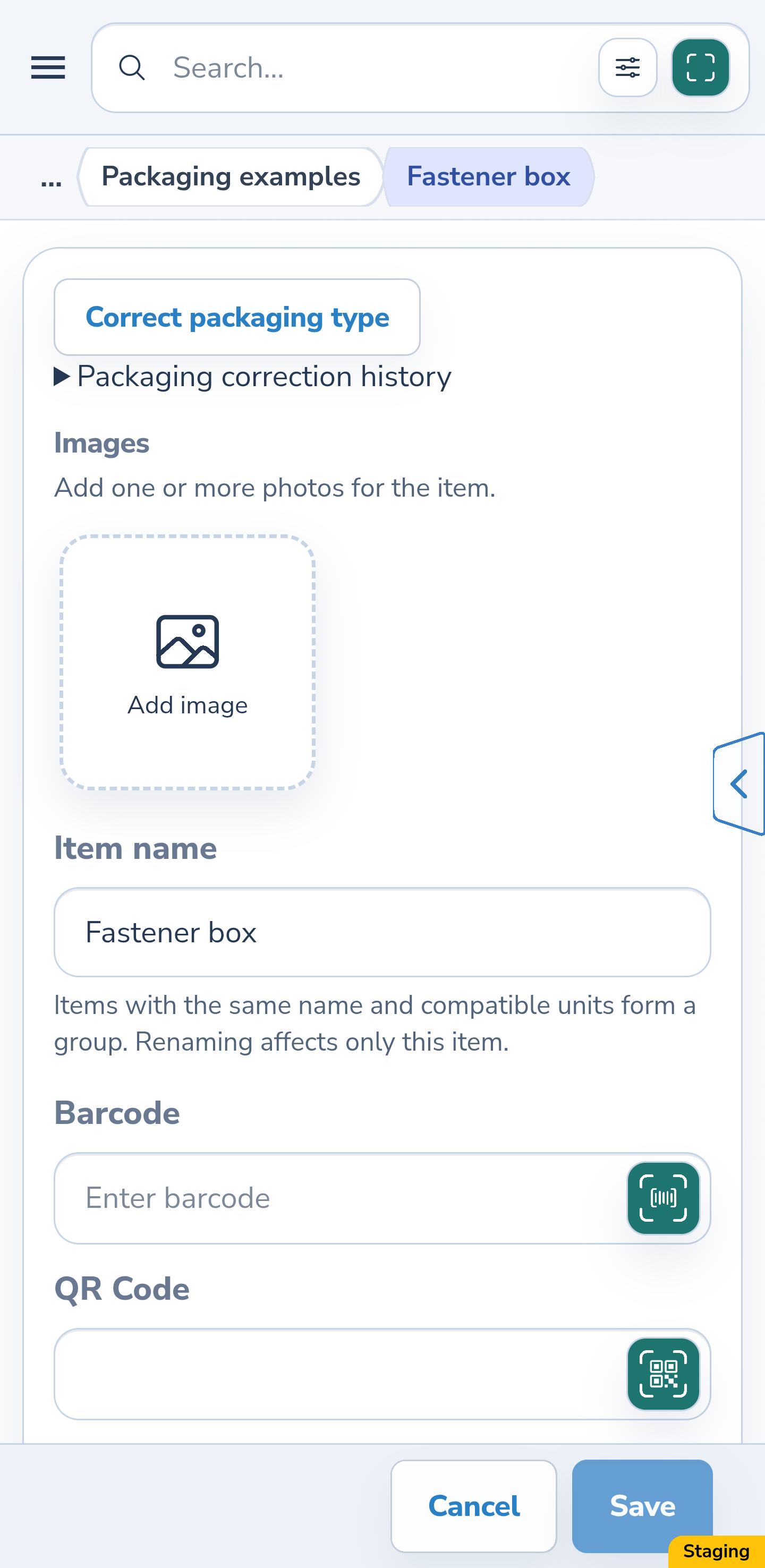
Open the item and select Edit. The example has 1 box containing 60 pieces, with 18 used and 42 remaining. Capacity and the contents unit are locked after consumption. Select the separate Correct packaging type action to change the outer packaging name.
Website
Android
2. Choose the new packaging type
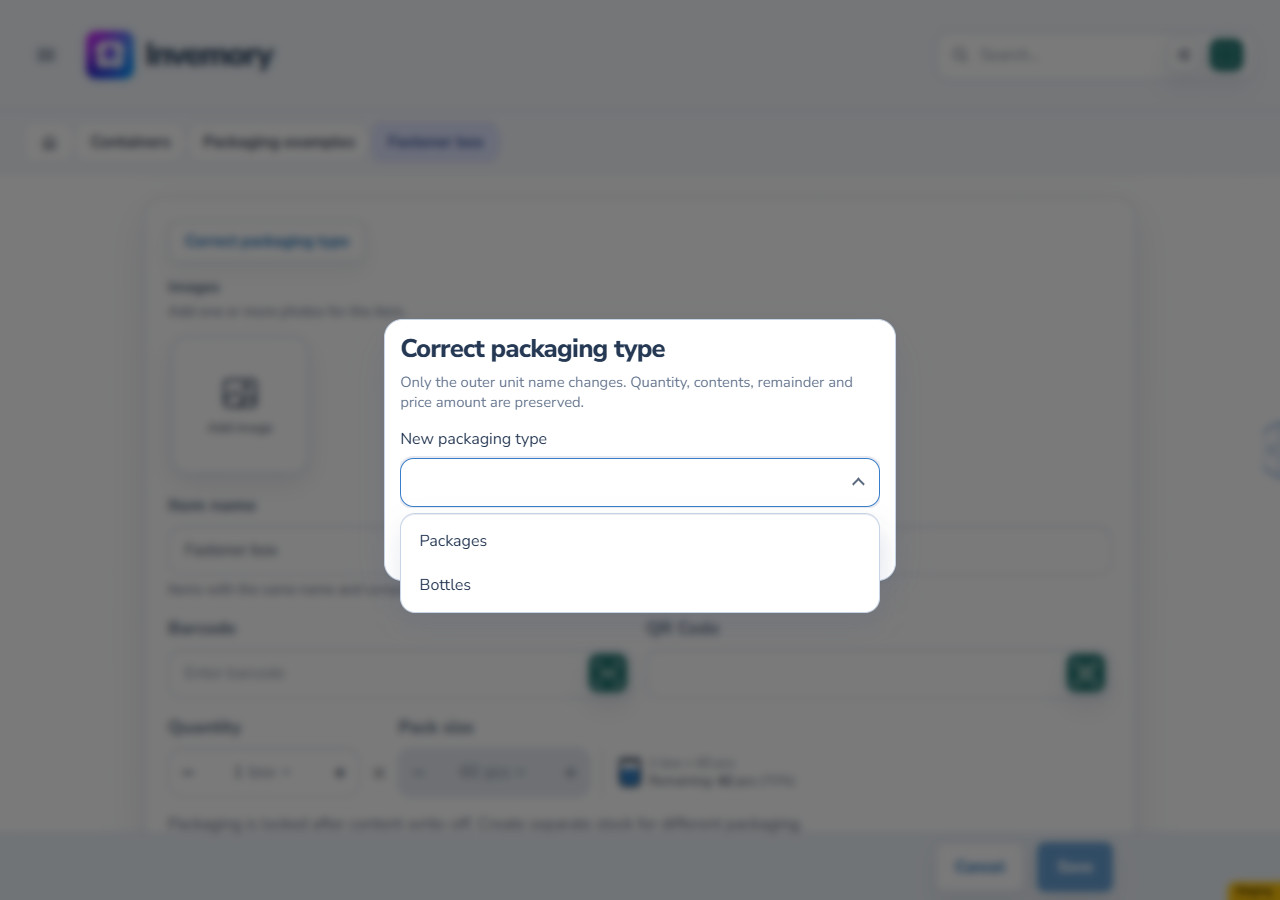
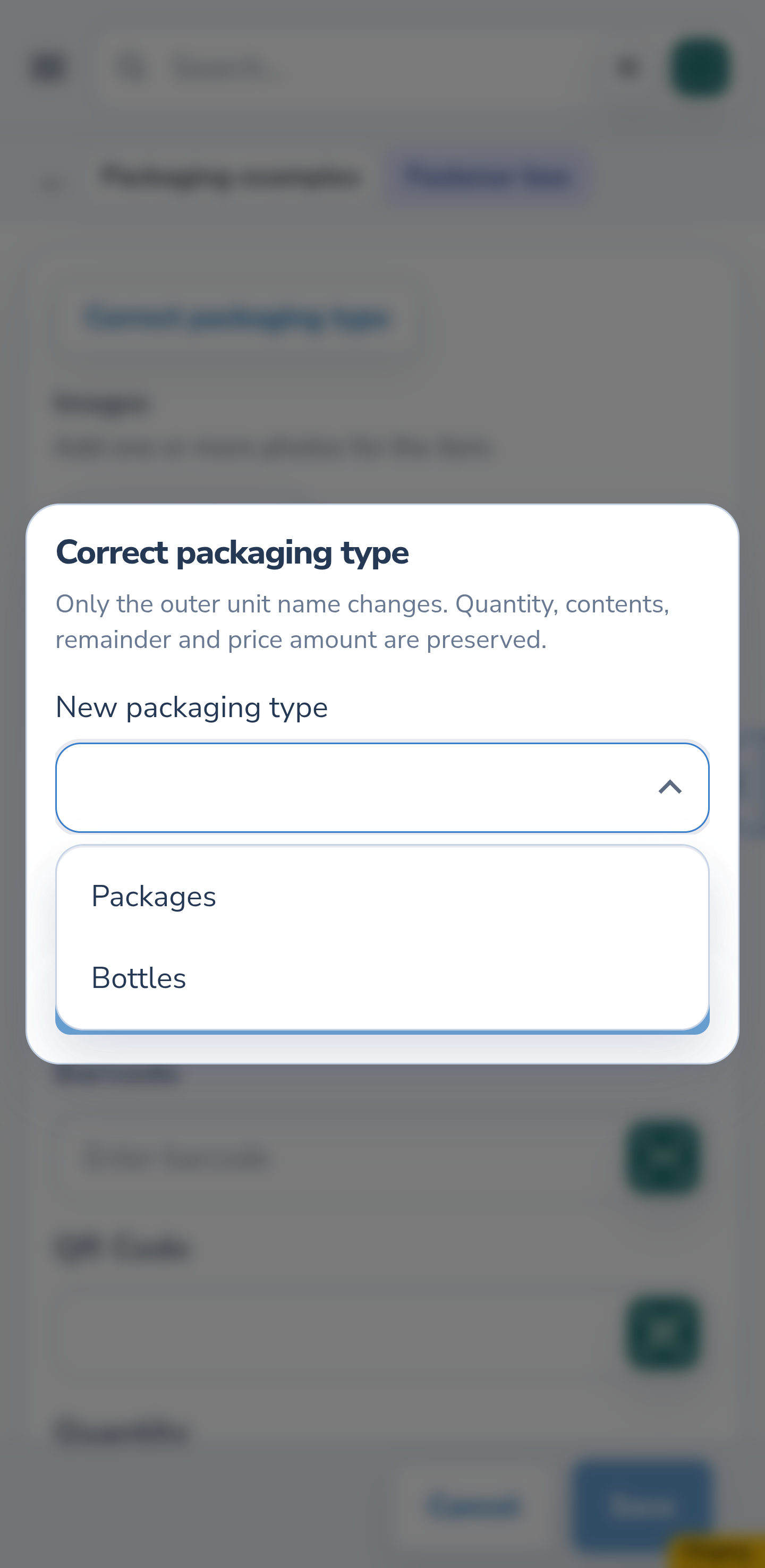
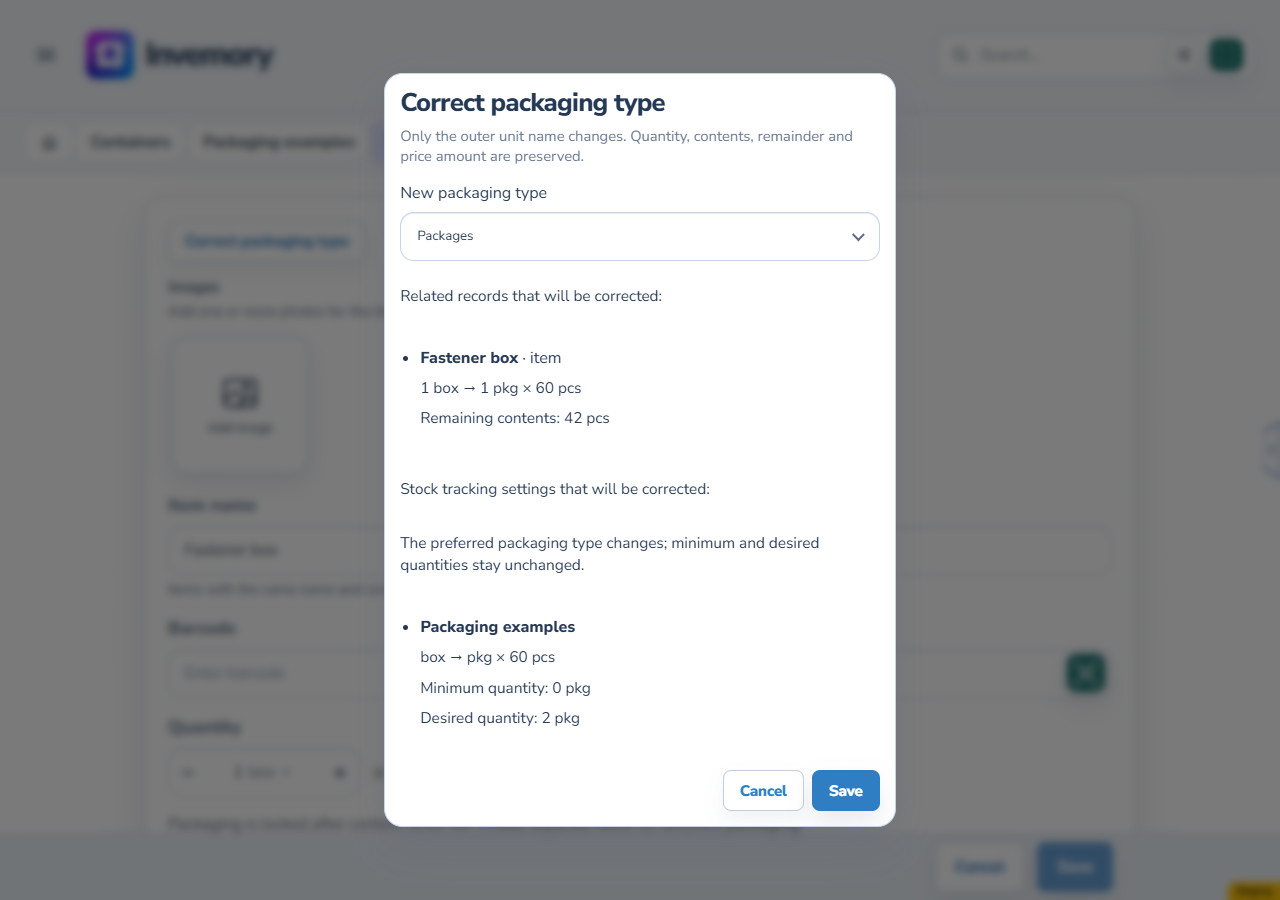
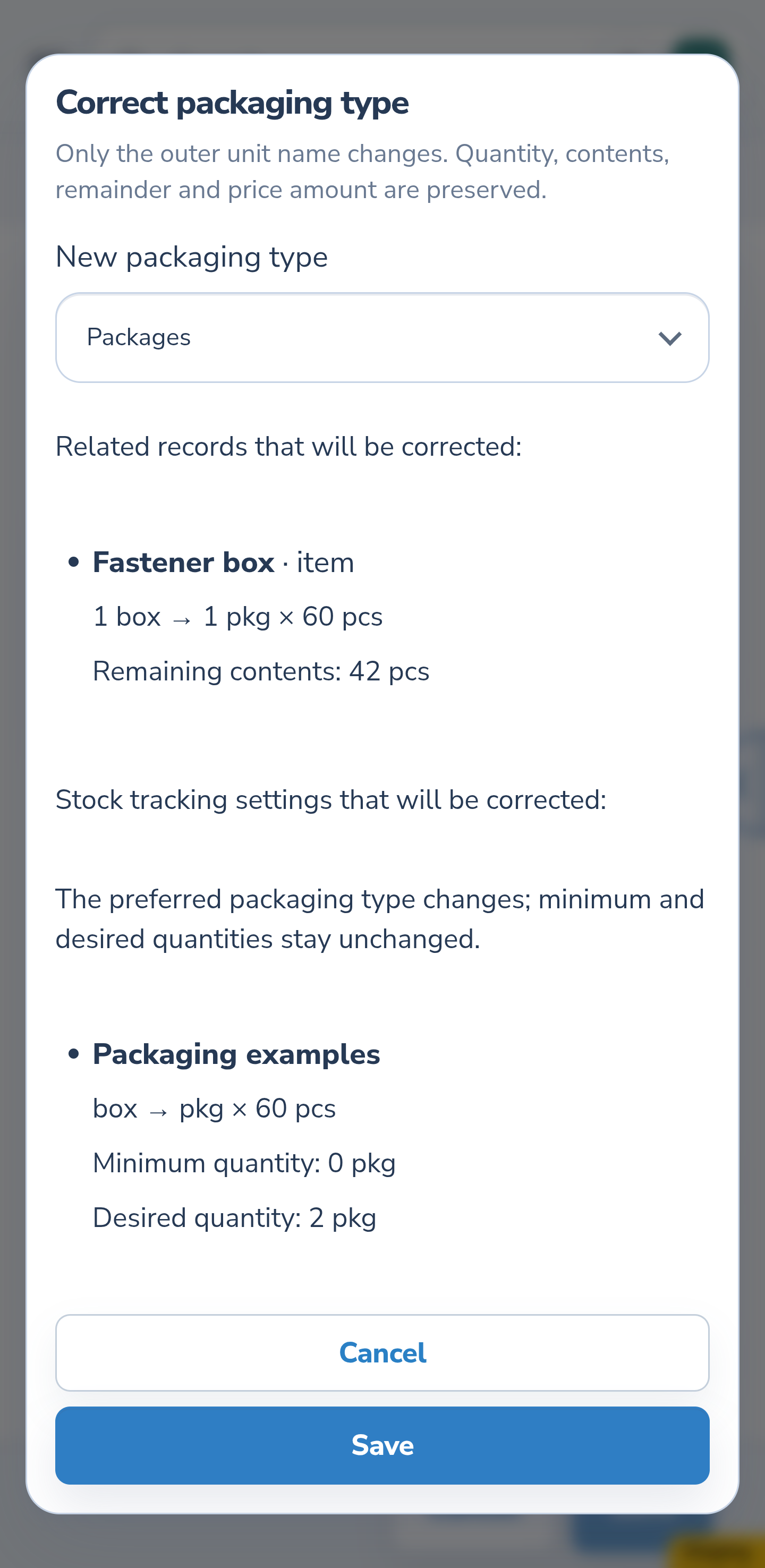
Open New packaging type and choose the required unit, such as Packages instead of Boxes. The list contains active units that support contents. This correction preserves the package count: 1 box becomes 1 package. It does not unpack that box into 60 loose pieces.
Website
Android
3. Preview the related changes
Select Preview changes. Check the related records, quantity, capacity and actual remainder. The example retains 1 outer unit, 60 pieces per unit and 42 remaining. If tracking settings are listed, check them separately: the minimum of 0 and desired quantity of 2 stay unchanged.
Website
Android
4. Cancel when no change is needed
Select Cancel in the correction dialog. The saved item remains a box containing 60 pieces with 42 remaining. Previewing alone saves nothing. Choosing a different target clears the earlier preview; obtain a new one before saving.
Website
Android
5. Save the reviewed correction
Choose the new packaging type again and preview the changes. Select Save after checking them. On success, current facts reload: the item is now 1 package containing 60 pieces with 42 remaining. Restrictions on changing contents after consumption still apply.
Website
Android
6. Choose a specific purchase for a shopping request
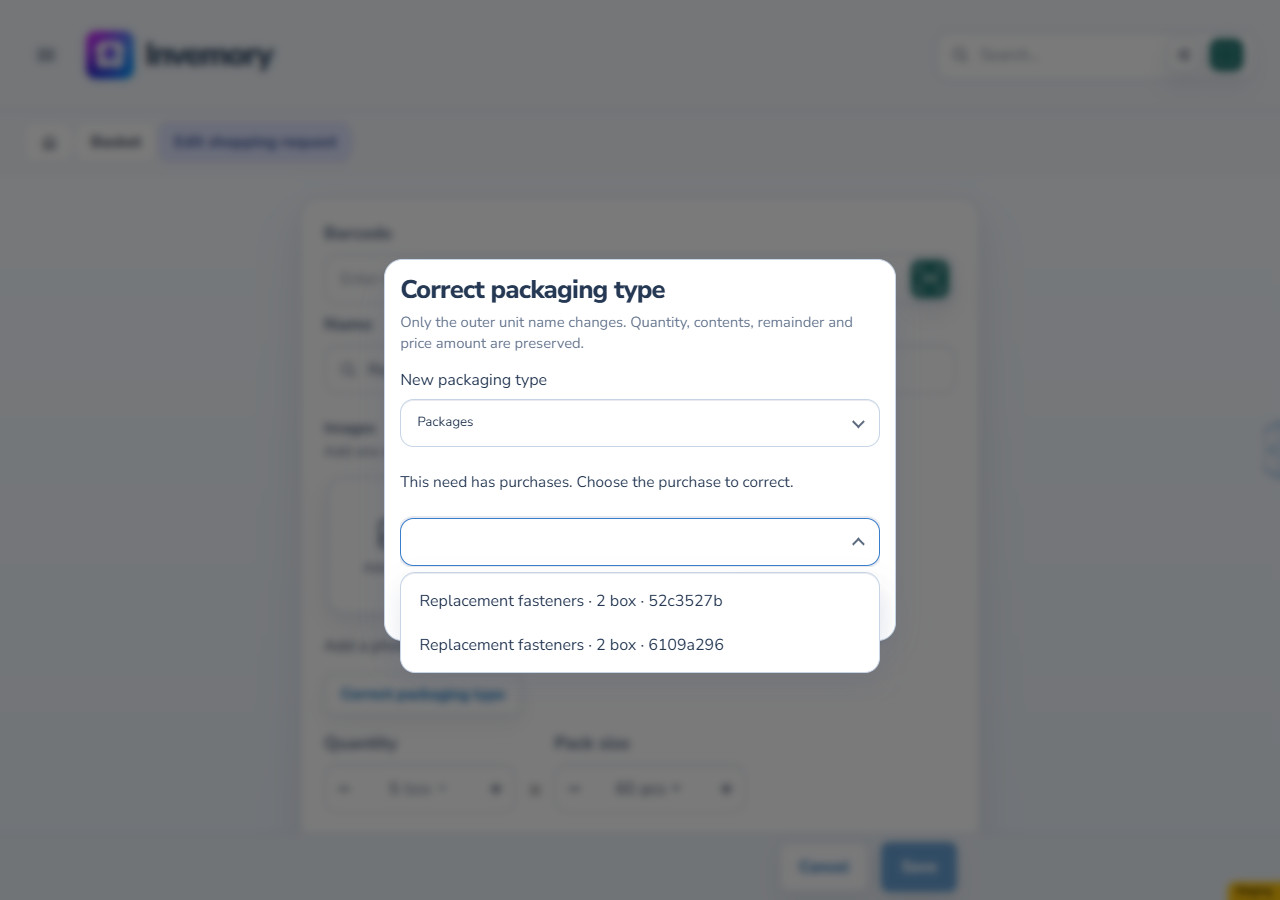
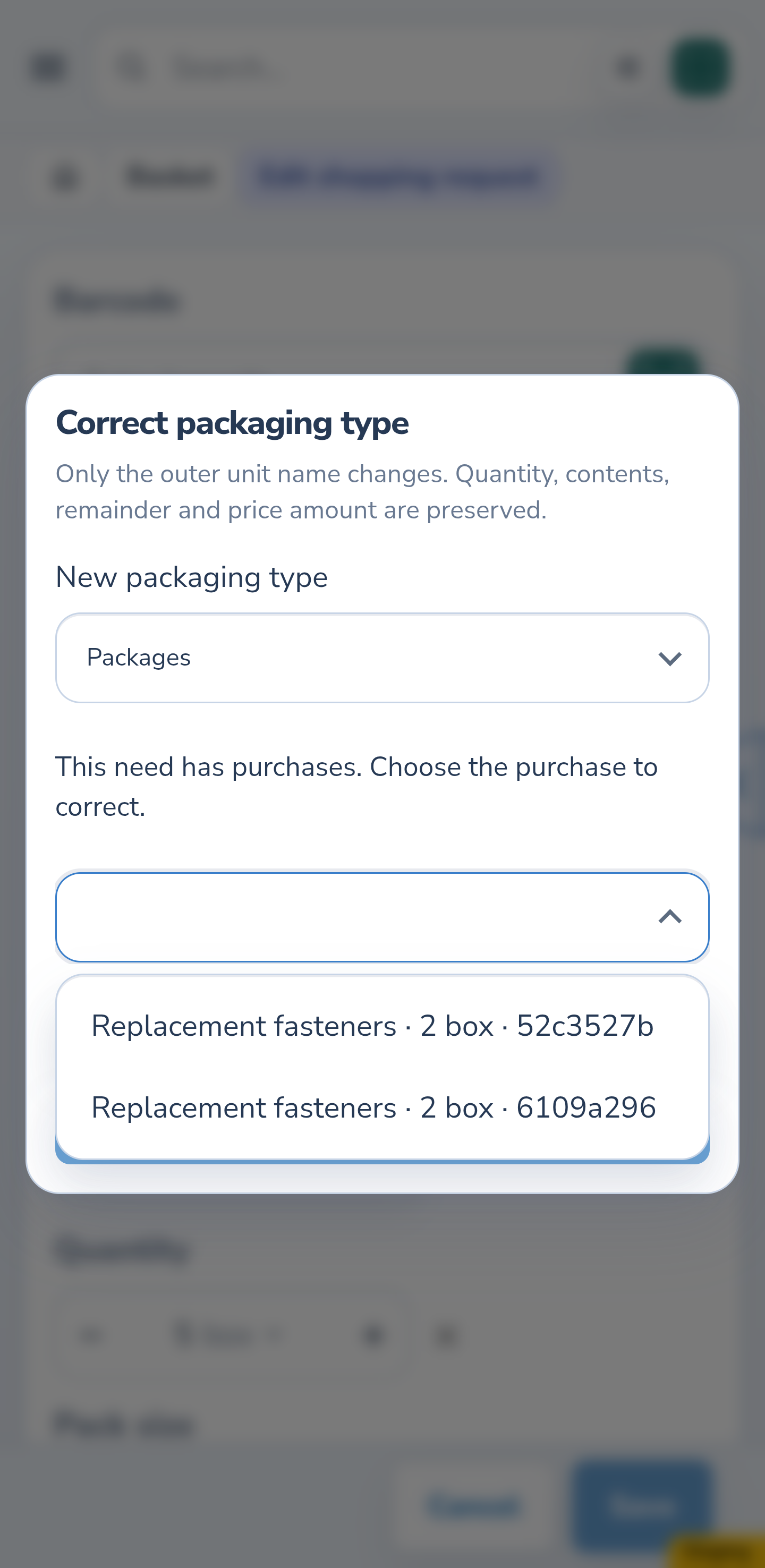
A saved shopping request without purchases has its own correction action. If the shopping request already has purchases, select the specific purchase in the correction dialog. The example shopping request requested 5 boxes and has two purchases of 2 each, leaving 1 still needed. Both purchases appear as choices. Distinguish the purchases by their displayed references; check the date and other details in the corresponding journal entry if needed.
Website
Android
7. Check the partly placed purchase
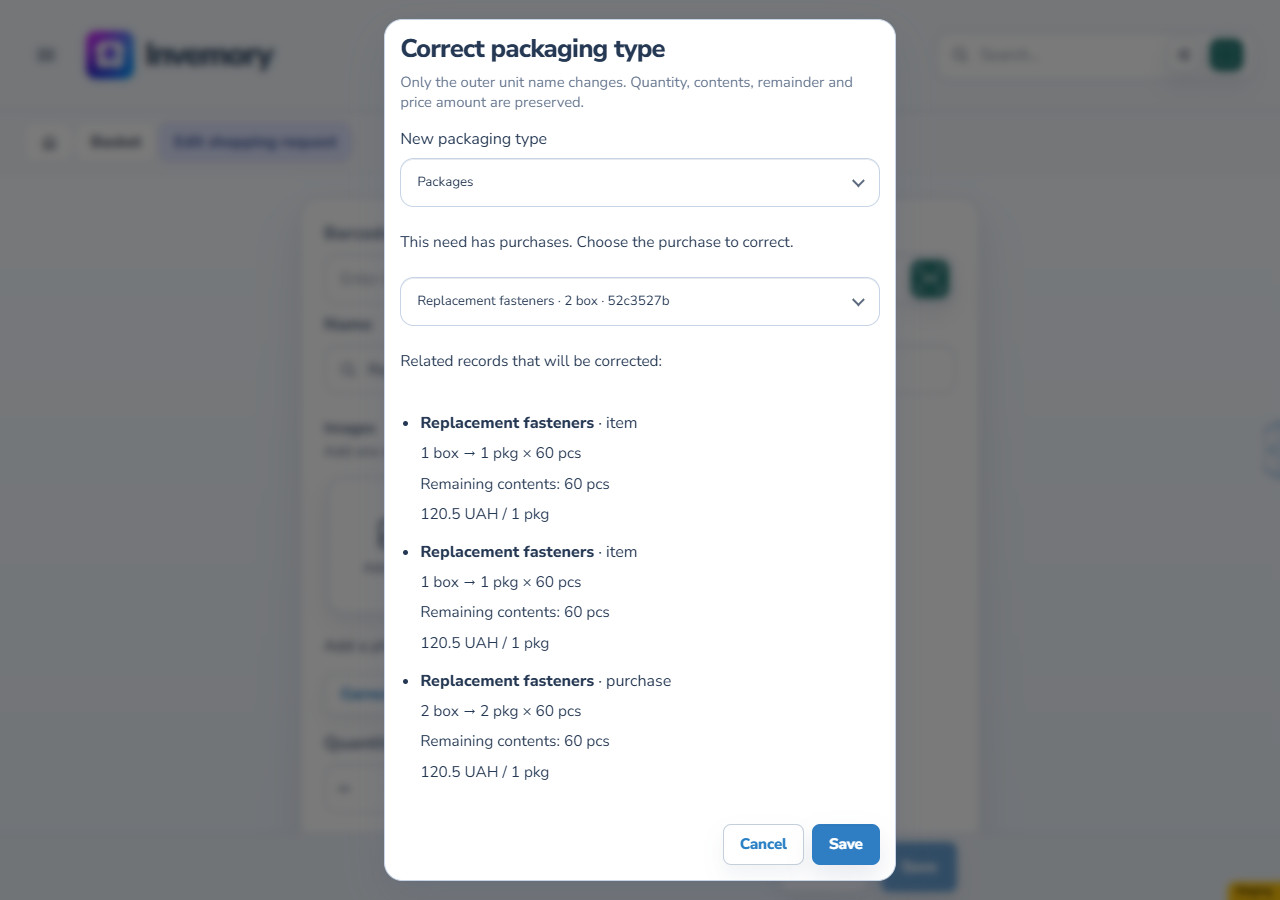
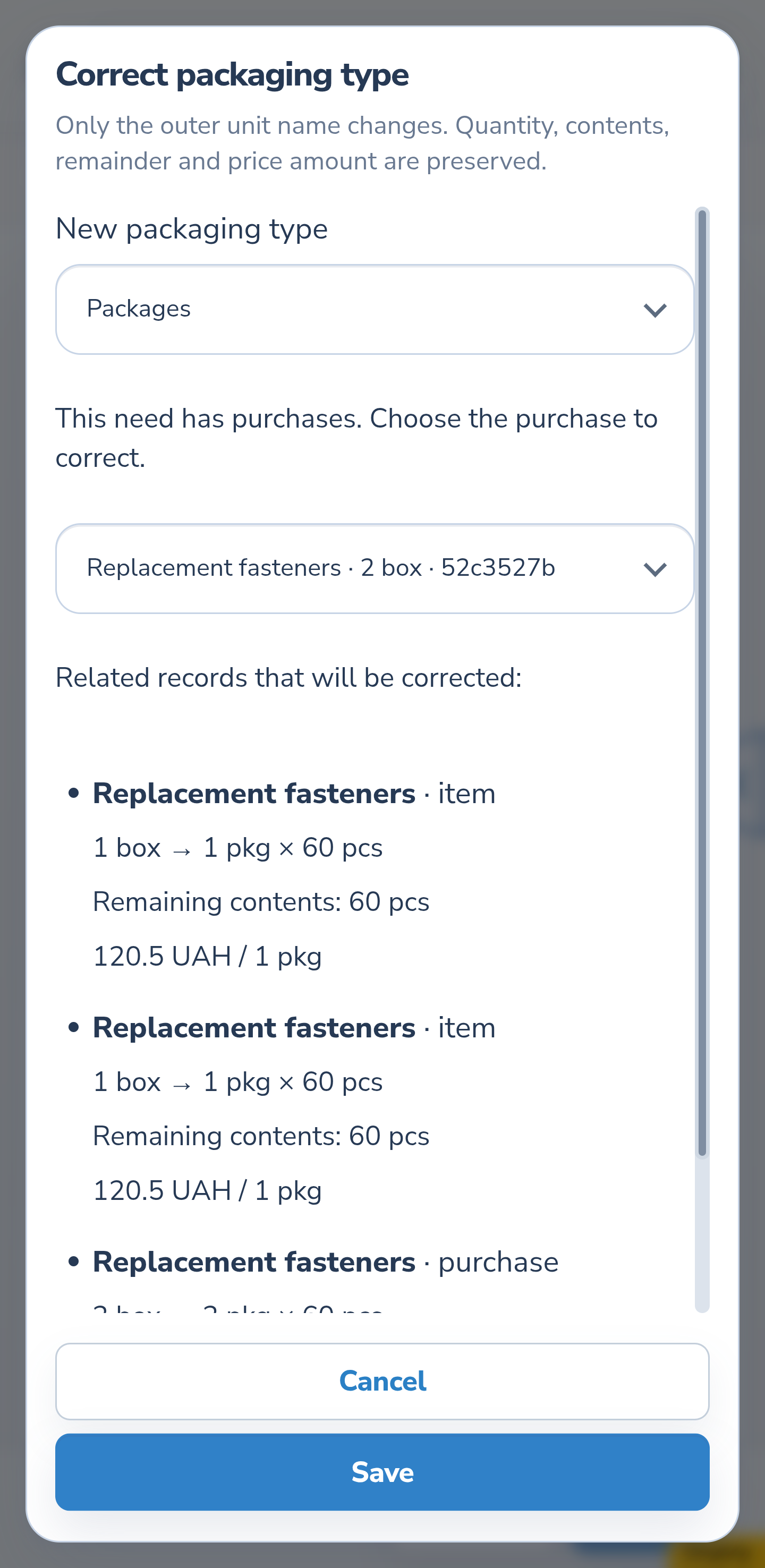
Choose the first purchase of 2 boxes and Packages as the target. Select Preview changes. This example lists three records: the purchase of 2 and its two linked items of 1 each, placed and unplaced. It does not list every purchase of the shopping request. Where a price is shown, check its amount, currency and basis of 1 unit.
Website
Android
8. Check the result in Purchase journal
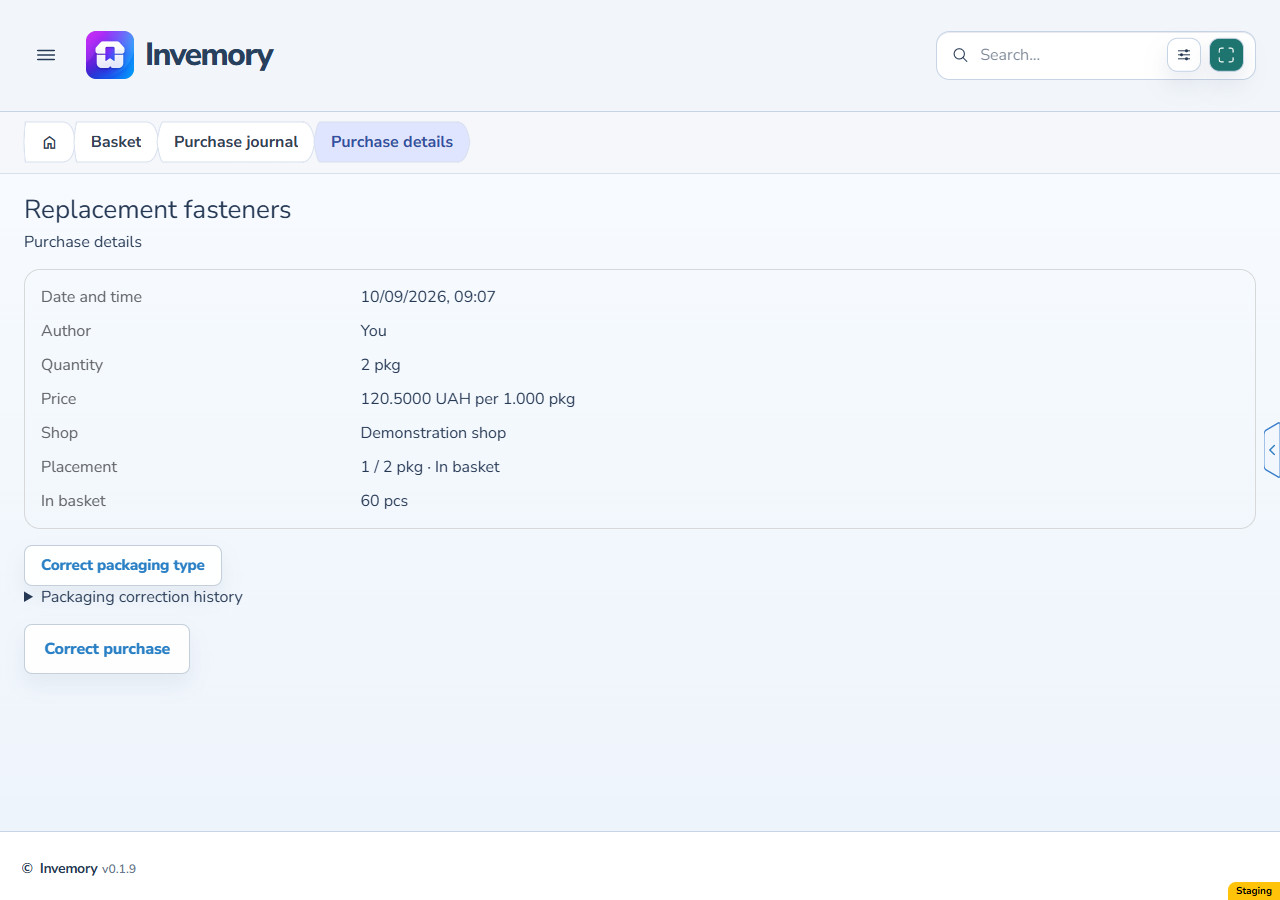
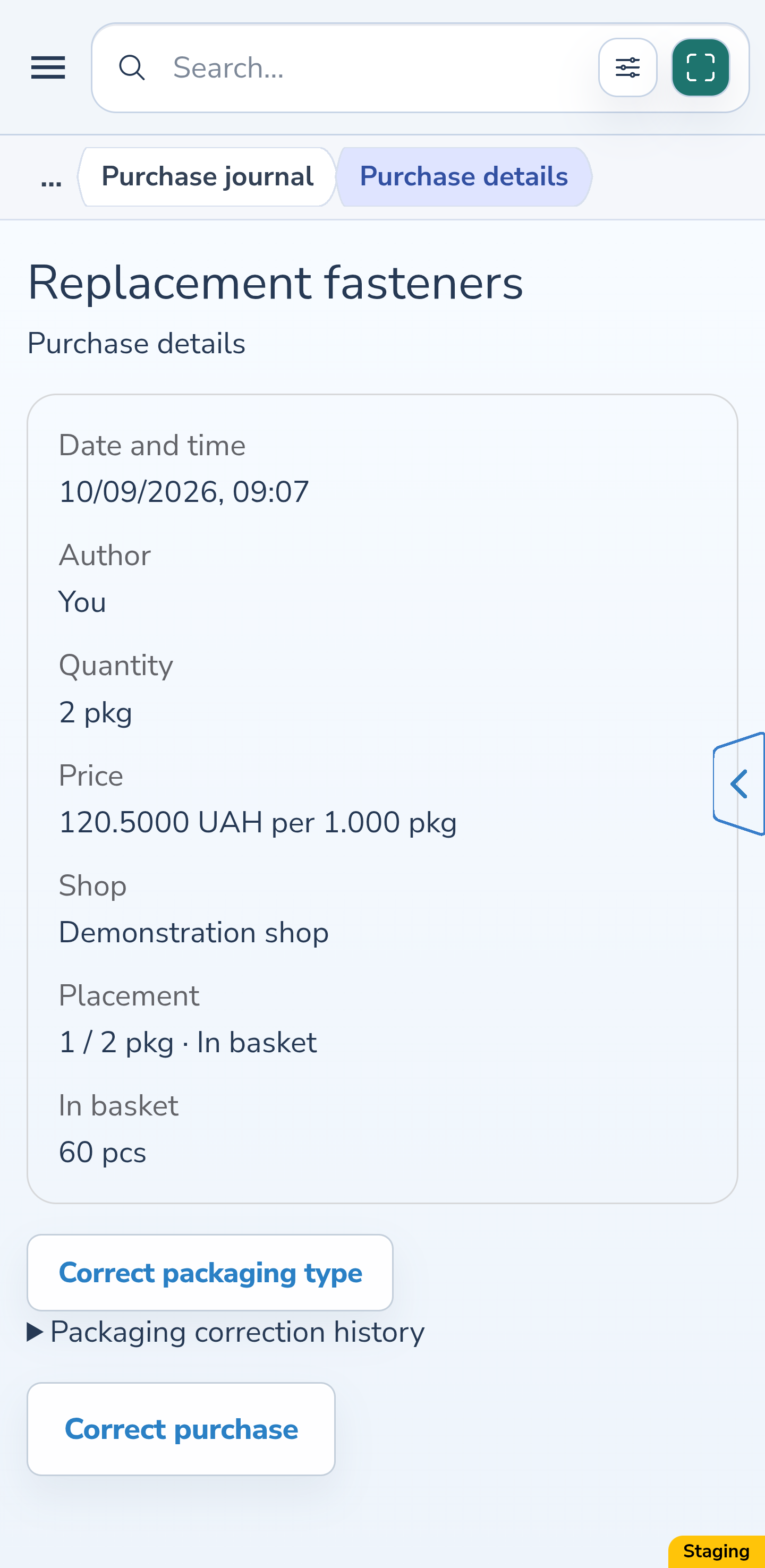
After Save, open this purchase in Purchase journal. The example now has 2 packages, with 1 of 2 placed and 60 pieces still unplaced. The price remains 120.5 UAH per 1 outer unit; its current basis is now a package. The other purchase for this shopping request remains a separate entry.
Website
Android
9. Open the fully placed purchase
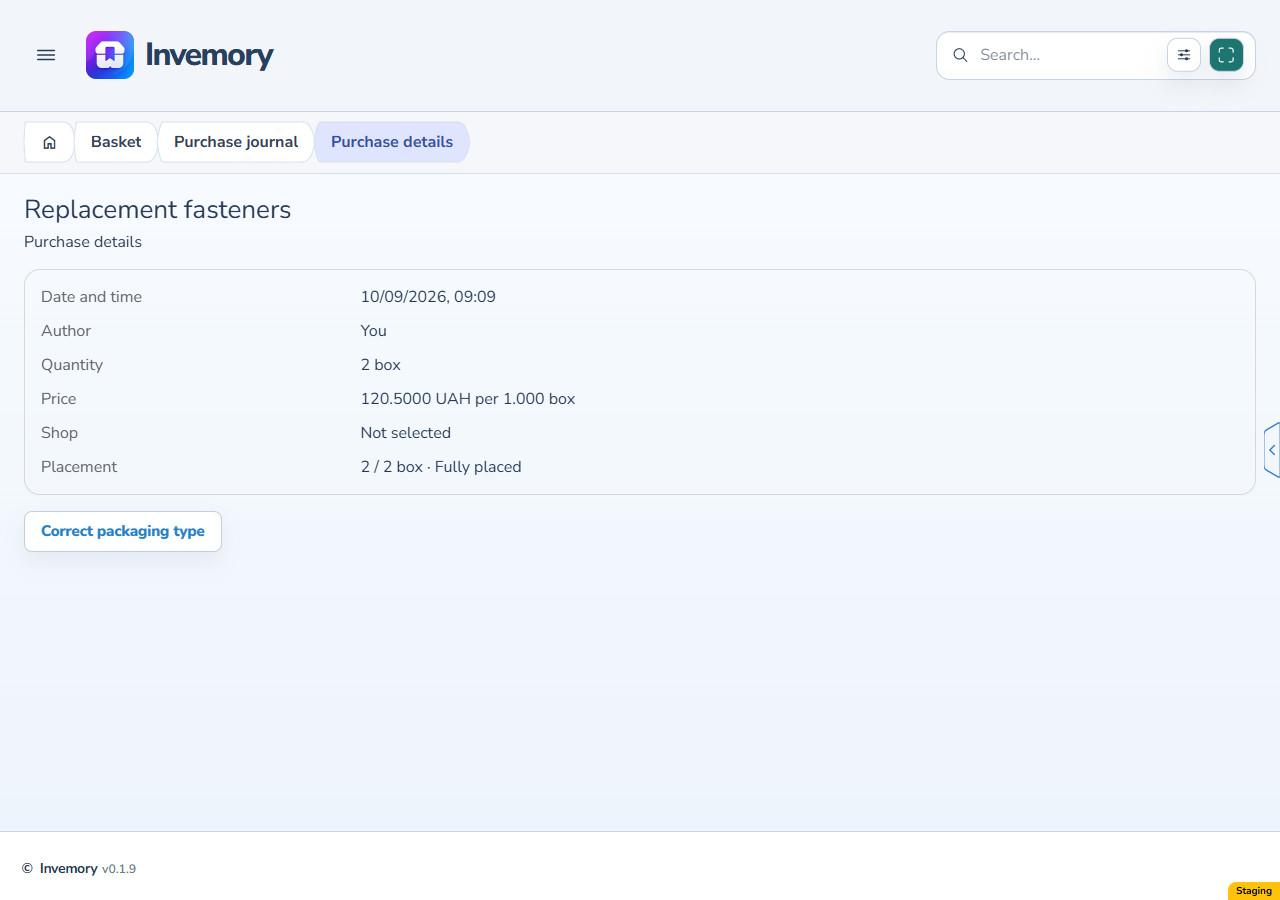
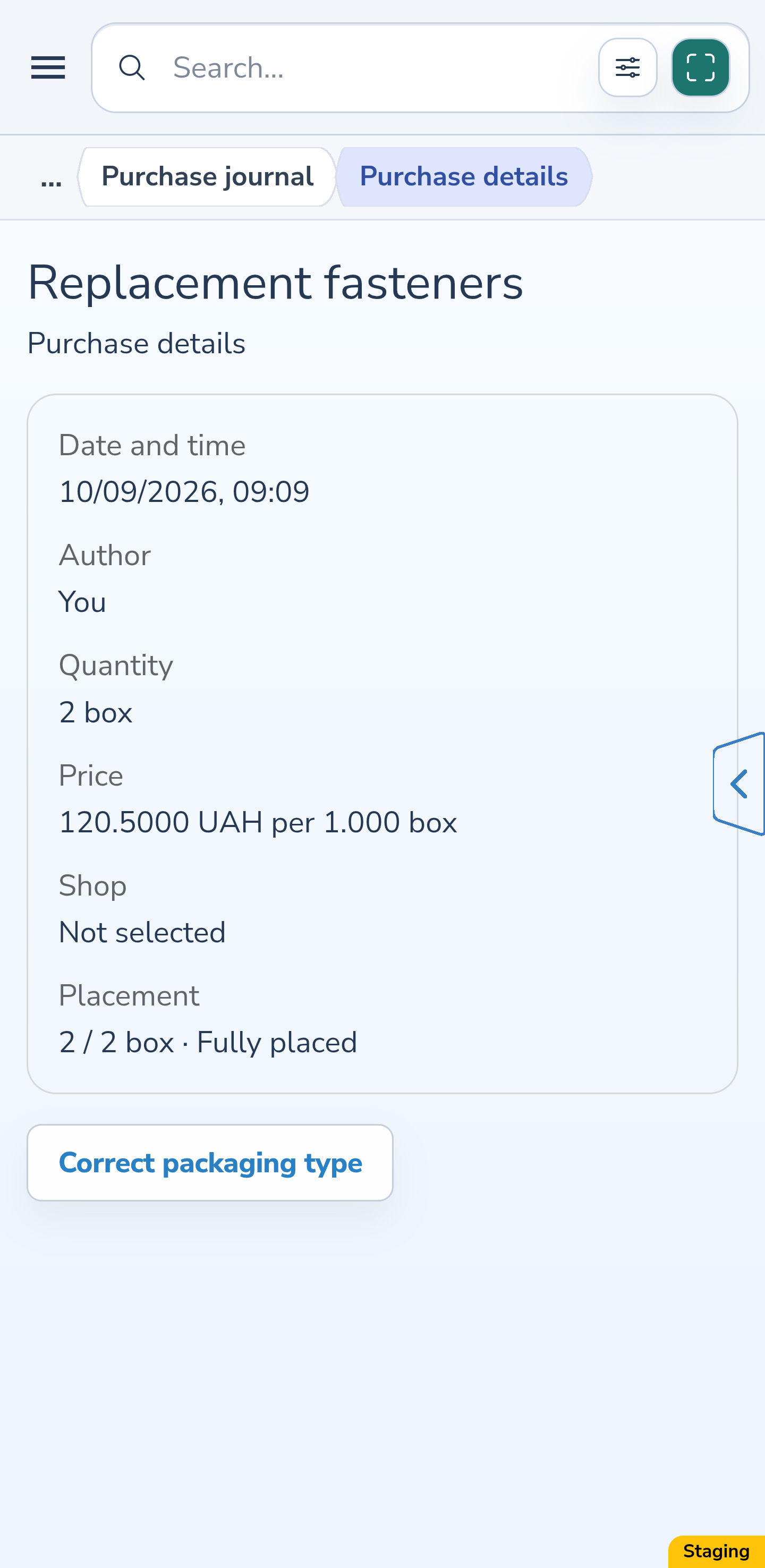
Open the second purchase in Purchase journal: 2 of 2 units are placed. Correct packaging type is also available after full placement and has its own preview. The absence of ordinary price editing for a fully placed purchase does not block this separate action.
Website
Android
10. Check the fully placed result
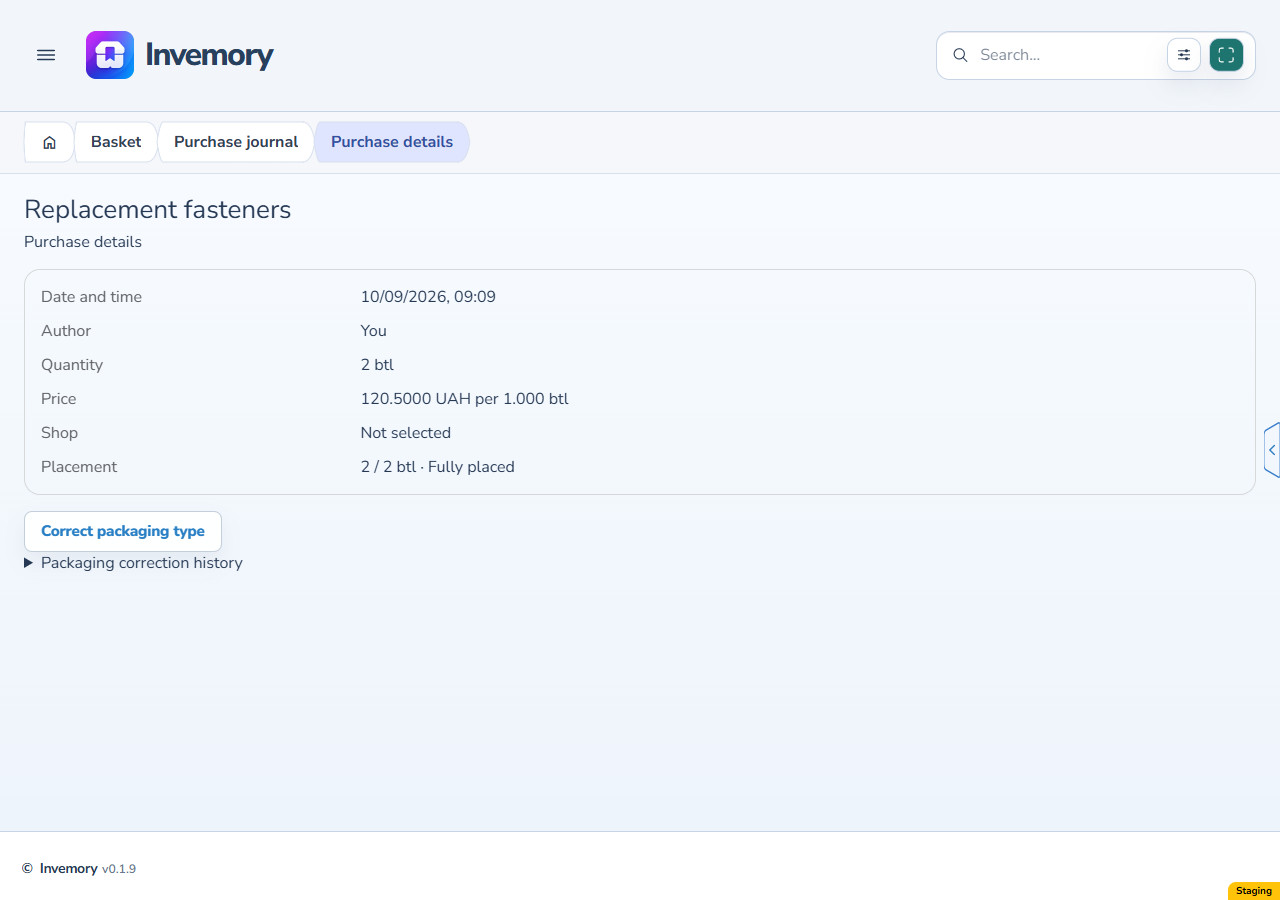
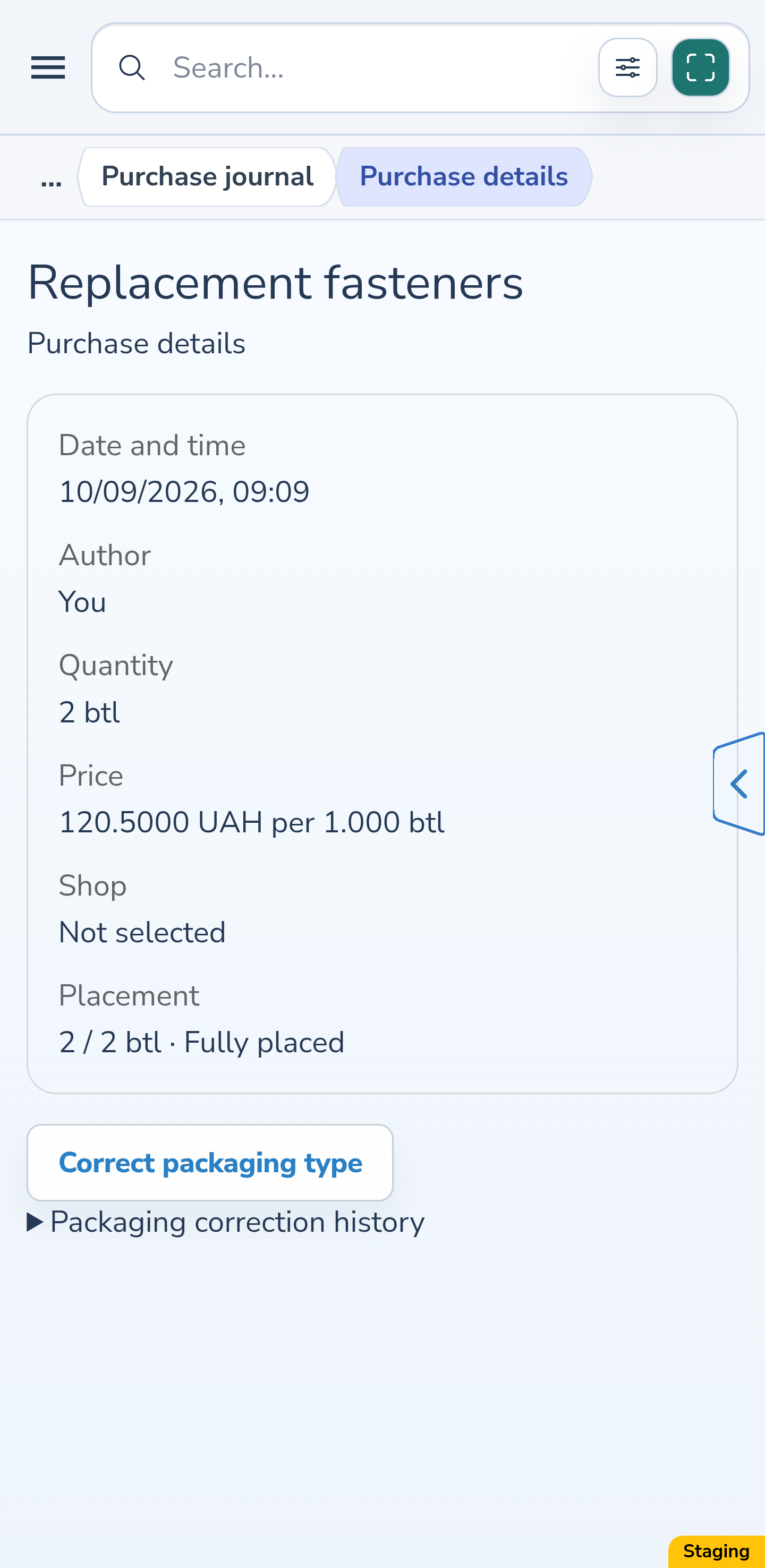
For the second purchase, choose Bottles, preview the changes and select Save. The journal now shows 2 bottles, 2 of 2 placed and an unplaced remainder of 0. That is not zero stock in the container: the linked placed item retains 2 bottles containing 60 pieces each, 120 in total. The price stays 120.5 UAH per 1 unit.
Website
Android
11. Expand the correction history
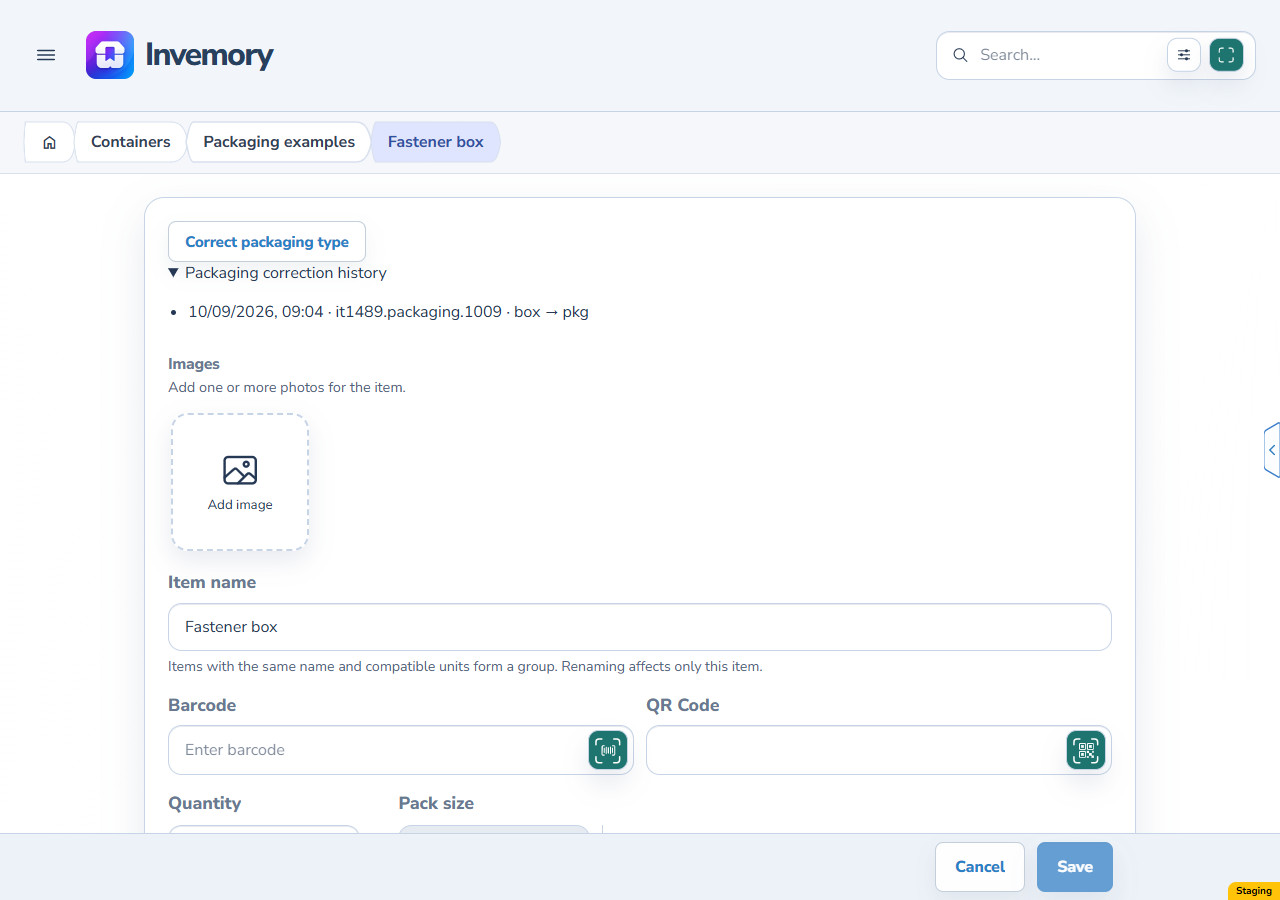
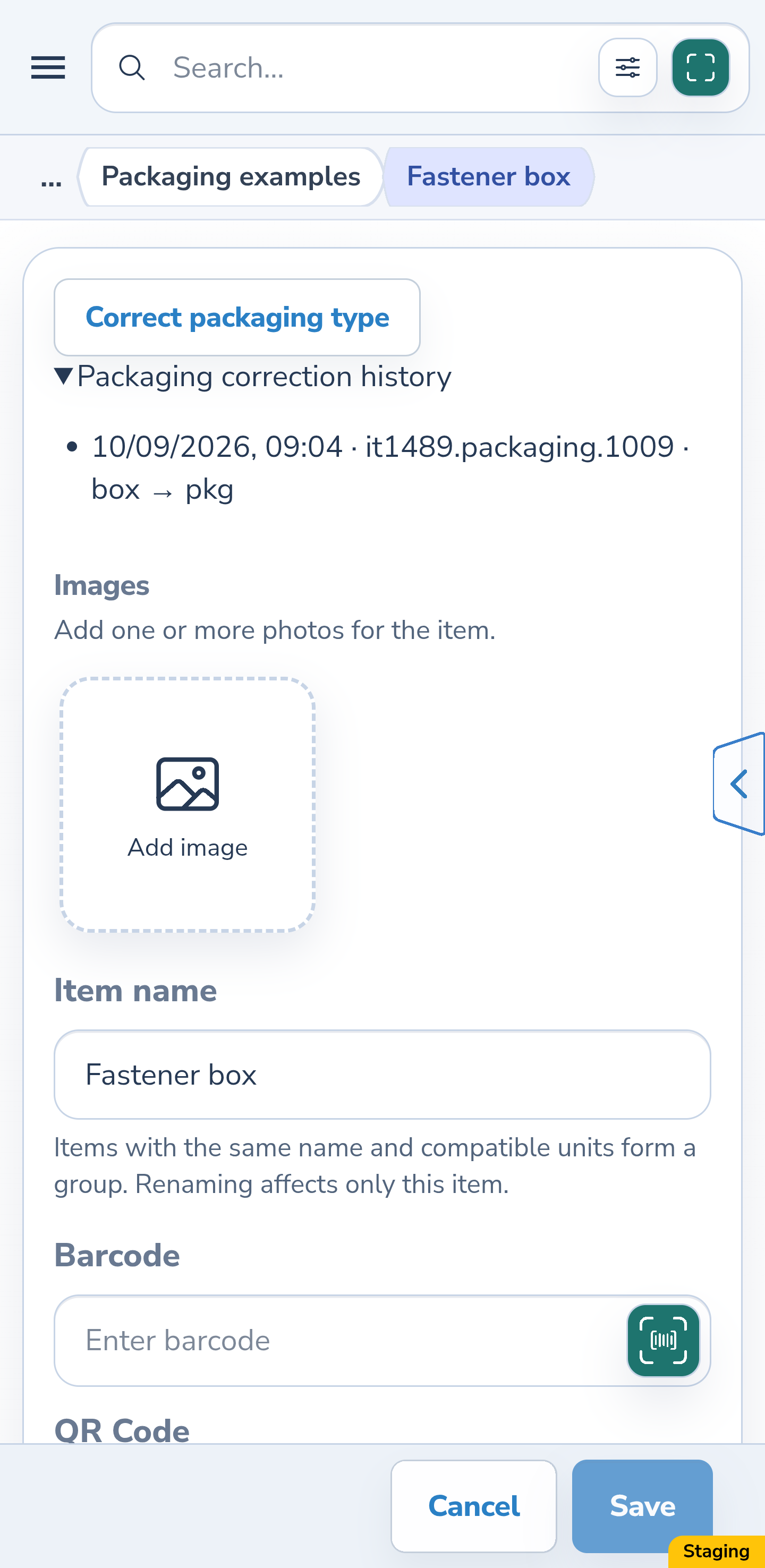
In the saved item editor or purchase details, expand Packaging correction history. It shows the time, actor and original-to-new outer unit. This is a separate correction history. Ordinary item events, purchase records and earlier price entries retain their own recorded facts.
Website
Android
12. Preview again after a concurrent change
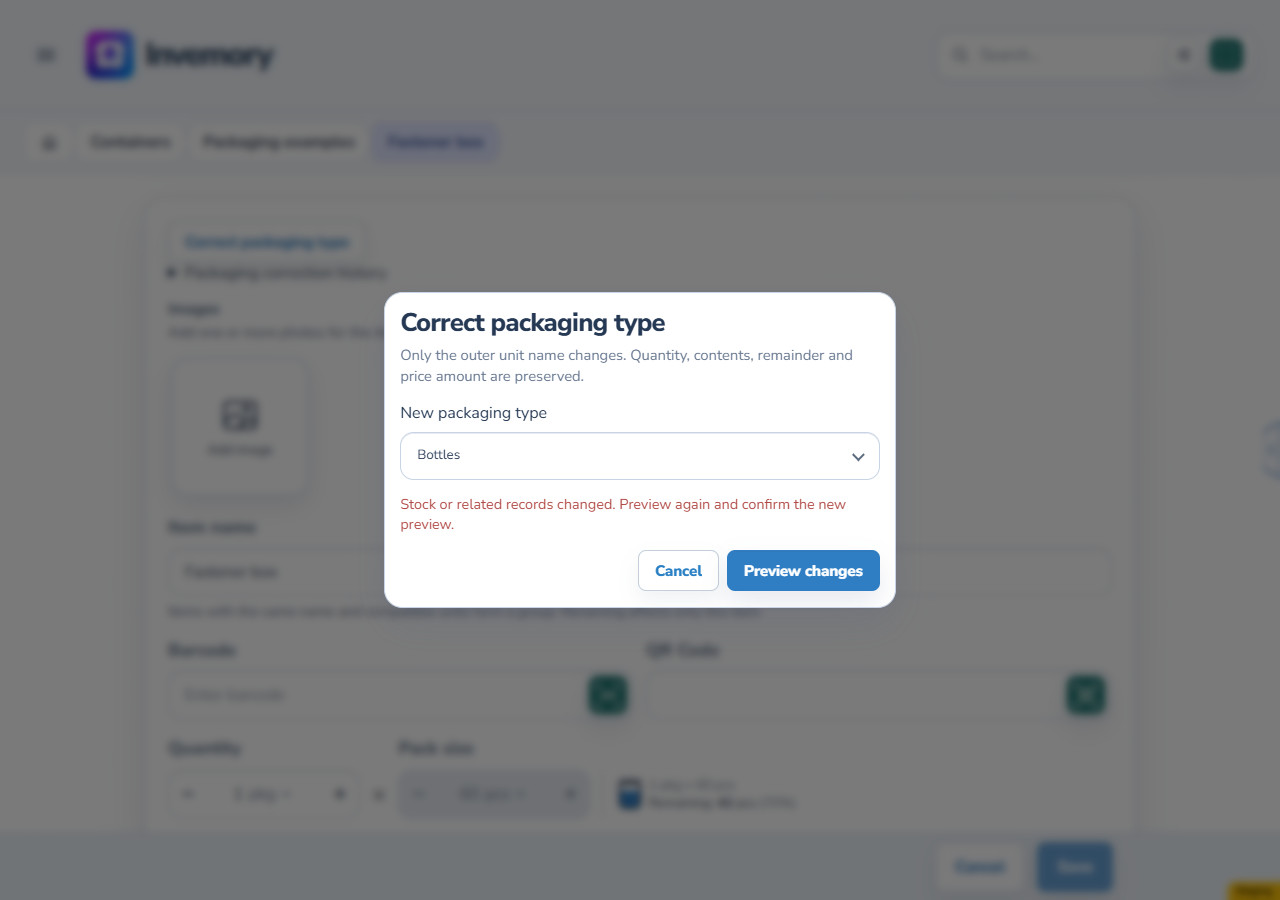
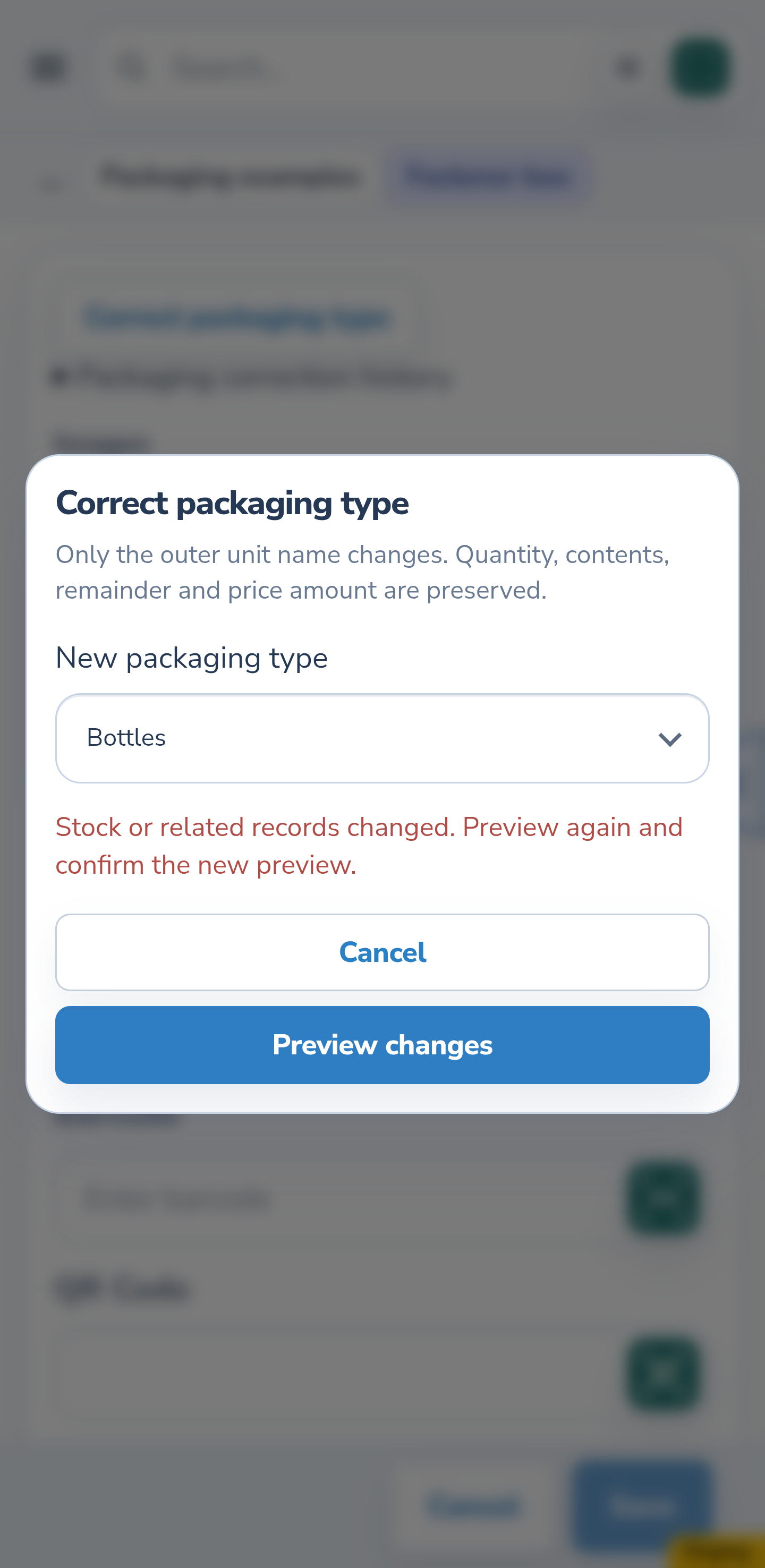
If stock or tracking changes in another window or on a device after your preview, that old preview cannot be saved. The message asks you to preview again. Your target unit is retained: obtain a fresh preview, check the current facts, then save or cancel.
Website
Android
13. Check a replenishment settings conflict
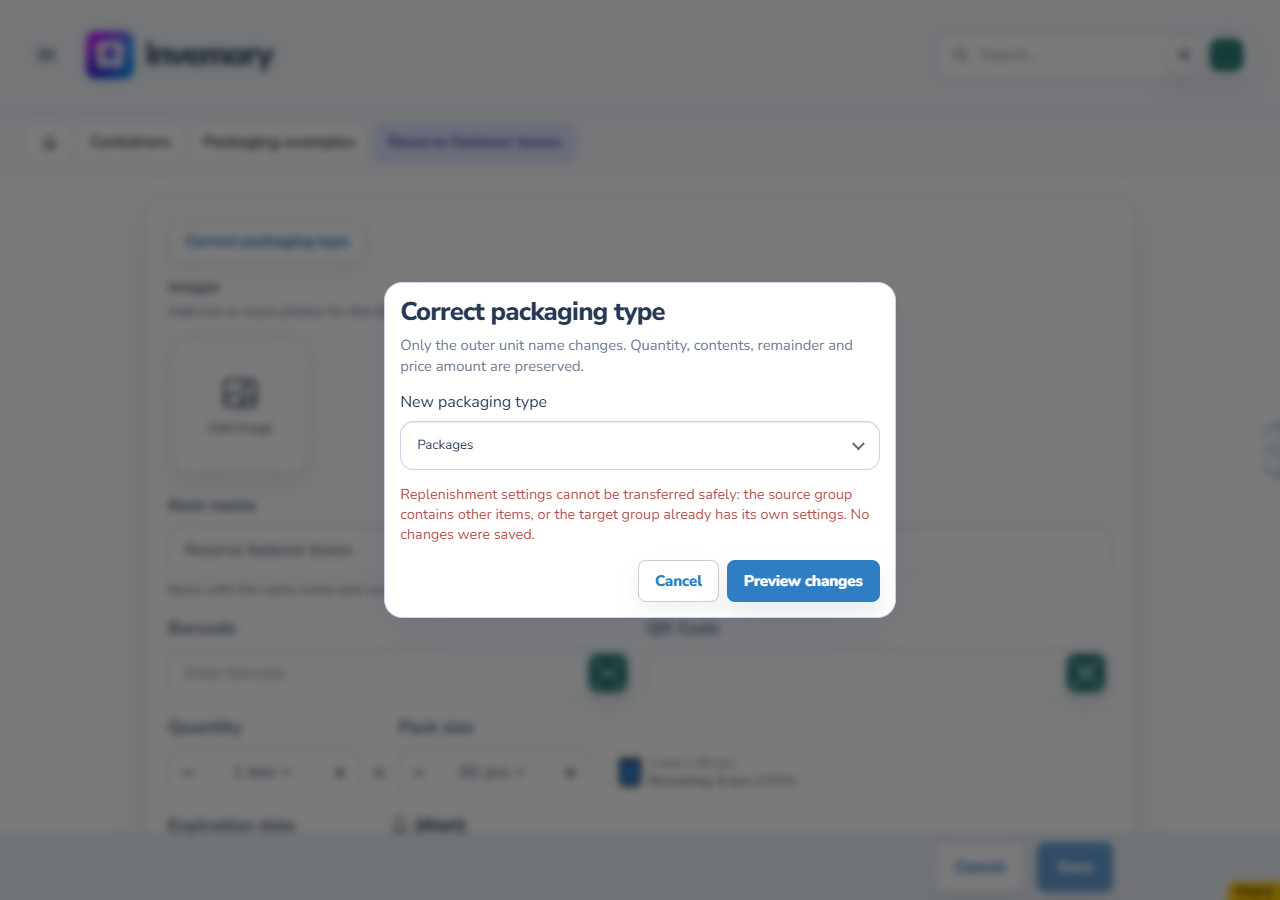
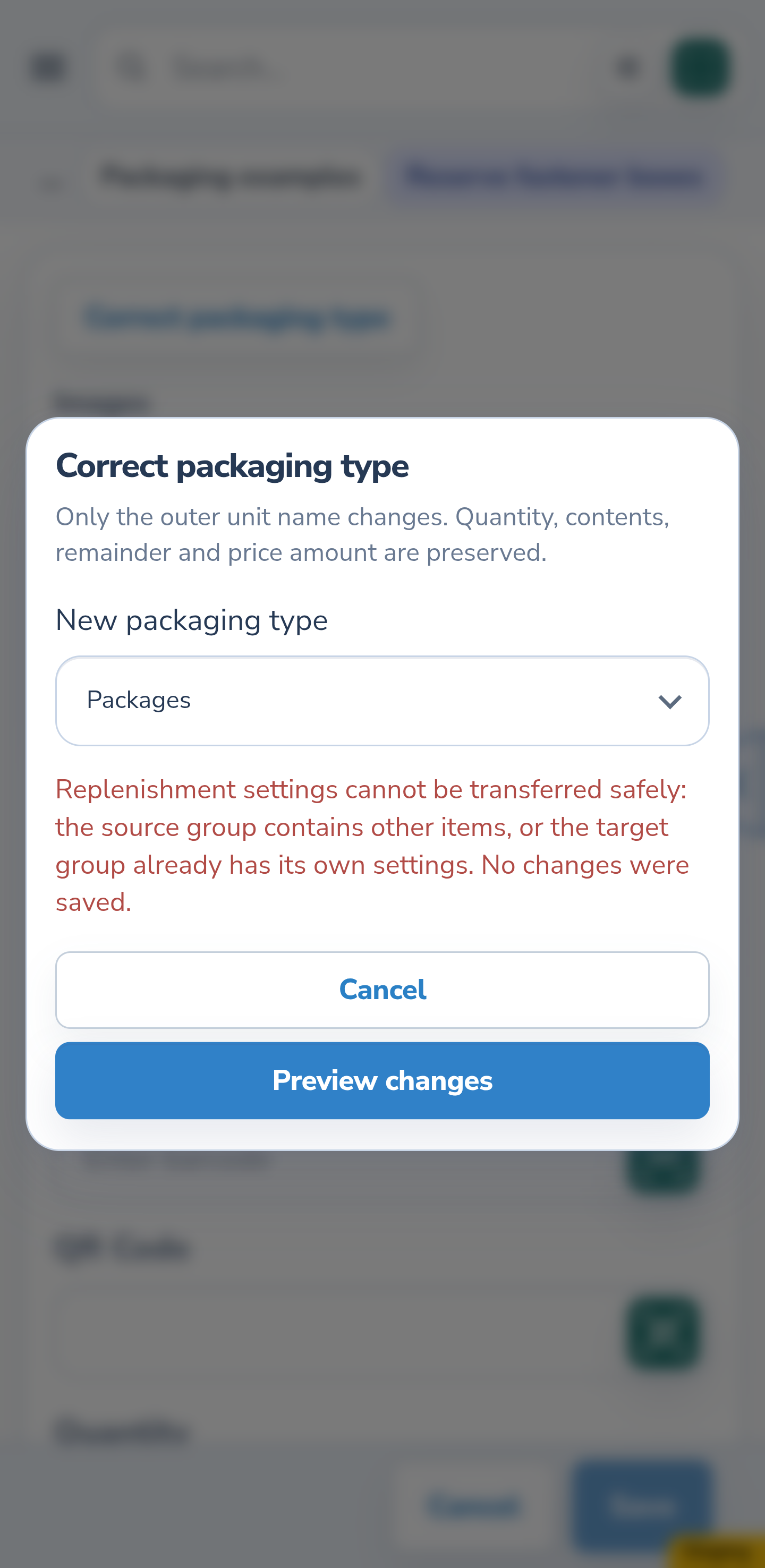
Correction refuses an unsafe transfer of replenishment settings when the source group has other independent items or the target group already has its own settings. In the illustrated example, two independent boxes and thresholds of 0 and 3 remain. No changes are saved. Cancel and check the relevant stock and settings.
Website
Android
The result
You have corrected the outer packaging name and checked the current facts and separate history. Package count, capacity, consumed contents, placement and the numerical price values are preserved.
Useful to know
- Pieces count individual units without packaging. For a box containing 60 pieces, choose an outer packaging unit and enter 60 as its contents.
- In a new form, switching to a unit without packaging may ask to remove the entered contents. Cancel in that warning preserves the entire original contents draft.
- The correction works at a 1:1 ratio between outer units. It does not change capacity or turn a box into 60 separate records.
- For an item linked to a purchase, check every preview record: the change covers the corresponding purchase and its linked parts.
- On your phone, scroll through the dialog to read every record and reach Save and Cancel.
Common questions
Can I change capacity after writing off contents?
No. Capacity and the contents unit remain locked. The separate action only corrects the outer packaging name.
Is the price recalculated?
The amount, currency and number of units in the price basis stay unchanged. The current basis receives the new outer unit. Earlier price entries retain their original basis; the current product group’s history may be empty after correction.
Are all purchases for the shopping request corrected?
Choose a specific purchase and check its preview. It lists the records that will change; having several purchases does not itself mean correcting every one.
You have corrected the outer packaging name and checked the current facts and separate history. Package count, capacity, consumed contents, placement and the numerical price values are preserved.
Open My inventory